Re: Custom JHBuild Prompt

June 17th, 2010 by thos

There’s no comment facility on Federico’s blog, but it’s a shame he didn’t notice my post from a few weeks ago about how to set custom prompts in jhbuild shells. No patches needed, and a much more entertaining environment variable is already available!

MeeGo Zones

May 28th, 2010 by thos

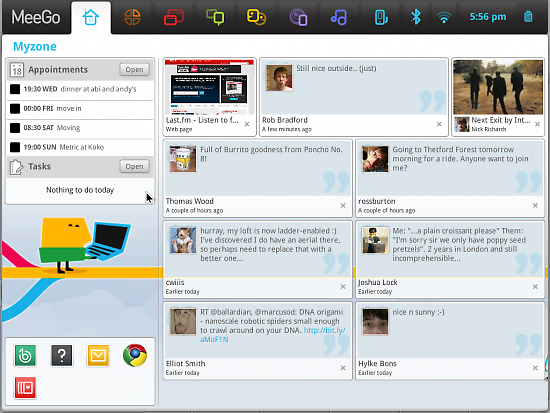
One thing everyone might not have noticed in the new MeeGo 1.0 for netbooks is the nice new zones panel, which I had the pleasure of working on. One of the neat things is that you can drag and drop windows between zones, and there are some nice animations as this all happens. I wrote about how I implemented the animations back in December last year, although I couldn’t mention what it was for at the time!

Unfortunately I didn’t get time to do a video yet, but here’s a screenshot showing the drag and drop in motion:

Meego™ and Mx 1.0

May 27th, 2010 by thos

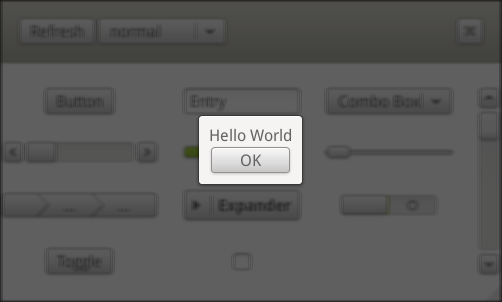
Meego™ 1.0 for Netbooks is now available, with a revamped user experience based on Clutter/Mx. The Mx toolkit now sports a number of widgets and classes, as I mentioned in my previous post. The API reference documentation is now also available online, or can be built from the source code using the –enable-gtk-doc configuration option. Source code is available from git or source tarballs.

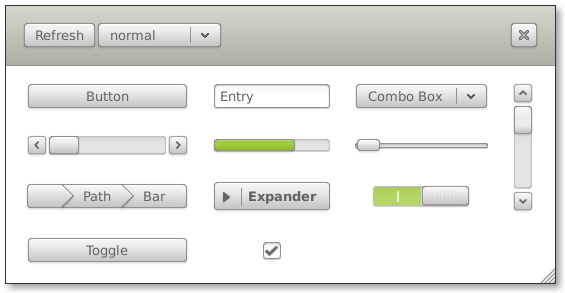
Mx Widget Gallery

Mx Toolkit 1.0

May 20th, 2010 by thos

The first stable release of the Mx widget toolkit was quietly released a few days ago. Mx is a traditional GUI toolkit, built upon Clutter technology. This enables smooth animations and special effects through hardware accelerated graphics (OpenGL).

The 1.0 release brings API and ABI stability to Mx and a good deal of bug fixes. The source code is available from gitorious.org/mx-toolkit, along with some of the other optional supporting packages such as clutter-gesture and clutter-imcontext. The 1.0 release is tagged and there is a branch that will carry bug fixes for this release. I’ve also made tarballs available in my personal directory on freedesktop.org. To build with minimal requirements, you may want to disable the optional dependencies from the configure script (–without-clutter-imcontext –without-clutter-gesture –without-startup-notification –without-dbus).

Here’s a list of some of the features that made it into 1.0:

  • Widgets: Window, Button, ComboBox, Entry, Frame, Icon, Label, Menu, ProgressBar, PathBar, ScrollBar, Slider, Toggle, Toolbar and Tooltip
  • Layout Containers: Grid, Table, Box, ScrollView, Viewport
  • Advanced Actors: Offscreen, DeformWaves, DeformBowTie, DeformPageTurn
  • Data views: ItemView, ListView
  • Utility objects: Application, Action, Clipboard, IconTheme, Style, TextureCache, ButtonGroup,
  • Other features: Drag and drop, keyboard navigation, CSS styling

As with any 1.0 release, there are bound to be bugs that haven’t been caught yet, so if you find any, please file them in the bugzilla located on bugs.meego.org (the Mx product can be found under “Meego Projects”).

Many thanks to all those involved in the making of Mx 1.0!

JHBuild Tip

May 19th, 2010 by thos

I use “jhbuild shell” quite a lot to allow me to have separate build and testing environments when developing software. I also have multiple JHBuild environments and it can sometimes be hard to know which environment I am working in. Thankfully, it’s fairly easy to modify the command prompt to let you know that you’re in a jhbuild shell. I have something similar to this in my ~/.bashrc :

if [ "x$CERTIFIED_GNOMIE" = "xyes" ];
then
PS1=”[\u@\h \W (jhbuild)]\\$ ”
fi

Monet Update

May 10th, 2010 by thos

I’ve added some quite interesting features to Monet recently. Monet is my effort at a replacement for Gtk+ theming, and also a generic widget drawing architecture using cairo that can be used by different toolkits.

The first thing is a new MnConfig object, which is responsible for loading configuration files for Monet (i.e. “themes”). These are written in XML format. It’s fairly similar to SVG, but with several extensions to make it easier to identify the various widgets and states.

For example, the following code:

<widget type="button">
 <rect x="0.5" y="0.5" width="-1" height="-1" stroke-width="1" stroke="#988c7c" corner-radius="4">
   <gradient x1="0" y1="0" x2="0" y1="50">
     <stop color="#fcfbfa" position="1"/>
     <stop color="#e7e2da" position="0"/>
   </gradient>
 </rect>
 <rect x="1.5" y="1.5" width="-3" height="-3" stroke-width="1" stroke="#fff" corner-radius="3"></rect>
</widget>

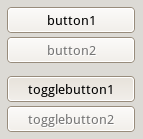
renders buttons that look like this:

Obviously the XML format is not complete yet, and there support needs to be added for expressions such as x=”width / 2″. I also want to keep the drawing aspect as close to SVG as convenience allows.

As far as API goes, there are currently two important objects:

  • MnStyle implements drawing all the widgets. It includes all the top level widget drawing, such as mn_style_paint_button. It will also have a set of more generic drawing operations to implement stylised shadows, lines, arrows, etc.
  • MnConfig will load a description of how to draw the widgets (as described above). This will allow theme designers full control over the look and feel for widgets. By using a XML based description it means that theme authors no longer have to understand C and GTK+ before they can write themes! Hylke has volunteered to look at writing a visual editor too, which will be really important for wider adoption.

There is still a way to go before Monet is production ready, but there is a GTK+2 theme engine available to test it out with. For now this provides a compatibility layer, but I hope in the future, many toolkits will be able to use Monet directly.

If you want to check out the progress, all the code is available in the monet-xml branch of the git repository at git.gnome.org/monet, but do bear in mind it still needs a lot of work before it’s ready for every day use!

Gnome 2.30 in London

April 7th, 2010 by thos

We’re going to be celebrating Gnome 2.30 in the usual manner in London. If you’d like to come along, please be sure to add your name to the wiki page so we can gauge numbers.

Google Summer Of Code

April 4th, 2010 by thos

Following the success of my endeavours into writing a Clutter based screensaver, I’ve put up an idea for a Google Summer of Code project to write some new Screensavers for GNOME 3 using Clutter:

Benefits: Provide visually rich and interesting screensavers for GNOME using Clutter.
Requirements: Good knowledge of C. Comfortable using GObject and Clutter.
Notes: Currently there are only a few basic screensavers shipped with GNOME. Possible Clutter based screensaver ideas include:

  • Picture gallery with 3D and physics effects
  • Cover art gallery
  • Clock
  • Feeds from social network sites such as Twitter

Of course, any other ideas for screensavers are welcome from prospective students! More information about GNOME Google Summer of Code and how to apply is available here: http://live.gnome.org/SummerOfCode2010

Usability Hackfest London

February 27th, 2010 by thos

I spent this last week at the Usability Hackfest in London. It was a great opportunity to catch up with and meet many of the Gnome usability folks and also get some interesting research done. Unfortunately I didn’t get around to writing up anything during the week, too much time was spent either hacking, talking or admiring the view from Canonical’s offices!


System Settings

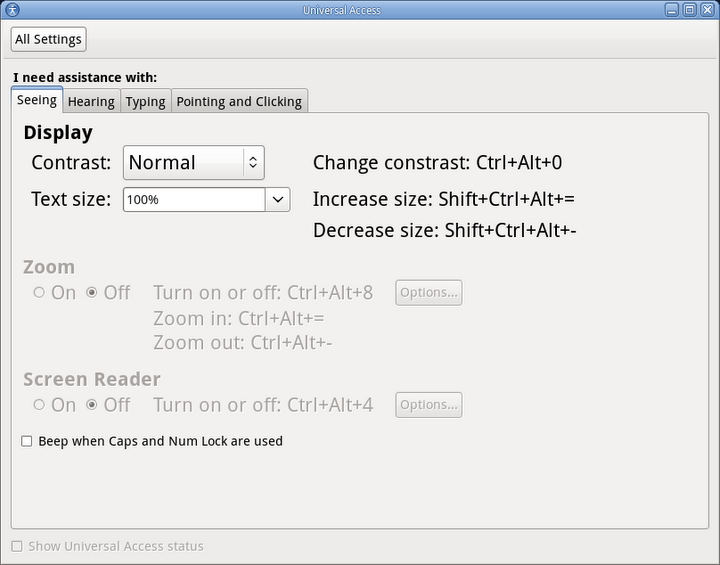
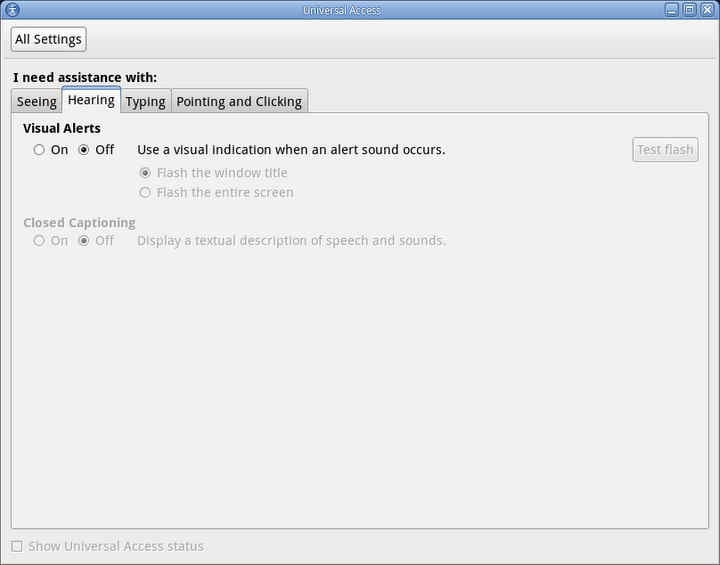
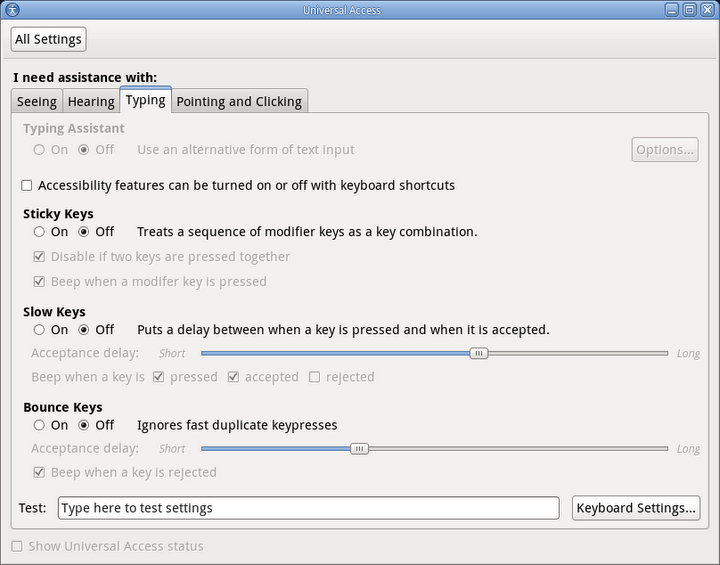
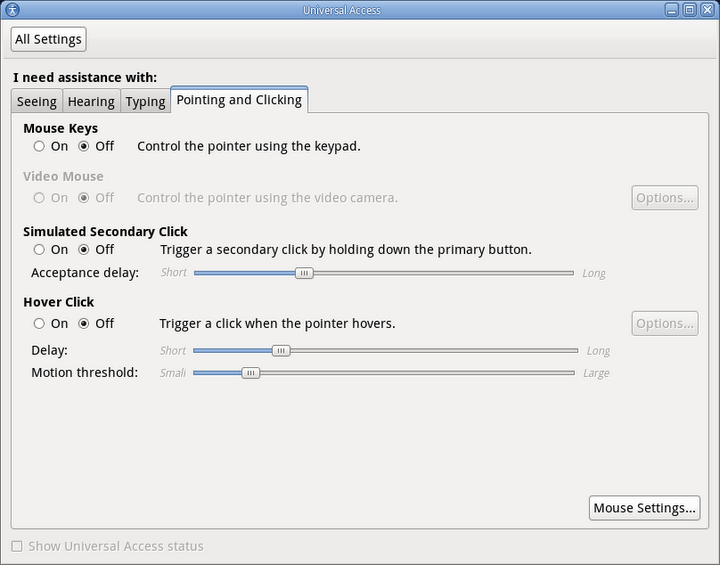
My main goal for the week was to look at what happens to the traditional “Control Center” in Gnome 3.0. I’m currently forging ahead with the new single window approach, but it was also time to look at what settings Gnome presents to users and how they are categorized. We had several card sorting excersises, where volunteers were recruited by Canonical to spend a session sorting and categorizing various settings to help us understand how ordinary users viewed them.

On Monday we discussed the current categories and settings available in Gnome 2.0. There are broadly two main categories that most settings fall into: settings to do with personalisation and preferences, and settings to do with hardware and configuration. The latter category is fairly constant in what the system needs to expose to the user. For example, mouse handedness or keyboard layout are settings that are required for the user to be able to use the computer more effectively.

Preference settings where a hot topic, and we discussed these further on Tuesday. There was some disagreement about what constituted as useful to most users and what where just “tweakers” settings. In the end, we agreed to focus on providing settings that allowed the user to make their environment feel more personal. This means setting the wallpaper from web services such as Flickr is in, but providing options for toggling icons-in-buttons is out. We recognised that a lot of our audience includes early-adopters and technologists who enjoy tweaking their computing environment, so we’re going to provide a special tweaker’s application to allow changing these settings without manually editing the settings database.


Card Sorting

We had the opportunity to run some card sorting studies during the week. I made a list of various settings and tried to cover a wide range of areas. The volunteers where then asked to group the settings based on what they felt was appropriate and then give the groups names and discuss a little about their reasoning. We had some interesting results, which are going to be published on the Usability Project wiki page.


New Preference Panes

I also started working on creating some UI files for the mock-ups from the design team at Intel. There are several new preference panes: Date & Time, Language & Localisation, External Devices, Background & Screensaver. They’re all currently under heavy review, so I won’t mention any specifics just yet. We’re also going to try and pull in more “core” preference panels into the Gnome Control Center module, so that no Gnome install is without any important settings panes.


Other Stuff

I was inspired to look into ATK support for Mx, the GUI toolkit built on Clutter that I work on for Intel. I have some rudimentary keyboard navigation support available, but I would like also like to build in support for ATK (the accessibility toolkit).

I also spent some time talking with Nick, Calum and Matthew about possible collaboration and shared goals between MeeGo, Ubuntu and Gnome, for the Gnome Human Interface Guidelines.

I walked Jakub through the process of making a gnome-icon-theme release, so expect more releases in the future. I also helped set up gnome-shell on Garret’s laptop, which apart from getting the necessary dependencies installed to run the build script, we also had to add “export CLUTTER_VBLANK=none” to his .bashrc file because the video driver he was using had broken vblanking, causing everything to be painfully slow.

Finally, I organised the social event on Friday, with Gnome hackers from Intel, Collabora, Codethink, Red Hat, Sun, Canonical, Novell all meeting up for drinks and pizza with other Gnome “hangers on” in London. A good evening had by all!

A great week in all, so thanks must go to Google and Canonical for sponsoring, and to everyone else involved.

Going Retro

February 21st, 2010 by thos

I discovered through the Android Market that there was a Mystify live wallpaper, which is reminiscent of the Windows 3.11 screensaver of the same name. It looks great on my Nexus One and doesn’t consume much battery power. Struck with a new sense of nostalgia, I wanted to have the effect as my screensaver in GNOME. I was rather surprised not to be able to find one for gnome-screensaver, so I decided it might be fun to give it a go myself. So, with the power of Clutter, Cogl and OpenGL, I brought the mid-’90s screensaver to my GNOME desktop:


ignore the glitch, it’s due to missing vblank and isn’t normally visible

I used Clutter/Cogl with a thought to adding some OpenGL effects in the future, although I’m not quite sure what that might be apart from some blurring effect on the trailing polygons.

If anyone is interested, I’ll publish the code somewhere. I’m tempted to re-write “starfield” too…