Digital Wellbeing Contract: Screen Time Limits

It’s been four months since my last Digital Wellbeing update. In that previous post I talked about the goals of the Digital Wellbeing project. I also described our progress improving and extending the functionality of the GNOME Parental Controls application, as well as redesigning the application to meet the current design guidelines.

Introducing Screen Time Limits

Following our work on the Parental Controls app, the next major work item was to implement screen time limits functionality, offering the parents ability to check the child’s screen time usage, set the time limits, and lock the child account outside of a specified curfew. This feature actually spanned across *three* different GNOME projects:

  • Parental Controls: Screen Time page was added to the Parental Controls app, so that parents can view child screen usage an set the time limits, it also includes a detailed bar chart
  • Settings: Wellbeing panel needed to make its own time limits settings impossible to change when the child has parental controls session limits enabled, since they are not in effect in such situation. There’s now also a banner with an explanation that guides to the Parental Controls app
  • Shell: Child session needed to actually lock when the limit was reached

Out of all of the three above, the Parental Controls and Shell changes have been already merged, while the Settings integration has been through unwritten review during the bi-weekly Settings meeting and adjusted to the feedback, so it’s only a matter of time now before it reaches the main branch as well. You can find the screenshots of the added functionalities below, and the reference designs can be find in the app-mockups and os-mockups tickets.

Child screen usage

When viewing a managed account, a summary of screen time is shown with actions for changing further settings, as well as actions to access additional settings for restrictions and filtering.

Child account view with added screen time overview and action for more options

The Screen Time view shows an overview of the child’s account’s screen time as well as controls which mirror those of the Settings panel to control screen limits and downtime for the child.

Screen Time page with detailed screen time records and time limit controls

Settings integration

On the Settings side, a child account will see a banner in the Wellbeing panel that lets them know some settings cannot be changed, with a link to the Parental Controls app.

Wellbeing panel with a banner informing that limits can only be changed in Parental Controls

Screen limits in GNOME Shell

We have implemented the locking mechanism in GNOME Shell. When a Screen Time limit is reached, the session locks, so that the child can’t use the computer for the rest of the day.

Following is a screen cast of the Shell functionality:

Preventing children from unlocking has not been implemented yet. However, fortunately, the hardest part was implementing the framework for the rest of the code, so hopefully the easier graphical change will take less to implement and the next update will be much sooner than this one.

GNOME OS images

You don’t have to take my word for it, especially since one can notice I’ve had to cut the recording at one point (forgot that one can’t switch users in the lock screen :P) – you can check out all of these features in the very same GNOME OS live image I’ve used in the recording, that you can either run in GNOME Boxes, or try on your hardware if you know what you’re doing 🙂

Malcontent changes

While all of these user facing changes look cool, none of them would be actually possible without the malcontent backend, which Philip Withnall has been working on. While the daily schedule had already been implemented, the daily limit session limit had to be added, as well as malcontent timer daemon API for Shell to use. There has been many other improvements, web filtering daemon has been added, which I’ll use in the future for implementing Web Filtering page in Parental Controls app.

Conclusion

Our work for the GNOME Foundation is funded by Endless and Dalio Philanthropies, so kudos to them! I want to thank Florian Müllner for his patience too, during the very educative for me merge request review, and answering to all of my Shell development wonderings. I also want to thank Matthijs Velsink and Felipe Borges for finding time to review the Settings integration.

Now that this foundation has been made, we’ll be focusing on finishing the last remaining bit of the session limits support in Shell, which is tweaking the appearance of lock screen when the limit is reached, and implementing the ignore button for extending screen limit, as well as notifications, followed by Web Filtering support in Parental Controls. Until next update!

Digital Wellbeing Contract: Redesign

This month I have been accepted as a contractor to work on the Parental Controls frontend and integration as part of the Digital Wellbeing project. I’m very happy to take part in this cool endeavour, and very grateful to the GNOME Foundation for giving me this opportunity – special thanks to Steven Deobald and Allan Day for interviewing me and helping me connect with the team, despite our timezone compatibility 😉

The idea is to redesign the Parental Controls app UI to bring it on par with modern GNOME apps, and integrate the parental controls in the GNOME Shell lock screen with collaboration with gnome-control-center. There are also new features to be added, such as Screen Time monitoring and setting limits, Bedtime Schedule and Web Filtering support. The project has been going for quite some time, and there has been a lot of great work put into both designs by Sam Hewitt and the backend by Philip Withnall, who’s been really helpful teaching me about the project code practices and reviewing my MR. See the designs in the app-mockups ticket and the os-mockups ticket.

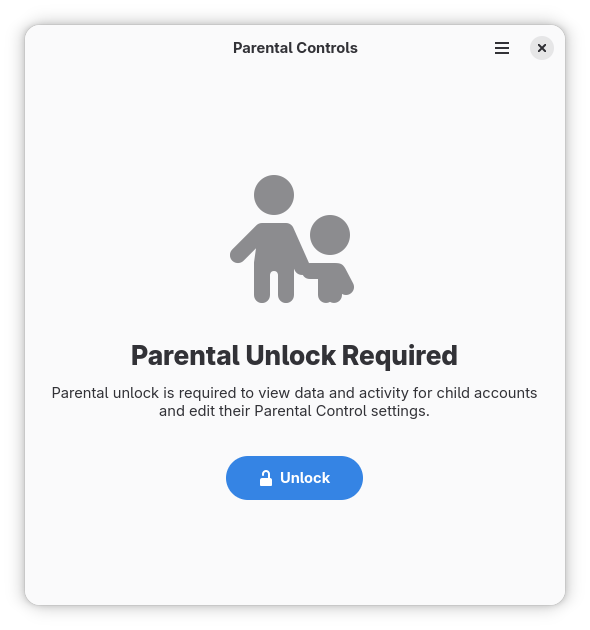
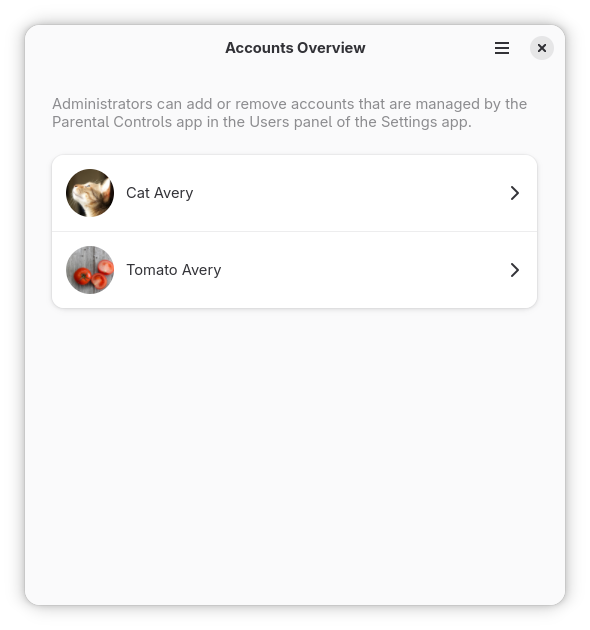
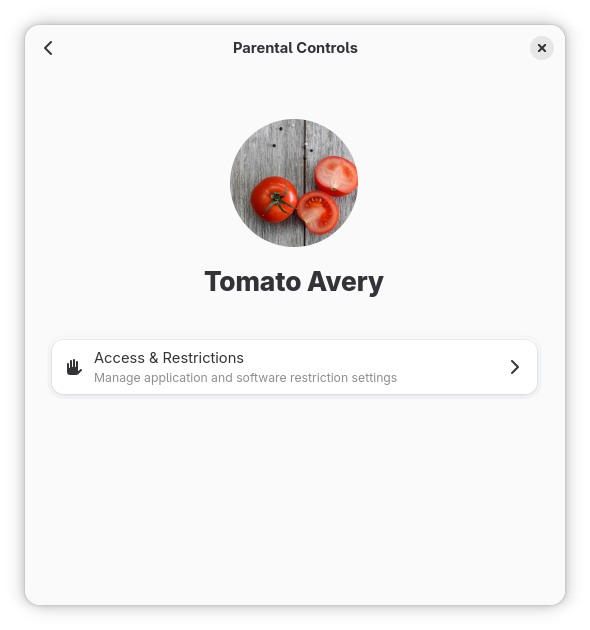
We started implementing the design mockup MVP for Parental Controls, which you can find in the app-mockup ticket. We’re trying to meet the GNOME 49 release deadlines, but as always it’s a goal rather than certain milestone. So far we have finished the redesign of the current Parent Controls app without adding any new features, which is to refresh the UI for unlock page, rework the user selector to be a list rather than a carousel, and changed navigation to use pages. This will be followed by adding pages for Screen Time and Web Filtering.

Refreshed unlock page
Reworked user selector
Navigation using pages, Screen Time and Web Filtering to be added

I want to thank the team for helping me get on board and being generally just awesome to work with 😀 Until next update!