February 1, 2009
General
3 Comments
Recently I gave a class for a friend of mine in Grenoble as part of an “Introduction to entrepreneurship” course he is teaching for a Masters in business studies. He asked me to explain my activity, how I set myself up administratively, and explain the business model and marketing plan of a services/consulting company.
I covered a lot of ground, and it was pretty interesting I think, so I’m reproducing the gist of what I presented here for posterity.
Make money giving stuff away?
After a fairly brief presentation of free software (what it is, some examples, why people are interested in it, the basic community mechanisms involved), I got my first question: how can you make money off something that you give away?
Having read “Free! Why$0.00 is the future of business” by Chris Anderson, I had some ready answers, and teased some more examples out of the students:
- Free razors: Sell more disposable razor blades
- Free newspapers: leverage higher distribution figures to get more advertising revenue
- Free music downloads: sell premium products like box sets, concert tickets, merchandising
- Free Internet services (search, email, film, photo management, …): Leverage the ability to follow behaviour patterns and high volumes to increase advertising revenue.
- Free first version, pay for upgrades: Used effectively in the drug trade. Get your users roped in.
- Free cellphones, monthly subscription: sell more of the high-margin recurrent product for the cost of the low-margin one-off purchase.
- Free flights, make money off sandwiches, alcohol, advertising, …
In each of these cases, you can see a basic process at play: free drives volume, to drive the sale of complementary goods. For a musician, concerts are a complement to CD purchases. The bigger your fan base, the more concert tickets you will sell, all else being equal. For free newspapers, advertising space is a complement to distribution.
In general the following rule holds for complementary goods: when the demand for a good goes up, the demand for its complements also goes up. And assuming a normal demand curve, when the price of a good goes down, its demand will go up. So all we need to make a feasible business model based around free software is to find natural complementary goods to the software. There’s no shortage: training, books, custom software development services, support, upgrades, magazines, other software for the platform, the hardware the software comes on, services related to the software’s function (think: photo development services for a photo management application, or web search for a web browser). And there are all the loosely related things that relate to this, like the HR consultants who specialise in finding experienced free software developers.
For me, I chose consulting services, and training. Due to my experience in the free software world, I’m well positioned to help companies who don’t understand the mysteries of how everything works to grow healthy communities, or to become good citizens of the projects they work with. I’m developing training courses on working with free software communities, and developing GNOME and GNOME Mobile applications. And I’m working directly with communities doing the stuff that needs to be done to enable the community to be effective.
Selling your wares
Next up, we discussed how someone might sell those types of services. Of course, your personal network is vital for this, and you need to be working all the time to grow that network, because you never know where the next opportunity might come from. I make a point of talking to whoever I’m sitting beside in airplanes, and not just because the flights go quicker that way. You never know who might be able to help you, and who you might be able to help.
On top of that, you need to build credibility with the people who will be paying for your services, and the people who will be ordering your services. In big companies, this will often be two different people – the person who wants you to come train their team is probably not the person with signing authority on the training budget. So you need to work to build credibility with both. You also need to have credibility with the influencers of purchasing decisions. A manager may ask the opinion of the latest intern to join the group who “knows this open source stuff”.
One good way to do this is to write and publish. Regular newspaper or magazine articles, a well-maintained blog, perhaps authorship of a book or two are all useful references for someone when they are trying to figure out if you’re any good. You should try to target publications which your targets inside your prospects read. If you’re aiming for the CIO, then he probably doesn’t read Linux Magazine, but perhaps you can be a guest writer in something like CIO or 01 Net? The intern, on the other hand, might well have a Linux Magazine subscription.
Another great way to build your network, and to gain credibility, is to give presentations in conferences. This is something you should work at – make sure you give a good presentation. If in doubt, practice live first, in front of the mirror is a good start, real people is even better. There are lots of resources out there on giving better presentations, I enjoyed “Really Bad Powerpoint” by Seth Godin, “Presentation Zen” by Garr Reynolds (and related site), “slide:ology” by Nancy Duarte, and “The Back of a Napkin” by Dan Roam (related site) (thanks to Stormy Peters for the last two references). Target conferences that give you a good chance to meet the people who will be buying your services, or at least who will be influencing purchasing decisions.
If you’re trying to build credibility as an expert in a specific area, you should also actually be an expert in the area. If you’re trying to make money selling support of Drupal, then you should probably be on a first name basis with Dries. Ideally, you will be an active developer on the project, and will be able to point to major features you’ve contributed.
And nothing works better as a marketing tool than having good references. When you have made people happy, they will get you more work. So make sure you are doing that.
How much do you charge?
One of the hardest things to do as a consultant is to figure out how much to charge for your services. And we spent over half of our three hour course talking about this.
The first way to figure out how much to charge can be called cost-plus.
You decide how much money you need, how much time you’re likely going to work to earn it, and divide to get a daily or hourly rate. They you add an amount you think that you can get on the market, and at the end of the year, this is your company’s profit. Profit is handy, since it’s what allows you to grow – to hire new people, take on new projects, and maybe move from consulting to a product-based business model.
A well-known rule of thumb (which Stephen Walli recently restated to me) is that a successful consultant will bill roughly 50% of the available time in a year. Some years will be worse, some years will be better. But between looking for new clients, down time between projects, and handling everything that you need to do when you’re at the head of a company, 50% is a good target to aim for.
The work year is 52 weeks, 5 days a week. Some people might say 6 days a week, but for me, with 3 kids, quality time on weekends is important. If you take 4 weeks vacation a year, and take away public holidays, you’re left with a working year of 230 days, give or take. So if you do well, you’ll be billing 115 days a year.
One of the advantages of consultancy is that the overheads are low. You don’t have to purchase or store stock, and your gross margins are close to 100% since you’re basically selling grey matter. That doesn’t mean you don’t have costs, though – lawyers, accountants, insurance (liability, health, social, life…), government taxes, social charges on what you pay yourself, travel to conferences, dinners and lunches with clients, computers, various subscriptions (cellphone, internet, phone), rent, furniture for the office, the list goes on.
For argument’s sake, let’s say that you want to make €3,500 per month, or €42,000 per year, before tax but after social charges. You will need to invoice in the region of €70,000 to €80,000 during the year. Assuming, as we have, that you will be invoicing 115 days during the year, you need to be charging between €650 and €800 per day. When you say this to students who would probably take a job very happily for €30 an hour, they can be pretty surprised.
There’s a second method to pricing your services, which we’ll call value-minus. It is the reason CEOs, film actors and professional sports stars get paid obscene amounts of money. In short, they’re worth it.
Why would a film studio pay $15 million to Angelina Jolie to star in a film, when they could have had someone else for a tenth of the price? Because having Angelina Jolie in the film guarantees you attendance. It guarantees you a successful press tour. If Angelina’s’ last three films all grossed over $100 million, then the chances are her next one will too – at least partly because she’s on the list of stars. The same thing goes for David Beckham – a club pays for him because the extra merchandising, bums on seats and (presumably) improved results will earn the club back more than they are laying out for him. And Steve Jobs can argue convincingly that part of the blockbuster profits that Apple is raking in are thanks to his stewardship of the company – and as such it’s normal that he be paid in consequence.
If you can put a dollar value on the money that you will earn or save a company by working with them, then you can sell your services for that amount less a dollar, and it is worthwhile for the company to hire you.
As a consultant, it’s hard to do that, though. How do you measure how much more effective a development team is after your training? Feedback is helpful, of course, but you will be measuring the team’s perception of your training, not actual dollars on the balance sheet. Performance metrics are important. Are the team getting changes upstream quicker after your attendance? Are there fewer days being spent on maintenance of local patches? How many fewer? “Reduced maintenance cost by 18% in the year following intervention” is a great headline.
It’s not always possible to follow up and get exact figures, though. To measure the effect of your services, you would need to be measuring before and after for the measurement to mean anything – and in companies that have problems working with free software, they’re not measuring anything, and that’s part of the problem.
But there are ways to infer the value of your services. I have to give a hat-tip to Andreas Constantinou for pointing me to “Million Dollar Consulting”, which opened my eyes somewhat to this.
To work out the value you might have for them, it’s useful to think of substitute goods for your products and services.
Substitute goods are goods which can be used instead of each other. Substitutes can be perfect or imperfect. One brand of car or another are close to being perfect substitutes, but taking the train, or riding a bicycle, might be other substitutes that address the same basic need of getting from A to B.
As a consultant you’re selling information in exchange for time. You’re saying “there’s nothing I know that your team won’t find out eventually on their own, but I can help you get there quicker”, or “you could hire a graduate and train him up for 6 months, or you can hire me now and I’ll be operational Monday”. Other consultants might be perfect substitutes for you (although of course you’d argue they’re not, since you’re so much better), but training, subscriptions to market analysis firms, magazine subscriptions, mentoring programs, or travel to conferences might all be substitutes, since they all address the same basic need – save the client’s time by getting him the information he needs quickly.
A good way to see what the substitutes to your service are is to follow the money. What budget would your services be coming out of? What else does the budget get spent on? Do your services replace or complement other things coming out of the same budget?
As an example, a company might decide that sending 10 people to OSCON for a week is the best way to get them up to speed quickly. 10 plane tickets + 10 weeks in a hotel + 10 expense reports + 10 registration fees might set the company back somewhere in the region of $30,000. So if your one week intensive training course saves them the need to send 10 guys to San Jose this August, you’ve saved them $30,000. You can charge $20,000 + expenses, and they’ll think it’s a bargain.
There is no right answer to the question of how to set your prices, and you’ll quickly find yourself adjusting your price depending on how involved or risky a project is – it’s unlikely that you will have a one-size-fits-all price. But thinking about the price of your substitutes can help you at least be in the range of market expectations.
Market expectations are intimately related to price. You will learn quickly that a lower price does not necessarily make you a more attractive option than your competitors. Price communicates something – skill. As a consultant, you want to position yourself as an expert, and experts cost a lot.
That said, if your competitors’ prices are substantially lower than the figure that you got out of your cost-plus calculation, you might consider looking for a different line of work, or revise your needs down. If you want more money than the market is willing to give you, the chances are you will end up disappointed.
So – there you go. Food for thought, and there are probably plenty of approximations there for people to jump on. I stand by the basic thrust:
- Base your business model on a complement to the free software you work with.
- Figure out who will be influencing buying decisions, who will be doing the buying, and who will be doing the paying, and figure out how to build credibility with each of them
- Price your services based on the value you give to the company, while keeping an eye on how much you get paid at the end of the month. Estimate value based on the market price of substitutes for your services.
January 30, 2009
General
9 Comments
After much hesitation, and after deciding a couple of weeks ago that I wasn’t going, I’ve changed my mind. I’ll be in Brussels on the 21st and 22nd of February for FOSDEM.
The thing that turned me around was the number of times in the past two weeks I’ve been participating in conversations and discussions, and someone has said to me “we’ll have a chance to discuss that more in Brussels”.
Update: Uhmmm… Thanks to Rob Taylor for pointing out that FOSDEM was the weekend of the 7th and 8th of February. Don’t know how the wrong dates slipped into my calendar. Anyway, can’t go. Have a thing in Lyon that weekend. Have fun everyone else. Still, it would have been funny to arrive in Brussels and say “Hey, where is everybody?”
Update 2:Thanks also to the 6 people who corrected me in comments. I’m not ashamed of my shame, so I have approved them all for everyone’s amusement.
January 29, 2009
General
1 Comment
Reposting from the Neary Consulting blog
My previous post on free software business models got some really great feedback, but I think that I was arguing against a straw man that I’ve built up myself. That straw man is the “pure open source start-up” – and I’m not the only person tilting at this particular windmill.
The false assumption here is that only software companies can make money off free software in a “pure” way.
There are lots of ways of making money leveraging free software. Simon Phipps writes often on about the core principle behind some of these.
First, there are all the hardware-based models. Reduce your per-unit costs for some hardware you’re manufacturing because you’re integrating a free software stack. Make a better product, because you can modify the software running on it from top to bottom. Sell more server hardware because your software is more widely distributed. To paraphrase Doc Searls, people aren’t making money with free software, they’re making money because of free software.
Second, you have the software as a service business model. If your software gets more useful the more people use it, then at some stage, it doesn’t matter whether it’s free software or not – the value is in the user base and the data. Imagine a SugarCRM where there were substantial network effects in having an account on their hosted service. Eventually, it wouldn’t matter that the platform is available for download, the value would be in being hosted.
And thirdly, you have what Simon says “payment at the point of value”. Get your software out there. Make sure that you’re heavily deployed. And set yourself up so that when people need help they come to you. This is the “pure open source” play, and it is the one which I have talked about before. In this model, you’re open to competition, since you are monetising a value-adding support and expertise in a product which anyone can master and change.
There is a fourth way of making money off free software which doesn’t make sense for a company, but might make a lot of sense for an individual developer. And that is, get paid to do what you love by someone who belongs to the first three groups, and who values your expertise. Thus, Nokia, Novell, Red Hat and Canonical hire established free software developers to keep on doing what they were doing before, for money – because what they were doing has value to those companies in the context of their business model. Companies such as these, and other companies who hire people to work on products they depend on, are ensuring the future of free software.
If your company is building products on free software projects, then you would be a fool not to invest in those projects to ensure they continue to develop and improve. You can invest with a service contract, by outsourcing to a company like Spikesource, or by hiring in a hacker – the net result is the same. Companies using the software will ensure that key free software projects will continue to develop, independent of any one business model.
January 29, 2009
General
4 Comments
I was hunting recently for any online whiskey supplier who still had some Redbreast 15yo in stock and on sale for less than the current asking price of €120, since I only have about a third of my bottle (bought for €55 in the Whisky Lodge in Lyon) left, but I came up short.
Anyway, that got me thinking that I haven’t bought any whisky in a while, and I went on a bit of a shopping spree on the very excellent Maison de Whisky website. I will soon be receiving, hopefully, 5 bottles in the mail, not one from Scotland.
- Yoichi 10yo: I’m a big fan of Japanese whisky, and this one will make a nice companion to the bottle of Yamazaki 10yo that I have at home
- Redbreast 12yo:The best bang per buck in the world. This whiskey is a monster – there are very few like it in the world, and in the absence of the 15yo which now appears to be no longer on the market anywhere, not even on auction sites (that’s because everyone who’s bought it couldn’t resist drinking it), this is the one you want to discover Irish pure pot still whiskey
- Eddu Silver: On the Malt Maniacs mailing list, I recently asked if whisky from Brittany still tasted like paint thinner, and someone pointed me to this whisky as a very good one. Let’s see if it holds up better than the Armorik I tried about 5 years ago… This whisky has the particularity that it’s made with buck wheat rather than barley.
- Amrut cask strength 2007: This is an Indian whisky which has exploded onto the market recently, and this year the 2008 bottling won the Malt Maniacs 2008 award for best “Daily Dram” (whisky on sale for less than €50). Will have to try that some other time. Unusually for a high quality whisky, this is a NAS (No age specified) whisky, so you don’t know how long the malting matured in casks before bottling. But if it tastes good, I don’t really care.
- Basil Hayden 8yo: I’ve been a fan of good bourbon for a while now – ever since I got to taste test some Baker’s, Bookers and Basil Hayden at the Collaboration Summit in Austin during the sharks & penguins bash last year. I was thinking of getting a rye whisky, but when I got to try Old Potrero a while back, I thought it was pretty over-priced, so I’m sticking with what I know is a good bourbon.
So there you go – a tour of the whisk(e)y world in 5 bottles (with my excuses to the Scots, the Canadians, the Aussies and the Welsh).
January 23, 2009
community, freesoftware, gnome, marketing
10 Comments
Bamboozled.
That’s what I am. Bamboozled.
For those who haven’t heard this story over the last week, a young woman in Wisconsin accidentally ordered an Ubuntu laptop from Dell and dropped some college classes because she couldn’t make her internet connection work, because when she put in the CD it didn’t launch, and she didn’t have Microsoft Office, which was a requirement for her online classes.
The story, for me, is the total ignorance that both the university and the ISP have of other operating systems. Instruction manuals have information for Windows, maybe Mac, and outside of that, you’re on your own. A newcomer to Linux can’t get by on their own.
Course requirements list specific commercial programs you need to have. And we have a long hard battle to fight for minds & hearts of the universities, hardware manufacturers, ISPs and everyone else who gives software to users, or who exchange files.
The news station story had a happy ending:
However, we think we’ve helped her get back to school.
Verizon says it will dispatch a technician to try to assist her accessing the internet without using the Windows-only installation disk. Verizon says its high-speed internet does indeed support Ubuntu, but some advanced features and installation disks clearly don’t work with Linux.
MATC also says it promises to accept any of Schubert’s papers or class documents using whatever software she has installed.
Schubert’s computer came with Open Office, a word processing software package that is compatible with Microsoft Word. She says she wasn’t aware it was compatible. MATC promised to show her how to save documents in compatible formats so she could enroll in online courses again.
So – happy ending, right? We’re helping win the hearts and minds, we’ve solved a new user’s problems, and we’ve got some nice press showing how Linux users are neglected by the industry.
Ummm… no. That’s what has me bamboozled.
The story quickly got spun as “news channel said Ubuntu sucks” on tech blogs looking for a big headline. And from there, all of a sudden, the reaction of “Ubuntu fans” becomes the story. The young woman in question got some abuse for not figuring out how to solve her problems – she was “lazy”, “a dumb girl”. The news channel gets lambasted for “unscrupulous reporting”.
We all get lumped in the same bucket. When I go to free software conferences and say I work with GNOME, I hear stories about rude behaviour of others in the GNOME community. Outside the free software world, people don’t make a distinction between the lunatic fringe and people like Mark Shuttleworth or anyone in between.
One of these days that’s going to change. The loony fringe will become the loony fringe, and the mainstream will go mainstream. It’s happened with every “movement” to come from off the radar, and it will happen to us. In the meantime we need to start controlling the story – reminding people what’s important, and generally drowning out the fringe.
January 19, 2009
General
10 Comments
When I hibernate my Dell Latitude D420 in Ubuntu, when I restart the computer I go straight into the Grub menu, and when I select the usual menu entry, I get a fresh boot.
Anyone know what I need to do to restore after hibernating? What does the UI look like? I was expecting not to see a boot menu at all, and just boot directly to a locked screen.
January 16, 2009
community, gnome, guadec
6 Comments
After my last post, a few really useful links came out in the comments, they’re worthy of getting more attention, on top of sites like expedia.com (where I got my tickets).
Edward Hervey recommended kayak.com – a nice web 2.0 site that aggregates low-cost airlines as well as traditional airlines, shows you prices on or around your flight dates for more options. It didn’t find my train-and-plane combo, while Expedia did, but definitely worth a try.
Nelson pointed to the websites of three airlines that fly to Gran Canaria, for those who want to look to the source: aireuropa.com which I mentioned, vueling.com and spanair.com – as far as I can tell, these are all covered by the above agregator sites.
And sdf (quite possibly a spammer, but maybe not) pointed to tuifly, a German no-frills who flies to Gran Canaria from a wide variety of German sites.
January 15, 2009
community, General, gnome, guadec, maemo
4 Comments
I just bought a round trip for the Gran Canaria Desktop Summit, flying out on July 3rd and returning on July 11th, with Europa Air, from Lyon to Las Palmas via Madrid, for €254 including taxes. I found the ticket on Expedia.
This is, quite frankly, very cheap – and I expect that ticket prices will only start going up from here on in.
To all those planning on attending: please buy your tickets now.
If you need some travel assistance, buy the tickets now, and keep a receipt, and ask for assistance afterwards. The longer you wait, the more expensive your ticket will cost, and the less likely it will be that we will be able to partially or fully reimburse you.
It might be worth your while checking ticket prices via a travel agency – since this is a holiday destination, the travel agency may have access to charter flights which aren’t listed on sites like lastminute or expedia. Also, have a look at Easyjet, a budget airline that can give you really cheap flights and isn’t listed in the online reservation sites.
December 26, 2008
community, gnome, guadec, maemo
2 Comments
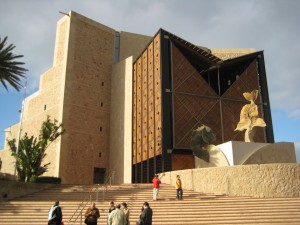
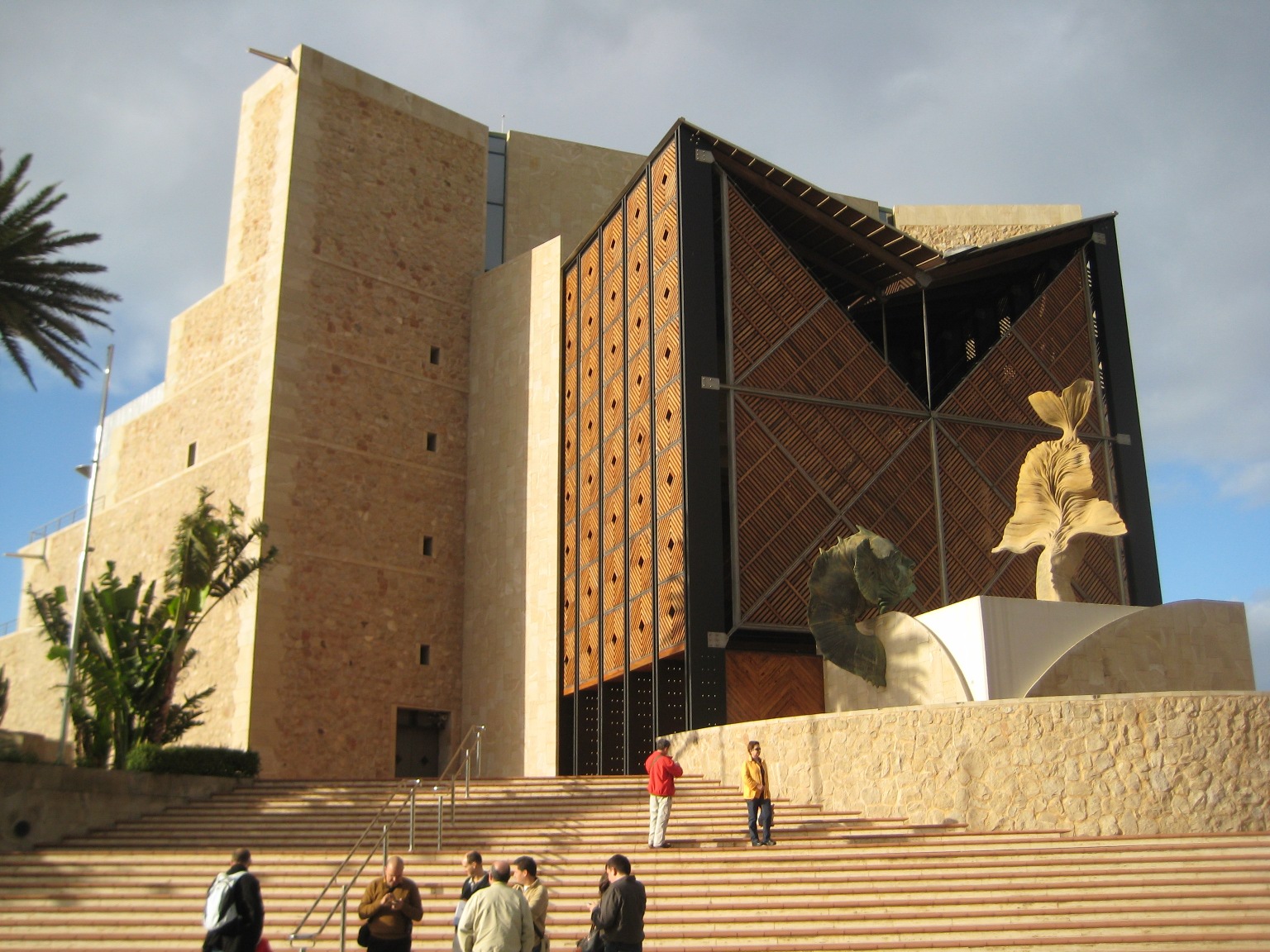
The Auditorium building
Last week, I travelled with vuntz to Gran Canaria, where we met up with Alberto Ruiz, Sebastian Kügler, Will Stephenson and Claudia Rauch, along with the local organising team Augustín, Miki, Kuka and others to have a series of meetings about the upcoming Gran Canaria Desktop Summit (July 3rd to July 11th 2009).
We had a series of press conferences and interviews interspersed with meetings with the local organising team, among ourselves, with the Cabildo (the local government), and the management of the conference center on a very wide range of topics (and I plan on writing a post or two on some of the interesting issues we’re facing another time).
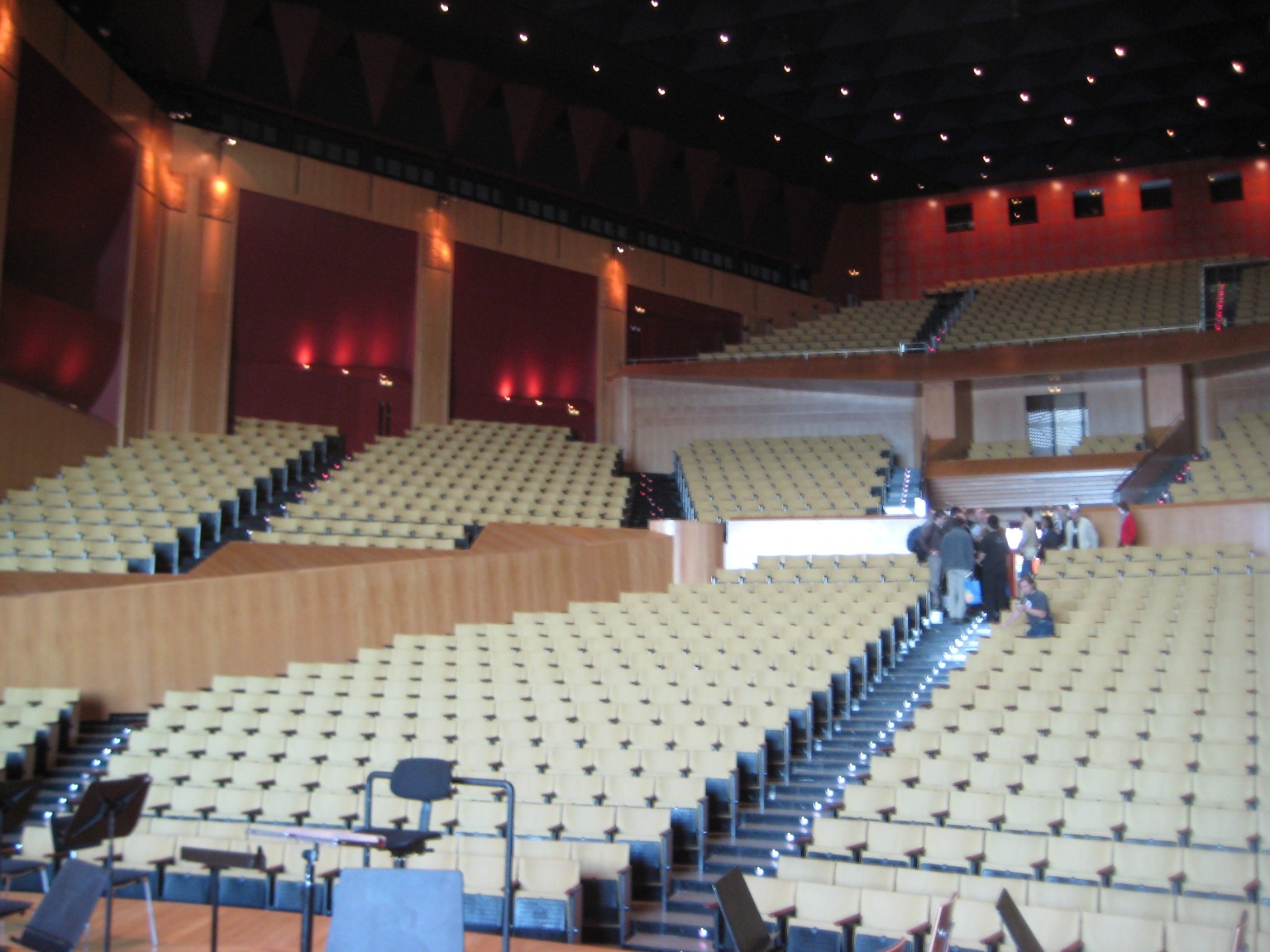
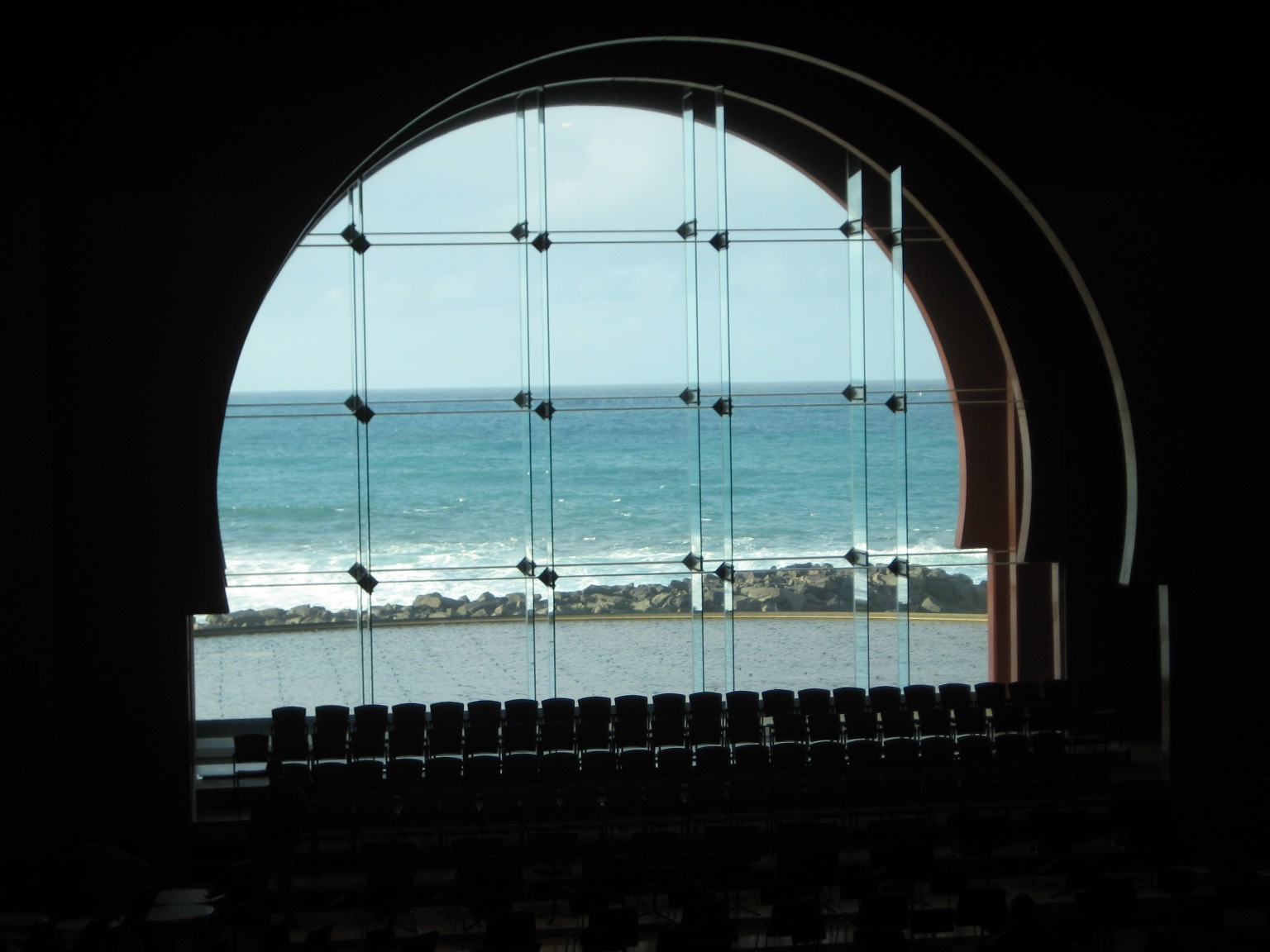
The conference will be held in the Auditorium, a “palacio de congresos” near the beack in Las Palmas:
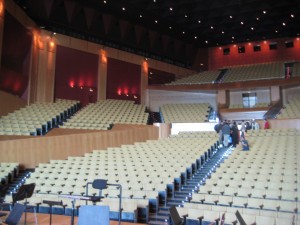
View from the stage of the symphony hall

View from the peanut gallery
This is an amazing theater, and well fit for a symphony orchestra, and on the first day of the conference, the 4th of July, we plan to fill over 1000 seats.
Some of the goals of the conference this year, from the point of view of the Cabildo who are supporting us, are to increase local awareness of free software as a credible alternative, and to grow the local free software industry. As part opf these, we will be working to run some Spanish language tutorials and presentations, and the Cabildo’s press office will be working hard to ensure that the conference opening will get some great media coverage.
With that said, it was reassuring to heard Dr. Roberto Moreno of the Cabildo reinforce his committment to have a conference for the communities, and not let politics and media get in the way of getting together and working. I am hopeful that we can reconcile both, and have some nice local and international coverage of cool stuff coming out of the communities who will be attending.
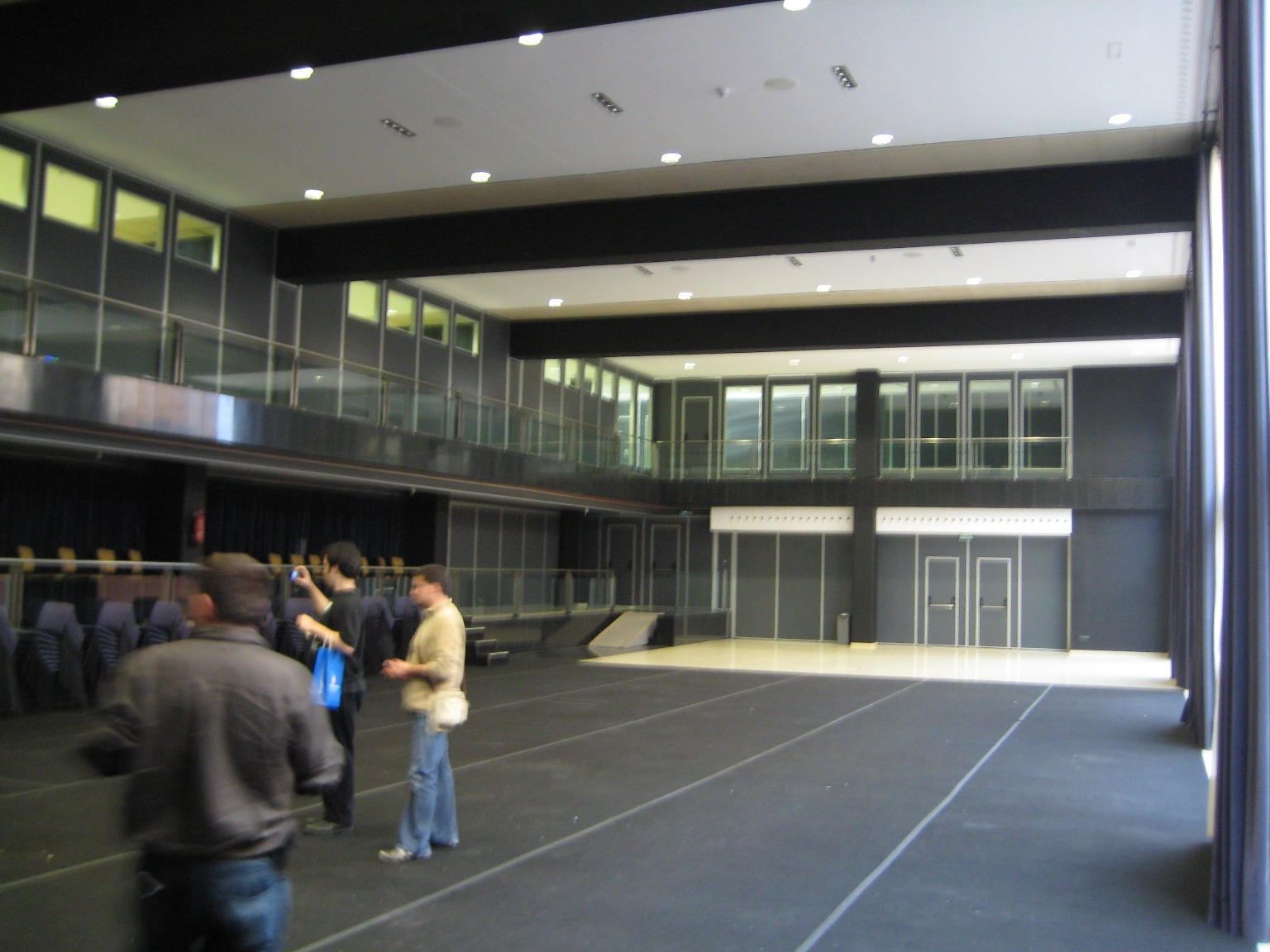
The conference center is much larger than the symphony hall, and there are some beautiful conference facilities available to us. Space is money, however, so to get the most out of the generous Cabildo support, and to get the most out of the conference, we should limit the space we request (again, no-one wants to see half-empty theaters). We will likely be using the two San Borondón halls plus the Alegranza hall for the major parts of the conference, with a couple of other halls for smaller presentations.

Sebas from KDE in the Alegranza Hall
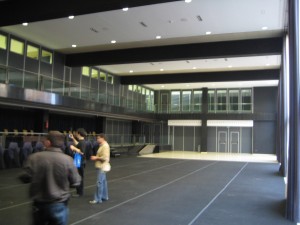
San Borondón A
What you don’t see in the pictures is the magnificent panoramic view of the sea which you have in the Alegranza Hall (where we’re thinking of putting sponsors stands and hang-out space) or the similarly-sized but lower-ceilinged room (San Borondón B) to the left of San Borondón A, which can be split into 5 classroom-sized halls for small presentations or BOFs.
The visit went great, and reassured me that everyone is more or less on the same wavelength. We’re a little behind on a couple of things, but nothing we can’t catch up with quickly, I hope. The local team are great, and I expect the conference to become *the* place to go for free desktop developers all through the stack (from FreeDesktop.org to application developers) this July.
December 22, 2008
General, home
1 Comment
I made what is shaping up to be a yummy Christmas cake this weekend – it’s just out of the oven & smells gorgeous!
Christmas cake
Ingredients (all weights approximate, mix & match to taste & availability for fruits & nuts, total quantities are what’s important):
- 300g currants
- 100g raisins
- 75g sultanas
- 75g prunes (can try dates or dried apricots also)
- 75g cherries (halved & stoned)
- 75g mixed peel
- Grated rind of 1 orange & 1 lemon
- 3 tablespoons port
- 1 tablespoon brandy
- 1.5 teaspoons mixed spice (I used cinnamon, cloves, muscat)
- 200g plain flour
- 2 – 3g baking powder (if you don’t have any, use half-in-half self-raising & plain flour)
- 175g butter
- 175g sugar
- 4 eggs
- 50g chopped or ground almonds
- 100g mixed chopped nuts (to taste – walnuts, hazelnuts, and my personal favourite: pine nut kernels)
- 1 tablespoon Golden Syrup (I didn’t have any, so used 2 tablespoons Maple syrup + 1 tablespoon honey, seems to work OK)
Preparation (night before cooking):
In a big bowl, put all the dried fruit, and soak it in boiling water (15 minutes). Empty water and repeat. This softens the fruit and lets the alcohol work more effectively. After emptying the water the 2nd time, add in the grated rind, the port and brandy (enough to moisten the fruit), and stir the fruit well so that the alcohol gets on everything uniformly. Also, take the eggs and butter out of the fridge to let them come up to room temperature. Leave overnight.
Grease a 20cm baking tin with butter, line it with greaseproof paper (or, as I did, tinfoil if you don’t have any), and grease the lining. Heat up your oven to a low heat – I put it at 120 degrees Celsuis (equiv. gas mark 1). Beware fan assisted ovens – they’ll dry out the cake too quickly. Use the mode with no fan.
Chop the nuts, and put them and the mixed spices in the flour. Mix well.
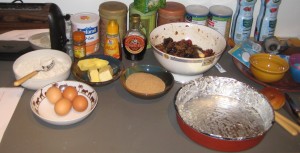
Ingredients (after preparation)
Break the four eggs into a bowl and beat lightly. Cream the butter and sugar together in a big mixing bowl (must be able to comfortably hold all the ingredients). Slowly add and mix the eggs (one spoon at a time) into the creamed sugar & butter. You don’t want the mixture to curdle, so make sure that each spoon of egg is well mixed in and you get something like a paste. Once all the egg is in, add the golden syrup (or, in my case, maple syrup & honey), and stir it in.
Fold in the spiced flour, mixing well. There’s no rush, add in the flour bit by bit to ensure a regular paste.
Then add in the soaked fruit (which should have grown nicely plump overnight). Mix until you have a nice regular consistency.
Spoon the mixture into your baking tin, flatten the top, and then bang the bottom & sides a bit to ensure there are no air bubbles inside. You can even drop the cake tin from about 20 – 30cm high to get them all out.
Bake the cake for at least 3 hours. Mine cooked for 5 hours (the oven could have been a little hotter). For the teetotalers in the audience, don’t worry, the alcohol burns off in the oven.
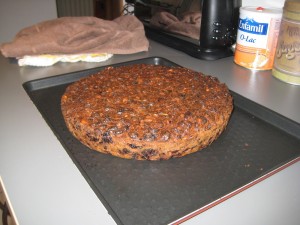
The final cake (before being eaten)
Ideally, bake your cake in November, and take it out of the tin every week, poke some holes in it with a skewer, and regularly feed it a drop of brandy, port, rum or whisky. The fruit will soak it up & be lovely & tender (but slightly alcoholic) by Christmas. In my case, we’re just going to eat it 🙂
« Previous Entries Next Entries »