Mobile testing in libadwaita

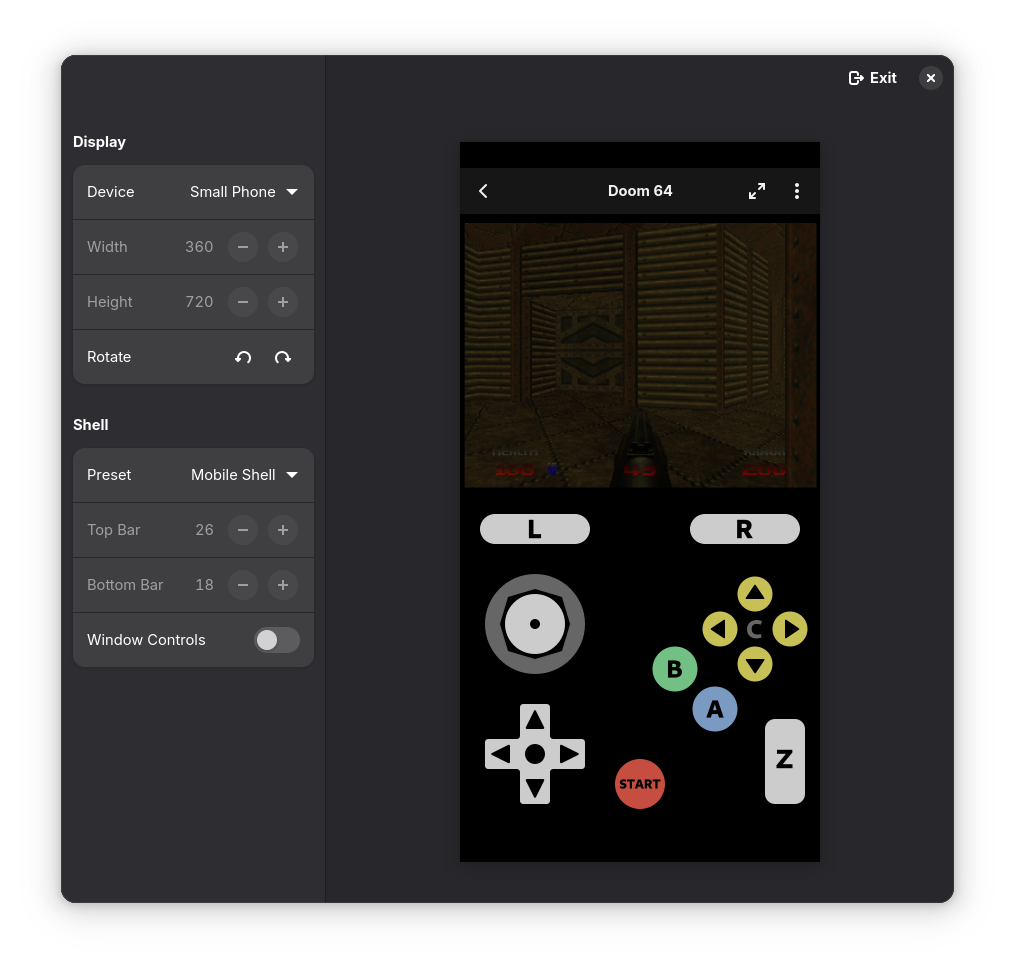
Screenshot of Highscore, an emulator frontend running Doom 64 with touch controls, inside libadwaita adaptive preview, emulating a small phone (360x720), in portrait, with mobile shell (26px top bar, 18px bottom bar) and no window controls

Lately I’ve been working on touch controls overlays in Highscore1, and quickly found out that previewing them across different screen sizes is rather tedious.

Currently we have two ways of testing UIs on a different screen size – resize the window, or run the app on that device. Generally when developing, I do the former since it’s faster, but what dimensions do I resize to?

HIG lists the 360×294px dimensions, but that’s the smallest total size – we can’t really figure out the actual sizes in portrait and landscape with this. Sure, we can look up the phone sizes, check their scale factor, and measure the precise panel sizes from screenshots, but that takes time and that’s a lot of values to figure out. I did make such a list, and that’s what I used for testing here, but, well, that’s a lot of values. I also discovered the 294px height listed in HIG is slightly wrong (presumably it was based on phosh mockups, or a really old version) and with older phosh versions the app gets 288px of height, while with newer versions with a slimmer bottom bar it gets 313px.

Now that we know the dimensions, the testing process consists of repeatedly resizing the window to a few specific configurations. I have 31 different overlay, each with 7 different layouts for different screen sizes. Resizing the window for each of them gets old fast, and I really wished I had a tool to make that easier. So, I made one.

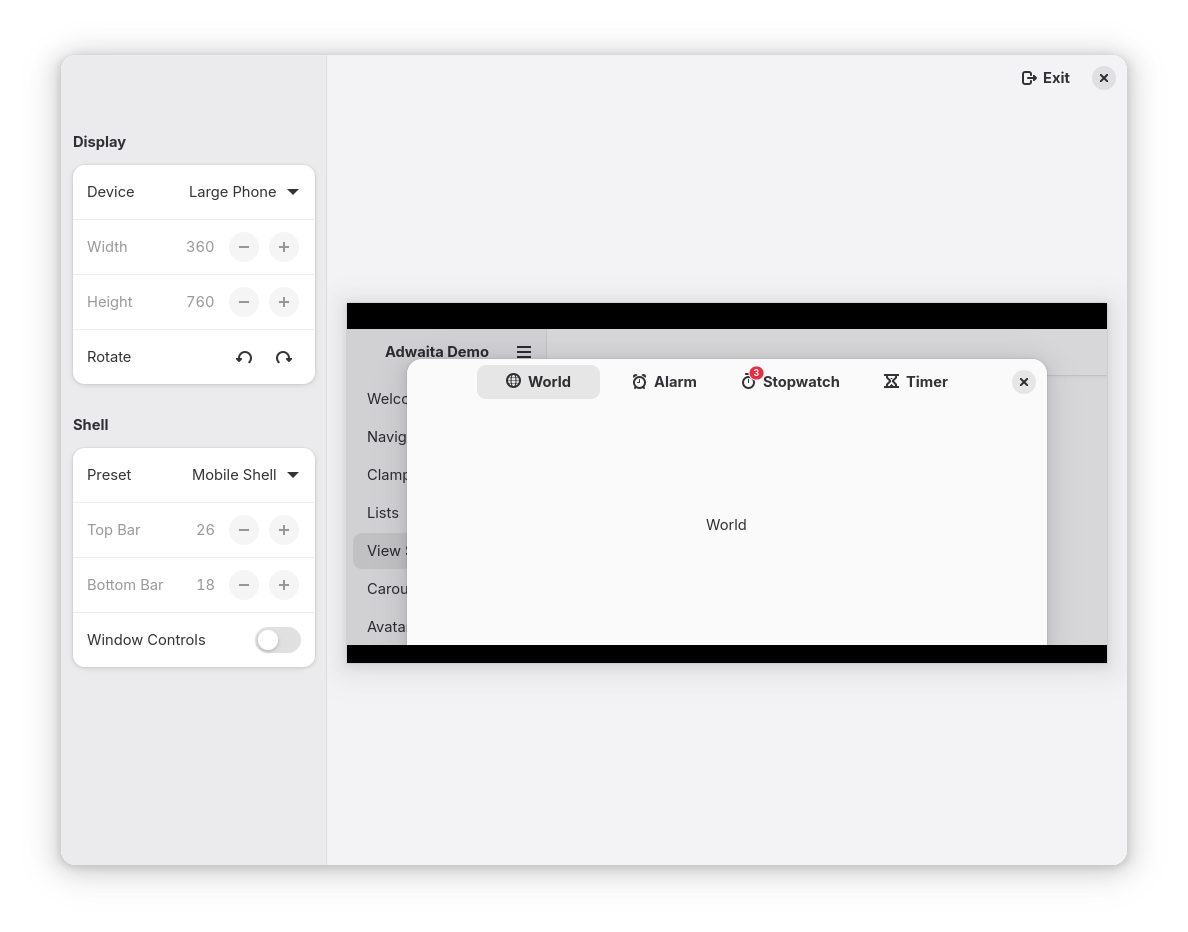
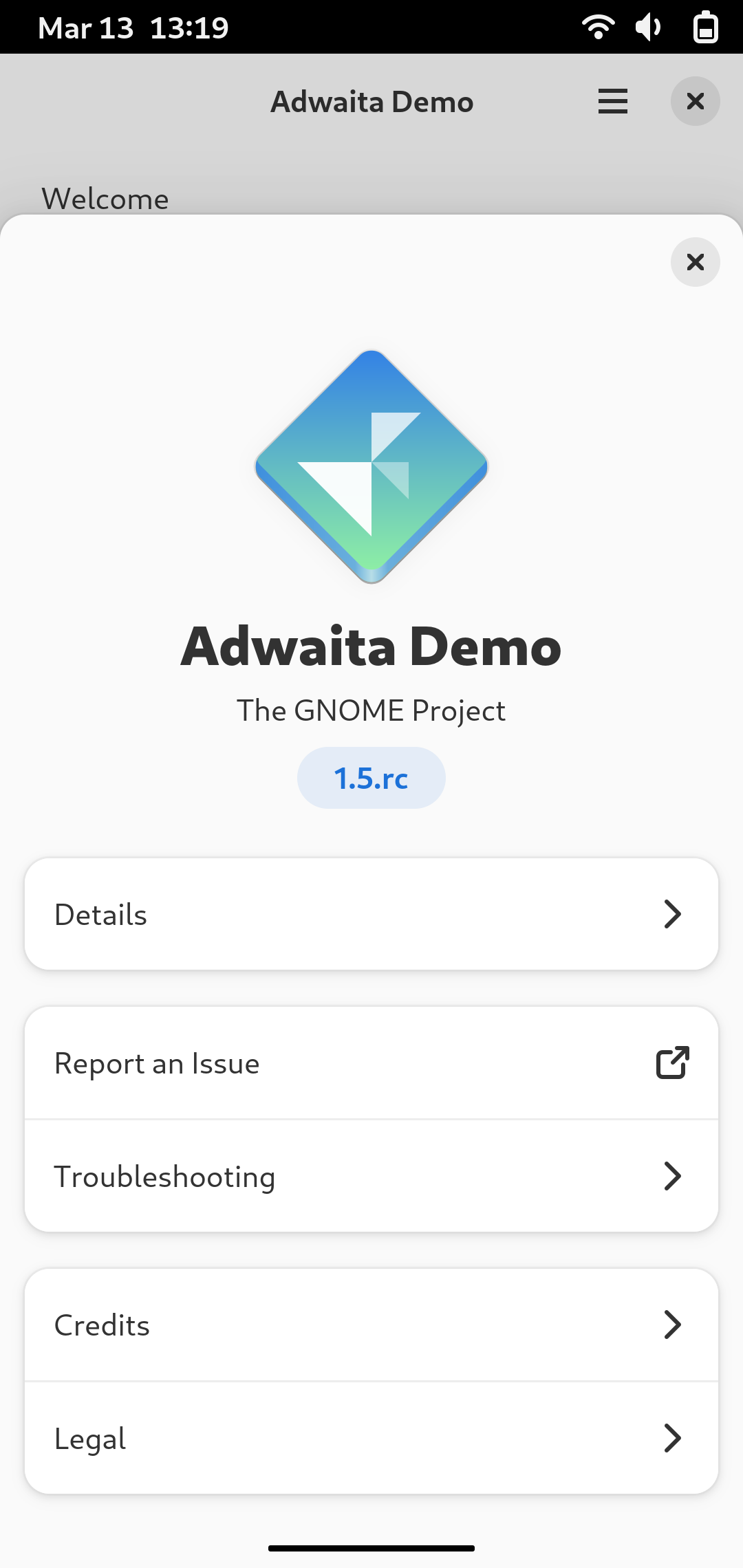
View switcher dialog in libadwaita demo, running in adaptive preview, emulating large phone (360x760),  in landscape, with mobile shell and window controls turned off

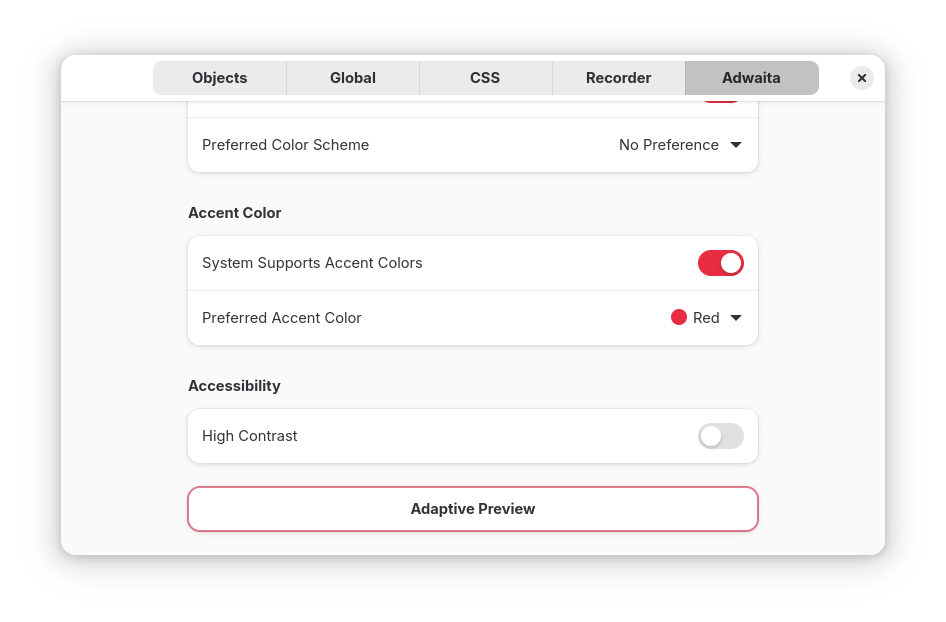
This is not a separate app, instead it’s a libadwaita feature called adaptive preview, exposed via GTK inspector. When enabled, it shrinks the window contents into a small box and exposes UI for controlling its size: specifically, picking the device and shell from a list. Basically, same as what web browsers have in their inspectors – responsive design mode in Firefox etc.

Adaptive Preview row on the libadwaita page in GTK inspector

It also allows to toggle whether window controls are visible – normally they are disabled on mobile, but mobile gnome-shell currently keeps them enabled as not everything is using AdwDialog yet.

It can also be opened automatically by specifying the ADW_DEBUG_ADAPTIVE_PREVIEW=1 environment variable. This may be useful if e.g. Builder wants to include it into its run menu, similar to opening GTK inspector.

If the selected size is too large and doesn’t fit into the window, it scrolls instead.

What it doesn’t do

It doesn’t simulate fullscreen. Fullscreen is complicated because in addition to hiding shell panels almost every app that supports it changes the UI state – this is not something we can automatically support.

It also doesn’t simulate different scale factors – it’s basically impossible to do with with how it’s implemented.

Similarly, while it does allow to hide the window controls, if the app is checking them manually via GtkSettings:gtk-decoration-layout, it won’t pick that up. It can only affect AdwHeaderBar, similarly to how it’s hiding close button on the sidebars.

Future plans

It would be good to display the rounded corners and cutouts on top of the preview. For example, the phone I use for testing has both rounded corners and a notch, and we don’t have system-wide support for insets or safe area just yet. I know the notch dimensions on my specific phone (approximately 28 logical pixels in height), but obviously it will vary wildly depending on the device. The display panel data from gmobile may be a good fit here.

We may also want to optionally scale the viewport to fit into the window instead of scrolling it – especially for larger sizes. If we have scaling, it may also be good to have a way to make it match the device’s DPI.

Finally, having more device presets in there would be good – currently I only included the devices I was testing the overlays for.


Adaptive preview has already landed in the main branch and is available to apps using the nightly SDK, as well as in GNOME OS.

So, hopefully testing layouts on mobile devices will be easier now. It’s too late for me, but maybe the next person testing their app will benefit from it.


1. gnome-games successor, which really deserves a blog post of its own, but I want to actually have something I can release first, so I will formally announce it then. For now, I’m frequently posting development progress on the Fediverse

Steam Deck, HID, and libmanette adventures

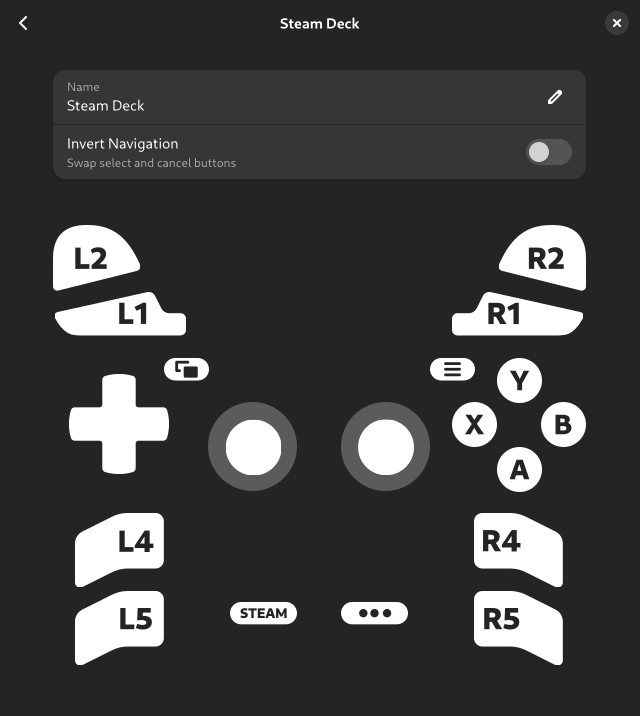
Screenshot of gamepad preferences in Highscore, showing Steam Deck gamepad

Recently, I got a Steam Deck OLED. Obviously, one of the main reasons for that is to run a certain yet to be announced here emulation app on it, so I installed Bazzite instead of SteamOS, cleaned up the preinstalled junk and got a clean desktop along with the Steam session/gaming mode.

For the most part, it just works (in desktop mode, at least), but there was one problematic area: input.

Gamepad input

Gamepads in general are difficult. While you can write generic evdev code dealing with, say, keyboard input and be reasonably sure it will work with at least the majority of keyboards, that’s not the case for gamepads. Buttons will use random input codes. Gamepads will assign different input types for the same control. (for example, D-pad can be presented as 4 buttons, 2 hat axes or 2 absolute axes). Linux kernel includes specialized hid drivers for some gamepads which will work reasonably well out of the box, but in general all bets are off.

Projects like SDL have gamepad mapping databases – normalizing input for all gamepads into a standardized list of inputs.

However, even that doesn’t guarantee they will work. Gamepads will pretend to be other gamepads (for example, it’s very common to emulate an Xbox gamepad) and will use incorrect mapping as a result. Some gamepads will even use identical IDs and provide physically different sets of buttons, meaning there’s no way to map both at the same time.

As such, apps have to expect that gamepad may or may not work correctly and user may or may not need to remap their gamepad.

Steam controllers

Both the standalone Steam Controller and Steam Deck’s internal gamepad pose a unique challenge: in addition to being gamepads with every problem mentioned above, they also emulate keyboard and pointer input. To make things more complicated, Steam has a built-in userspace HID driver for these controllers, with subtly different behavior between it and the Linux kernel driver. SteamOS and Bazzite both autostart Steam in background in desktop mode.

If one tries to use evdev in a generic way, same as for other gamepads, the results will not be pretty:

In desktop mode Steam emulates a virtual XInput (Xbox) gamepad. This gamepad works fine, except it lacks access to Steam and QAM buttons, as well as the 4 back buttons (L4, L5, R4, R5). This works perfectly fine for most games, but fails for emulators where in addition to the in-game controls you need a button to exit the game/open menu.

It also provides 2 action sets: Desktop and Gamepad. In desktop action set none of the gamepad buttons will even act like gamepad buttons, and instead will emulate keyboard and mouse. D-pad will act as arrow keys, A button will be Enter, B button will be Esc and so on. This is called “lizard mode” for some reason, and on Steam Deck is toggled by holding the Menu (Start) button. Once you switch to gamepad action set, gamepad buttons will act as a gamepad, with the caveat mentioned above.

Gamepad action set also makes the left touchpad behave differently: instead of scrolling and performing a middle click on press, it does a right click on press while moving finger on it does nothing.

hid-steam

Linux kernel includes a driver for these controllers, called hid-steam, so you don’t have to be running Steam for it to work. While it does most of the same things Steam’s userspace driver does, it’s not identical.

Lizard mode is similar, the only difference is that haptic feedback on the right touchpad stops right after lifting finger instead of after the cursor stops, while left touchpad scrolls with a different speed and does nothing on press.

The gamepad device is different tho – it’s now called “Steam Deck” instead of “Microsoft X-Box 360 pad 0” and this time every button is available, in addition to touchpads – presented as a hat and a button each (tho there’s no feedback when pressing).

The catch? It disables touchpads’ pointer input.

The driver was based on Steam Deck HID code from SDL, and in SDL it made sense – it’s made for (usually fullscreen) games, if you’re playing it with a gamepad, you don’t need a pointer anyway. It makes less sense in emulators or otherwise desktop apps tho. It would be really nice if we could have gamepad input AND touchpads. Ideally automatically, without needing to toggle modes manually.

libmanette

libmanette is the GNOME gamepad library, originally split from gnome-games. It’s very simple and basically acts as a wrapper around evdev and SDL mappings database, and has API for mapping gamepads from apps.

So, I decided to add support for Steam deck properly. This essentially means writing our own HID driver.

Steam udev rules

First, hidraw access is currently blocked by default and you need an udev rule to allow it. This is what the well known Steam udev rules do for Valve devices as well as a bunch of other well known gamepads.

There are a few interesting developments in kernel, logind and xdg-desktop-portal, so we may have easier access to these devices in future, but for now we need udev rules. That said, it’s pretty safe to assume that if you have a Steam Controller or Steam Deck, you already have those rules installed.

Writing a HID driver

Finally, we get to the main part of the article, everything before this was introduction.

We need to do a few things:

1. Disable lizard mode on startup
2. Keep disabling it every now and then, so that it doesn’t get reenabled (this is unfortunately necessary and SDL does the same thing)
3. Handle input ourselves
4. Handle rumble

Both SDL and hid-steam will be excellent references for most of this, and we’ll be referring to them a lot.

For the actual HID calls, we’ll be using hidapi.

Before that, we need to find the device itself. Raw HID devices are exposed differently from evdev ones, as /dev/hidraw* instead of /dev/input/event*, so first libmanette needs to search for those (either using gudev, or monitoring /dev when in flatpak).

Since we’re doing this for a very specific gamepad, we don’t need to worry about filtering out other input devices – this is an allowlist, so we just don’t include those. So we just match by vendor ID and product ID. Steam Deck is 28DE:1205 (at least OLED, but as far as I can tell the PID is the same for LCD).

However, there are 3 devices like that: the gamepad itself, but also its emulated mouse and keyboard. Well, sort of. Only hid-steam uses those devices, Steam instead sends them via XTEST. Since that obviously doesn’t work on Wayland, there’s instead a uinput device provided by extest.

SDL code tells us that only the gamepad device can actually receive HID reports, so the right device is the one that allows to read from it.

Disabling lizard mode

Next, we need to disable lizard mode. SDL sends an ID_CLEAR_DIGITAL_MAPPINGS report to disable keyboard/mouse emulation, then changes a few settings: namely, disables touchpads. As mentioned above, hid-steam does the same thing – it was based on this code.

However, we don’t want to disable touchpads here.

What we want to do instead is to send a ID_LOAD_DEFAULT_SETTINGS feature report to reset settings changed by hid-steam, and then only disable scrolling for the left touchpad. We’ll make it right click instead, like Steam does.

This will keep the right touchpad moving pointer, but the previous ID_CLEAR_DIGITAL_MAPPINGS report had disabled touchpad clicking, so we also need to restore it. For that, we need to use the ID_SET_DIGITAL_MAPPINGS report. SDL does not have an existing struct for its payload (likely because of struct padding issues), so I had to figure it out myself. The structure is as follows, after the standard zero byte and the header:

  • 8 bytes: buttons bitmask
  • 1 byte: emulated device type
  • 1 byte: a mouse button for DEVICE_MOUSE, a keyboard key for DEVICE_KEYBOARD, etc. Note that the SDL MouseButtons struct starts from 0 while the IDs Steam Deck accepts start from 1, so MOUSE_BTN_LEFT should be 1, MOUSE_BTN_RIGHT should be 2 and so on.

Then the structure repeats, up to 6 times in the same report.

ID_GET_DIGITAL_MAPPINGS returns the same structure.

So, setting digital mappings for:

  • STEAM_DECK_LBUTTON_LEFT_PAD, DEVICE_MOUSE, MOUSE_BTN_RIGHT
  • STEAM_DECK_LBUTTON_RIGHT_PAD, DEVICE_MOUSE, MOUSE_BTN_LEFT

(with the mouse button enum fixed to start from 1 instead of 0)

reenables clicking. Now we have working touchpads even without Steam running, with the rest of gamepad working as a gamepad, automatically.

Keeping it disabled

We also need to periodically do this again to prevent hid-steam from reenabling it. SDL does it every 200 updates, so about every 800 ms (update rate is 4 ms), and the same rate works fine here. Note that SDL doesn’t reset the same settings as initially, but only SETTING_RIGHT_TRACKPAD_MODE. I don’t know why, and doing the same thing did not work for me, so I just use the same code as detailed above instead and it works fine. It does mean that clicks from touchpad presses are ended and immediately restarted every 800 ms, but it doesn’t seem to cause any issues in practice, even with e.g. drag-n-drop)

Handling gamepad input

This part was straightforward. Every 4 ms we poll the gamepad and receive the entire state in a single struct: buttons as a bitmask, stick coordinates, trigger values, but also touchpad coordinates, touchpad pressure, accelerometer and gyro.

Right now we only expose a subset of buttons, as well as stick coordinates. There are some very interesting values in the button mask though – for example whether sticks are currently being touched, and whether touchpads are currently being touched and/or pressed. We may expose that in future, e.g. having API to disable touchpads like SDL does and instead offer the raw coordinates and pressure. Or do things on touch and/or click. Or send haptic feedback. We’ll see.

libmanette event API is pretty clunky, but it wasn’t very difficult to wrap these values and send them out.

Rumble

For rumble we’re doing the same thing as SDL: sending an ID_TRIGGER_RUMBLE_CMD report. There are a few magic numbers involved, e.g. for the left and right gain values – originated presumably in SDL, copied into hid-steam and now into libmanette as well ^^

Skipping duplicate devices

The evdev device for Steam Deck is still there, as is the virtual gamepad if Steam is running. We want to skip both of them. Thankfully, that’s easily done via checking VID/PID: Steam virtual gamepad is 28DE:11FF, while the evdev device has the same PID as the hidraw one. So, now we only have the HID device.

Behavior

So, how does all of this work now?

When Steam is not running, libmanette will automatically switch to gamepad mode, and enable touchpads. Once the app exits, it will revert to how it was before.

When Steam is running, libmanette apps will see exactly the same gamepad instead of the emulated one. However, we cannot disable lizard mode automatically in this state, so you’ll have to hold Menu button, or you’ll get input from both the gamepad and keyboard. Since Steam doesn’t disable touchpads in gamepad mode, they will still work as expected, so the only caveat is needing to hold Menu button.

So, it’s not perfect, but it’s a big improvement from how it was before.

Mappings

Now that libmanette has bespoke code specifically for Steam Deck, there are a few more questions. This gamepad doesn’t use mappings, and apps can safely assume it has all the advertised controls and nothing else. They can also know exactly what it looks like. So, libmanette now has ManetteDeviceType enum, currently with 2 values: MANETTE_DEVICE_GENERIC for evdev devices, and MANETTE_DEVICE_STEAM_DECK, for Steam Deck. In future we’ll likely have more dedicated HID drivers and as such more device types. For now though, that’s it.


The code is here, though it’s not merged yet.

Big thanks to people who wrote SDL and the hid-steam driver – I would definitely not be able to do this without being able to reference them. ^^

Libadwaita 1.6

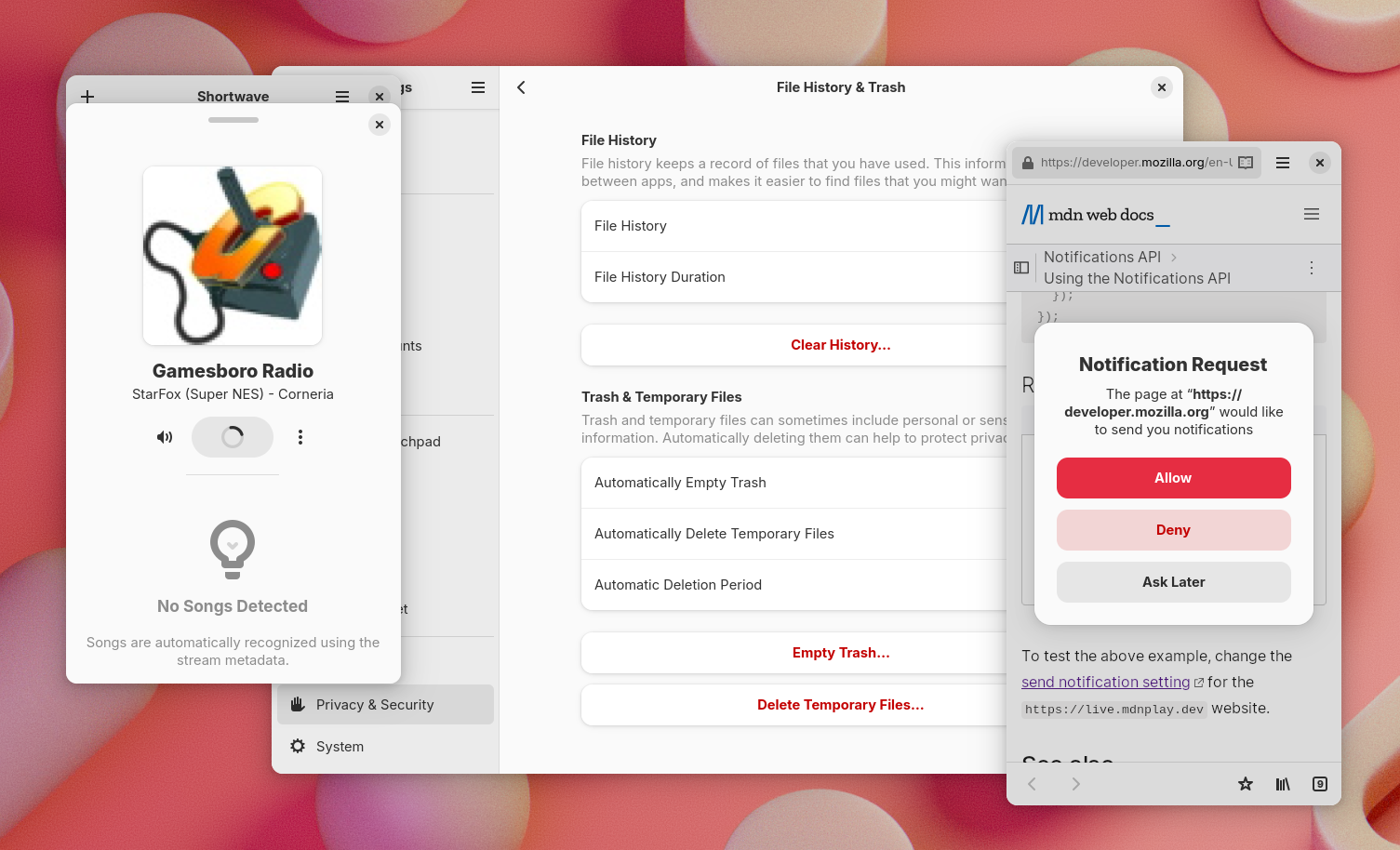
Screenshot showing Shortwave with the now playing bottom sheet and a spinner in the play button, File History & Trash page in Settings, showing 3 button rows, and a notification request alert dialog in Epiphany

Well, it’s time for another release.

Last cycle wasn’t particularly exciting, only featuring the new dialogs and a few smaller changes, but this one should be more interesting. So let’s look at what’s new.

Bottom sheet

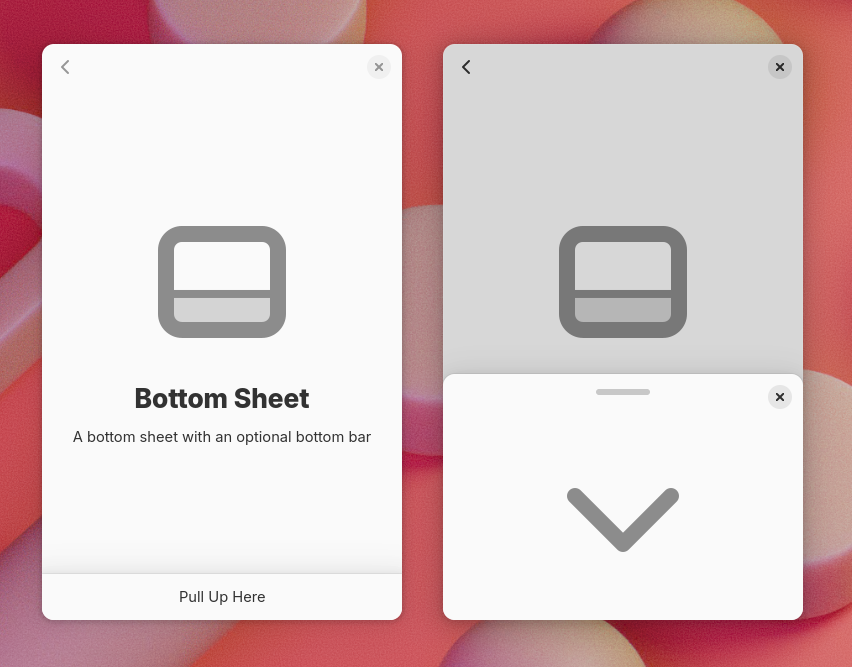
Screenshot of libadwaita bottom sheets. On the left, a sheet as a bottom bar, with a "Pull Up Here" label. On the right, an open sheet, with a drag handle and a close button at the top, and a big arrow pointing down in the middle

Last cycle libadwaita got new dialogs, which can be presented as bottom sheets on mobile, and I mentioned that they will also be available as a standalone widget in future – so AdwBottomSheet exists and is public now.

As a standalone widget, bottom sheets work a bit differently from dialogs – they are persistent instead of being destroyed upon closing, more like the sidebar of AdwOverlaySplitView.

They also have a few new features, such as a drag handle, or a bottom bar presentation. This is useful for apps like music players.

AdwHeaderBar also integrates with bottom sheets – it hides the title when used in a bottom sheet with a drag handle.

Spinner

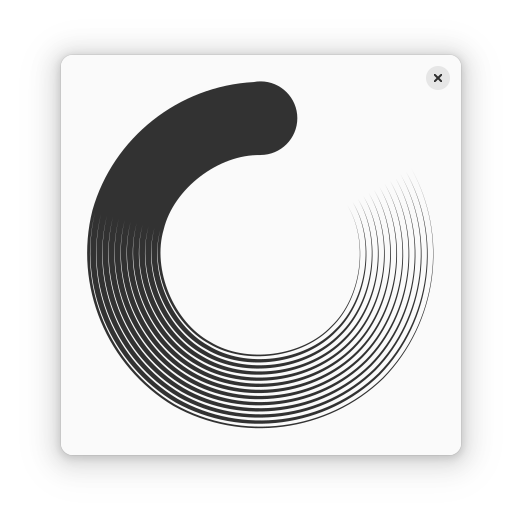
Recording of the spinner

Libadwaita also has a new spinner widget – AdwSpinner. It both refreshes visuals and addresses various problems with GtkSpinner.

GtkSpinner is a really simple widget. Both the spinner itself and the animation are set in CSS. The spinner is just a symbolic icon, and the animation is a CSS animation. This approach has a few problems, however.

First, the old spinner has a gradient. Symbolic icons don’t actually support gradients, so it has to resort to dithering, as Jakub Steiner explained in his blog a few years ago. This works well if the spinner is small enough (16×16 – 32×32), but becomes very noticeable at larger sizes. This means that the spinner didn’t work well for loading screens, or status pages.

Meanwhile, CSS animations are entirely disabled when system animations are off. Usually that makes sense, except here it means the spinner freezes, defeating the entire point of having it (indicating that the app isn’t frozen during long operations).

And, while CSS animations are pretty sophisticated, you can only do so much with a single element – so it’s literally a spinning icon. elementary OS does a more interesting thing – it spins it in steps, while the icon consists of 12 dashes, so it looks like they change color instead. Even then, more complex animations are impossible.

AdwSpinner avoids all of these issues. Since it’s in libadwaita and not in GTK, it can be more opinionated with regard to styling, so instead of using an icon and CSS, it’s just custom drawing. And since it’s not using CSS animations, it can keep spinning with animations off, and can animate in a more involved way than a simple spinning icon.

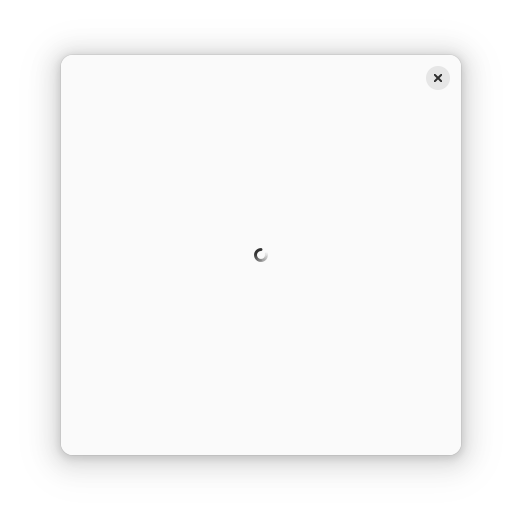
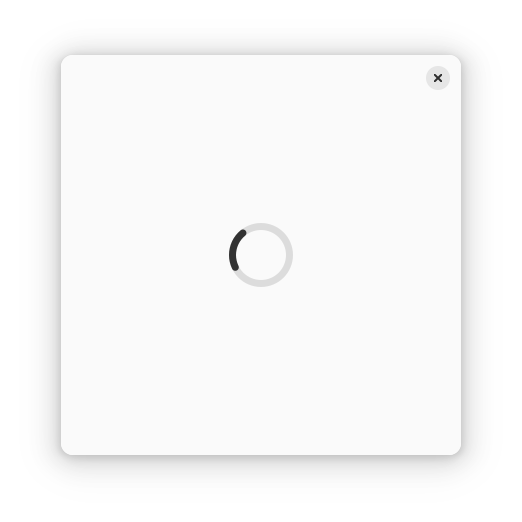
It still has a size limit – 64×64 pixels. While it can scale further, we don’t really need larger sizes and capping the size makes it easier to use – to make a loading screen using GtkSpinner, you have to set the :halign and :valign properties to CENTER, as well as :width-request and :height-request properties to 32. If you fail to do these steps, the spinner will either be too large, or too small respectively:

Meanwhile if you just put an AdwSpinner into a large bin, it will look right by default.

Screenshot of a window with a 64×64 spinner

Oh, and GtkSpinner is invisible by default and you have to set the :spinning property to true as well. This made sense back in the age of foot and dinosaur spinners, where the spinner would stay in place when not animating, but that’s not really a thing anymore.

(though Nautilus wasn’t actually using GtkSpinner)

It also didn’t help that until this cycle, GtkSpinner would continue to consume CPU cycles even when not visible if the :spinning property is left enabled, so you had to start the spinner in the ::map signal and stop it in ::unmap. That is fixed now, but it was a major source of lag in, say, Epiphany in the past (which had a spinner in every tab, another spinner in every mobile tab switcher row and another one in the floating bar that shows URLs on hover, copied from Nautilus).

Spinner paintable

In addition to AdwSpinner, there’s also AdwSpinnerPaintable. It can be used with GtkImage, any other place that accepts paintables (such as status pages) or just manually drawn. It is a bit more awkward to use than the widget, as it needs to reference another widget in order to animate (since paintables cannot access the frame clock on their own), but it allows to use spinners in contexts that wouldn’t be possible otherwise.

AdwStatusPage even has a special style for spinner paintable – similar to the .compact style, but applied automatically.

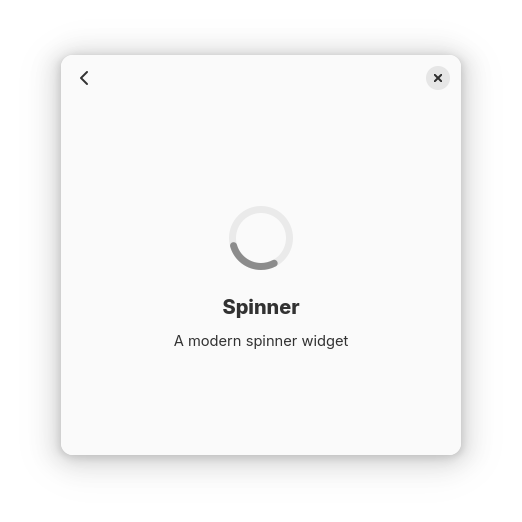
Screenshot of the spinner page in libadwaita demo, showing a status page with a spinner paintable

Button row

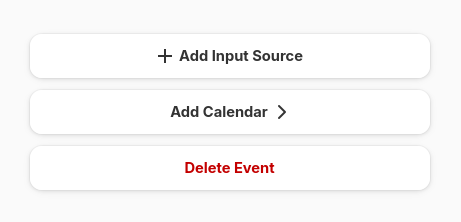
Screenshot of three button rows in libadwaita demo. The first one says "Add Input Source" and has a plus icon on the left, the second says "Add Calendar" and has an arrow on the right, the third one says "Delete Event" and is marked as destructive, so has red text

Another widget we have now is AdwButtonRow – a list row that looks more or less like a button. It has a label, optionally icons on either side, and can use destructive and suggested style classes.

This pattern isn’t new – it has been used in mockups for a while (at least as early as 2021) – but it varied quite a bit between different mockups and implementations and so having a standard widget for it wasn’t viable. This cycle Jamie Gravendeel and kramo took time to standardize the existing designs into a tangible proposal – so it exists as a standard widget now.

Most of the time these rows aren’t meant to be linked together, so AdwPreferencesGroup has a new property :separate-rows. When enabled, the rows within will appear separately. This is mostly useful for button rows, but also e.g. entry rows. When not using AdwPreferencesGroup, the same effect can be achieved by using the .boxed-list-separate style class instead of .boxed-list.

Multi-layout view

Libadwaita 1.4 introduced AdwBreakpoint, which allowed to easily set properties on window size changes. However, a lot of apps need layout changes that can’t be expressed via simple properties – say, switching between a sidebar and a bottom sheet. While it is possible to do it programmatically anyway, it’s fairly involved and not a lot of apps went to those lengths.

Back then I also prototyped a widget for automatically reparenting children between different layouts via using a property mentioned a future widget for automatically reparenting children between different layouts, and now it’s finished and available for use as AdwMultiLayoutView.

It has changed somewhat since the prototype, e.g. it doesn’t dynamically create or destroy layouts anymore, just parents/unparents them, but the gist is still the same:

  • Put multiple AdwLayouts into a multi-layout view
  • Put one or more AdwLayoutSlot into each layout, give them IDs
  • Define children matching those IDs

Then those children will be placed into the slots for the current layout. When you switch the layout, they will be reparented into slots from that layout instead.

So now it’s possible to define completely different layouts for desktop and mobile entirely via UI files.

CSS variables and colors

I’ve already talked about this in a lot of detail in my last blog post, but GTK has a lot of new CSS goodies, and libadwaita 1.6 makes full use of them.

To recap: GTK now supports CSS variables, as well as color-mix(), relative colors, as well as new color spaces, most importantly Oklab and Oklch.

Libadwaita now provides CSS variables for all of its old named colors, with a docs page to go with it, as well as new variables: --dim-opacity, --disabled-opacity, --border-opacity and --window-radius.

This also allowed to have matching focus ring color on .destructive-action buttons, as well as matching accent color for the .error, .warning and .success style classes. And because overriding accent color for a specific widget is now possible, .opaque button style class has been deprecated in favor of overriding accent colors on .suggested-action. Meanwhile, the white accent color of .osd is now more reliable and automatically works for custom widgets, instead of trying (and often failing) to manually override it for every standard widget.

I mentioned that it might be possible to generate standalone accent/error/etc colors from their respective background colors. However, the question was how to make that automatic, so at the time we didn’t actually integrate that. Now it is integrated, though it’s not completely automatic – only for :root.

Specifically, there’s a new variable: --standalone-color-oklab, corresponding to the correct color transformation for the current style.

So, when overriding accent color for a specific widget, there is a bit of boilerplate to copy:

my-widget {
  --accent-bg-color: var(--accent-purple);
  --accent-color: oklab(from var(--accent-bg-color) var(--standalone-color-oklab));
}

It’s still an improvement over calculating the color manually, both for light and dark styles (which a lot of apps didn’t do at all, resulting in poor contrast), so still worth it. Maybe one day we’ll be able to make it completely automatic – e.g. by ensuring that using variables with wildcards doesn’t regress performance.

Meanwhile adw_rgba_to_standalone() allows to do the same thing programmatically.

Accent colors

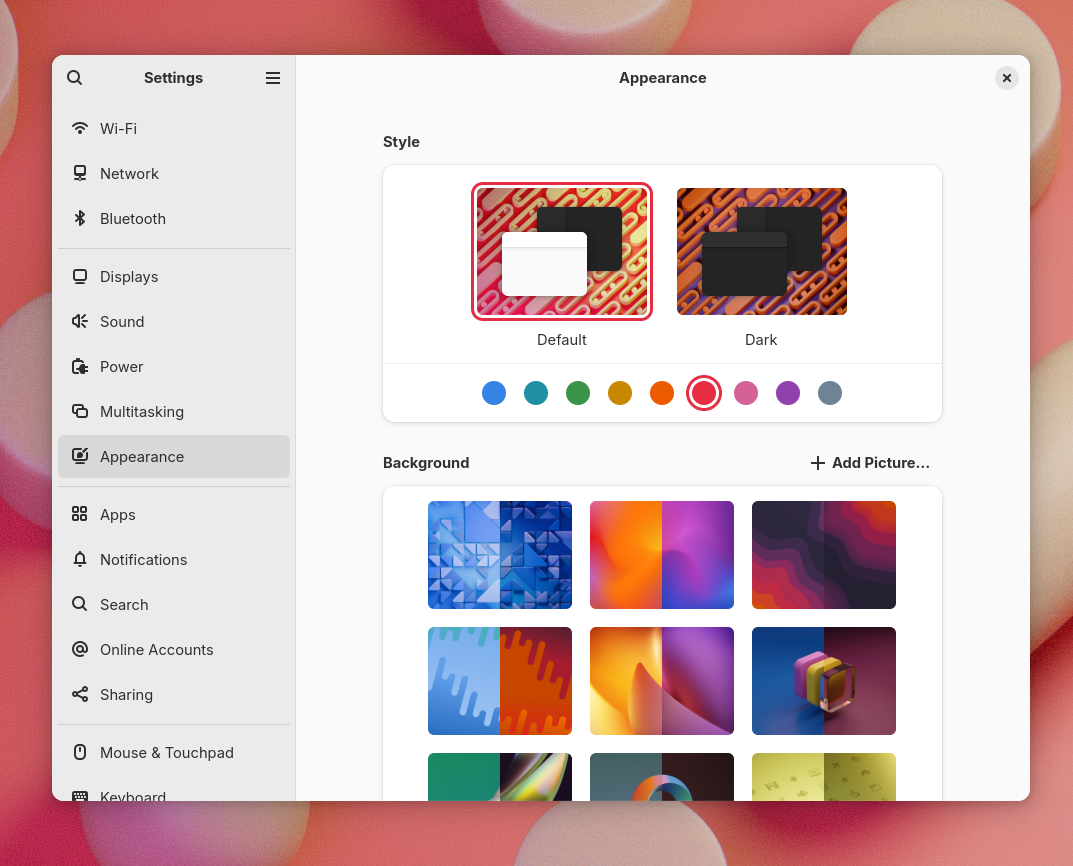
Screenshot of GNOME Settings, Appearance page, showing the new accent color selector below the default/dark row. It has the following 9 colors: blue, teal, green, yellow, orange, red, pink, purple, slate grey.

Another big feature is system accent color support. While it’s not a strictly libadwaita change, this is the developer-facing part, so it makes sense to talk about it here.

Behind the scenes it’s using the settings portal which provides a standardized key for the system accent color. Many other environments support it as well, so libadwaita apps will follow their accent color preferences too, while non-GNOME apps that follow the preference will follow it on GNOME too. Note that while the portal exposes arbitrary sRGB colors, libadwaita will pick the closest color from a list of nine colors, as visible on the screenshot above. This is done in the Oklch color space, mostly based on hue, so should work even for really dull colors.

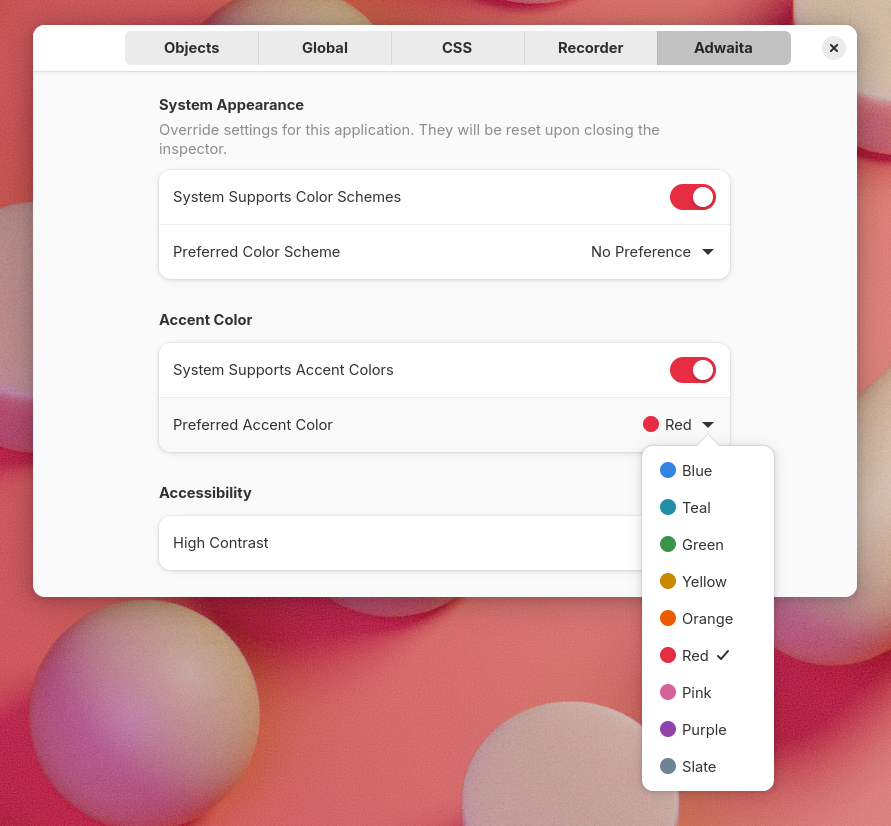
Accent colors are also supported when running on Windows and macOS, and like with the color scheme and high contrast, the libadwaita page in GTK inspector allows to toggle the system accent color now.

Screenshot of the libadwaita page in GTK inspector, showing the new accent color picker

Apps are still free to set their own accent color. CSS always takes priority over the system accent.

A lot of people helped push this over the finish line, with particular thanks to Jamie Murphy, kramo and Jamie Gravendeel.

API

AdwStyleManager provides new properties for fetching the system color – :accent-color and :accent-color-rgb, as well as :system-supports-accent-colors for querying whether the system has accent color preferences – same as for color scheme.

The :accent-color property returns a color from the AdwAccentColor enum, so that individual colors can be special cased (say, when using bitmap assets). This color can be converted both to background color RGBA (using adw_accent_color_to_rgba()) and to standalone color (adw_accent_color_to_standalone_rgba()).

All of these colors use white foreground color, so there’s no API for fetching it, at least for now.

Note that :accent-color-rgba will still return the system color even if the app overrides its accent color using CSS. It only exists for convenience and is equivalent to calling adw_accent_color_to_rgba() on the :accent-color value.

While we still don’t have a general replacement for deprecated gtk_style_context_lookup_color(), the new accent color API can replace at least some of its uses.

On CSS side, there are new variables corresponding to each accent color: --accent-blue for blue and so on. Additionally, every system color, along with their standalone colors for both light and dark, is documented and can be used as a reference.

Destructive buttons

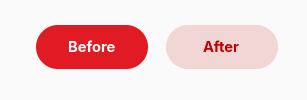
Screenshot of the old and new destructive buttons side by side, with a solid red button with white text saying "Before" and a half-transparent red background with darker red text saying "After"

Having accent color that’s not always blue means having to rethink other style choices. In particular, .destructive-action buttons were just a red version of .suggested-action, same as in GTK3. This was already questionable from accessibility perspective, but breaks entirely with accent colors, since suggested buttons would look exactly same as a destructive ones with red accent. And so .destructive-action has a distinct style now, less prominent than suggested.

Alert dialogs

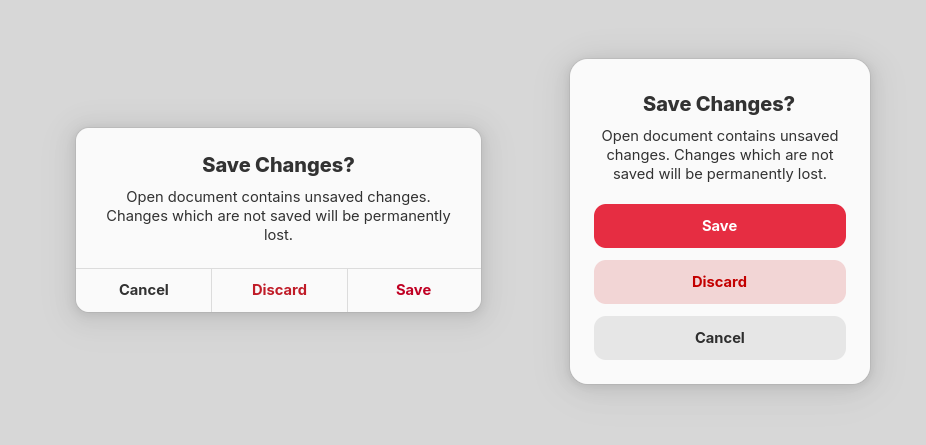
Screenshot of the old and new alert dialogs side by side, using red as system accent color. Both dialogs say "Save Changes? Open document contains unsaved changes. Changes which are not saved will be permanently lost", as well as 3 buttons: Cancel, Discard, Save. Discard is marked as destructive, Save as suggested, Cancel is unmarked. The old dialog has them edge to edge and flat, arranged horizontally, with separators between and above them, wit the discard button having red text instead of black, and save button also having red text instead of black. The new dialog is more round, the buttons are arranged vertically – save has red background and white text, discard has transparent black background with darker red text and cancel has transparent grey background and black text
Old and new alert dialogs side by side

Another area that needed updates was AdwAlertDialog – it was also using color for differentiating suggested and destructive buttons.

Coincidentally, the alert dialog style went almost unchanged from GTK3 days, and looked rather out of place with the rest of the platform. So kramo came up with an updated design.

AdwMessageDialog and GtkAlertDialog received the same style, or at least an approximation – it’s not possible to replicate it entirely in GTK dialogs. Even though neither is recommended for use (when using libadwaita, anyway – nothing wrong with using GtkAlertDialog in plain GTK), regressing apps that aren’t fully up to date with the platform wouldn’t be very good.

Adapting apps

Accent colors are supported automatically, and in most cases apps don’t need any changes to make use of them. However, here’s a checklist to ensure it works well:

  • Make use of the accent color variables in custom CSS, like --accent-bg-color. Using the old named colors like @accent_bg_color works as well. Don’t assume accent color will be blue.
  • Conversely, don’t use accent color when you mean blue. We have variables like --blue-3 for that – or even --accent-blue.
  • When using accent color in custom drawing (say, drawing a graph), make sure to redraw it when AdwStyleManager:accent-color value changes – same as for color scheme and high contrast.
  • Deprecations

    Last cycle we introduced new dialog widgets that are based on AdwDialog rather than GtkWindow. However, that happened right at the end of the cycle, without giving apps a lot of time to port their existing dialogs. Because of that, the old widgets (AdwMessageDialog, AdwPreferencesWindow, AdwAboutWindow) weren’t deprecated and I mentioned that they will be deprecated in future instead. So, they are now.

    If you haven’t migrated to the new dialogs yet, see the migration guide for how to do so.

    Other changes

    As always, there are smaller changes that don’t warrant their own sections, so let’s look at those:

    Future

    As usual, there are changes that didn’t make it this cycle and will land the next cycle instead. Most notably, the old toggle groups branch by Maximiliano is finally finished and will land early next cycle.

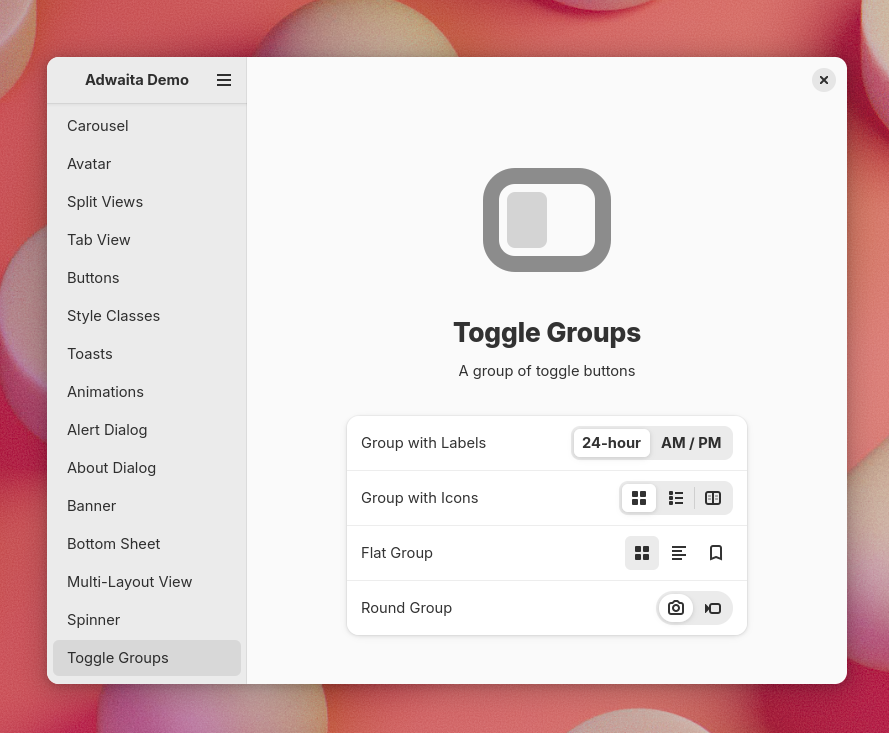
    Screenshot of libadwaita demo showing various toggle groups


    Big thanks to STF for funding a lot of this work (GTK CSS improvements, bottom sheets, finishing multi-layout view and toggle groups, general maintenance), as well as people organizing the initiative and all contributors who made this release happen.

CSS Happenings

This cycle GTK got a lot of updates to its CSS engine.

I started this work as part of the Sovereign Tech Fund initiative, and later on Matthias Clasen joined in and we ended up splitting the work on colors.

Let’s go through the changes, as well as how they affect GTK, libadwaita and apps.

Variables

The most notable addition is CSS variables, more correctly known as custom properties.

Since before GTK switched to CSS for styles, it has had named colors, a non-standard addition providing a similar functionality. You could define a color, then refer to it by name. Unfortunately, they had big limitations. First, they are global. You can only define colors for the whole stylesheet, and if you want to override them for a single widget subtree – you’re out of luck. Second, they were obviously only for colors.

The only option to have them local to a widget was to use gtk_style_context_add_provider() on a GtkStyleContext obtained via gtk_widget_get_style_context. However, it had an even bigger problem: being local to a widget, it didn’t propagate to children, which made it practically useless. Even for widgets that seemingly don’t have children: for example, if you add a provider to a GtkEntry, it won’t affect its text, or the icons, or the progress bar – they are all separate widgets within the entry. So, it shouldn’t be a big surprise that this API is deprecated.

Variables, meanwhile, don’t have any of these limitations. They can be defined anywhere, propagate to children, and they can be anything – colors, numbers, dimensions, etc. For example, we can override them for a specific widget as follows:

:root {
  --some-color: red;
}

my-widget {
  --some-color: green;
}

After defining, they can be accessed with the var() function:

my-widget {
  color: var(--some-color);
}

This function also allows to specify a fallback in case a variable doesn’t exist, as follows:

my-widget {
  color: var(--some-color, var(--some-other-color, red));
}

Here it will try, in order, --some-color, then --some-other-color, and if neither exists, red.

The standard place to declare global variables is the :root selector, and so it’s now supported too. While GTK root widgets usually have the window selector, that’s not always the case. For example, GtkCheckButton within a GtkTreeView are their own toplevels and targeting window would not include them. While tree view is deprecated and hopefully on its way out, we have to support it anyway for now, and who knows what other root widgets appear in future, and having :root solves it all nicely.

Variables can even be animated, though that’s not particularly useful: since they can be anything and you may potentially be animating red into 2px, the only way to interpolate them is to have a jump from the initial value to final value at 50%. Either way, the spec allows that and we implement it. You can still use them within another property’s value and animate that property instead – that will work as expected.

There are some things we don’t support at the moment, like the @property at-rule. It allows to declare variable types, optionally prevent inheriting, and specify the default value. Having a type not only provides type checking (and hence more informative error messages), but also allows to actually interpolate variables in animations. See, if a variable can be anything, we can’t interpolate it other than with a jump in the middle. But if we can guarantee it’s a color, or a dimension, or a number, or whatever, at every keyframe, then we can. But, while that would be neat to have, it’s really niche compared to having variables themselves, and so not very important.

Another thing is that it’s not possible to use variables within named colors, like this:

@define-color my_color var(--something); /* this is an error */

Since named colors will be going away in future, that’s not a big deal, but it is worth mentioning anyway. The other way around does work though:

@define-color something red;

:root {
  --my-color: @something; /* this is perfectly fine */
}

(and that’s fairly important, as it allows us to switch to variables without breaking backwards compatibility)

Colors

Next, colors. A lot of features from CSS Color Module Level 4 and Level 5 were implemented as well.

Modern syntax

In the past, CSS has used the following syntax for defining colors:

rgb(255, 0, 0)
rgba(255, 0, 0, 0.5)
hsl(0, 100%, 50%)
hsla(0, 100%, 50%, 0.5)

That’s still supported, but modern CSS also has a simpler and more flexible syntax:

rgb(255 0 0)
rgb(255 0 0 / 50%)
hsl(0 100 50)
hsl(0 100 50 / 50%)

It allows to freely mix percentages and numbers, and makes alpha an optional parameter separated by solidus instead of having separate functions. And now GTK supports it too.

Modern syntax also supports specifying missing components, for example: hsl(none 100% 50%). In most situations they behave same as 0, but they make a difference for interpolation, so we’ll talk about that in more details later.

Additionally, it supports specifying hue in hsl() as an angle instead of a number (meaning that it’s possible to use units like turn instead of degrees), as well as calc() anywhere within these functions:

hsl(calc(0.5turn - 10deg) 100% 50% / calc(1 / 2))

More color spaces

GTK also supports a bunch more color spaces now, all using the modern syntax:

Color space CSS
Linear sRGB color(srgb-linear 1 0 0)
HWB hwb(0deg 0 0)
Oklab oklab(62.8% 0.22 0.13)
Oklch oklch(62.8% 0.25 29)

    I won’t be describing the color spaces in detail, but that information can be easily found online. For example, Oklab and Oklch are very well described in their creator’s blog post.

    color() also supports sRGB, but it works same as rgb(), except the channels have 0-1 range instead of 0-255.

    color() in the spec supports a lot more color spaces, for example Display P3, but since we don’t have HDR support in GTK just yet, supporting them wouldn’t be of much use at the moment, so that’s omitted. Also omitted are Lab, LCh and various XYZ color spaces for now. Oklab/Oklch work better than Lab/LCh for UI colors anyway, and XYZ is fairly niche and not widely used in this context.

    However, just defining colors in different color spaces isn’t that interesting to me. What’s more interesting is deriving new colors from from existing ones in those color spaces, so let’s look at that.

    Color mixing

    First, we have support for the color-mix() function. While GTK has had a non-standard mix() function for more than a decade, color-mix() is not only standard CSS, but also a whole lot more flexible. Most important is the fact it allows to mix colors in different color spaces instead of just sRGB – all of the ones mentioned above:

    color-mix(in oklch, red, green)
    

    For HSL, HWB and Oklch, it’s possible to specify the hue interpolation mode too – for example, color-mix(in hsl longer hue, red, green).

    color-mix() also allows more sophisticated mixing via missing components. They allow some channels to be taken from one of the colors without taking the other one into account at all. For example, the following mix:

    color-mix(in srgb, rgb(100% none 100%), rgb(none 50% 0))
    

    takes the red channel from the first color, the green channel from the second color, and mixes the blue channel from both colors, resulting in the following color: color(srgb 1 0.5 0.5).

    For comparison, the same mix but with none replaced by 0:

    color-mix(in srgb, rgb(100% 0 100%), rgb(0 50% 0))
    

    mixes every channel and produces color(srgb 0.5 0.25 0.5).

    While mix() specifies a single fraction for the mix, color-mix() specifies two percentages. Usually they are normalized so that they add up to 100%, but if their sum is lower than that, it’s used as an alpha multiplier, allowing to add transparency to the mix:

    color-mix(in srgb, red 30%, blue 20%)
    /* color(srgb 0.6 0 0.4 / 0.5) */
    

    Percentages are optional though. When one is omitted, it’s assumed to be the other one subtracted from 100%. When both are omitted, they are assumed to be 50%/50%.

    Relative colors

    GTK now also supports relative colors. Unlike mixing, these take one color and change its individual channels. For example, we can create a complementary color by inverting the hue:

    hsl(from var(--some-color) calc(h + 0.5turn) s l)
    

    Change a color’s lightness to a given value:

    oklab(from var(--some-color) 0.9 a b)
    

    Or add transparency to a color, like the SASS transparentize() function:

    rgb(from var(--some-color) r g b / calc(alpha - 25%))
    

    Combined with calc() and variables, this is a very flexible system, and I’m really curious to see how it will get used in future.

    Math functions

    There’s also support for a lot of math functions:

    • min(), max(), clamp()
    • round()
    • rem()
    • mod()
    • sin(), cos(), tan(), asin(), acos(), atan(), atan2()
    • pow(), sqrt(), hypot(), log(), exp()
    • abs(), sign()
    • e, pi, infinity, NaN

    They can also be used in calc(), of course. I already found an interesting use case for two of them in libadwaita.

    Misc changes

    The opacity property can now accept percentages in addition to numbers. This wouldn’t matter much, but it means it can accept the same values as color-mix().

    Now let’s look at other changes all of this allowed.

    GTK deprecations

    GTK has a bunch of non-standard additions to CSS, related to colors: most notably, @define-color and named colors, but also the alpha(), mix(), shade(), lighter() and darker() functions. They allow to manipulate colors. Some are more useful than others, but, for example, alpha() is used extensively in libadwaita and modern GNOME apps – especially in combination with currentColor. For example, libadwaita buttons have the following background color: alpha(currentColor, 0.1); and can work with both light and dark background – they just follow the text color.

    As useful as they are, CSS now has standard ways to replace every single one of them, and apps are encouraged to do so.

    Named colors

    @define-color and named colors can be replaced with variables. For example, this snippet:

    @define-color my_color red;
    
    my-widget {
      color: @my_color;
    }
    

    becomes:

    :root {
      --my-color: red;
    }
    
    my-widget {
      color: var(--my-color);
    }
    

    mix()

    This is straightforward. color-mix() works exactly same when using the sRGB color space.

    /* mix(red, blue, .3) */
    color-mix(in srgb, red 30%, blue)
    

    alpha()

    There are multiple ways to replace it. Both color-mix() and relative colors will do the job:

    /* alpha(currentColor, 0.15); */
    color-mix(in srgb, currentColor 15%, transparent)
    rgb(from currentColor r g b / calc(alpha * 0.15))
    

    Note that only the latter works for factors larger than 1.

    alpha() is also often used with hardcoded colors, usually black. In that case just defining the color as is is sufficient:

    /* alpha(black, .8) */
    rgb(0 0 0 / 80%)
    

    shade()

    Shading is less obvious. One might assume that it would work same as mixing with black or white color, but… not quite. It was converting the colors to HSL, multiplying lightness and saturation, and converting back to sRGB. As such, mixing wouldn’t exactly work here, it will produce close but subtly different results, even when done in the HSL color space. For some color/factor combinations it would be same, but other times it will be different.

    Relative colors, meanwhile, allow to manipulate each channel separately, and together with calc() we can do exactly same thing:

    /* shade(red, 1.1) */
    hsl(from red h calc(s * 1.1) calc(l * 1.1))
    

    This is a lot more verbose, but it produces the same result as shade() for any color and factor. Of course, one could go further and use color spaces like Oklch or Oklab instead, and have more consistent results due to their perceptual nature. More on that later.

    lighter() and darker()

    Well, these are simple. They are just shade() with hardcoded factor parameter: 1.3 for lighter() and 0.7 for darker(). As such, they are replaced the same way:

    /* lighter(red) */
    hsl(from red h calc(s * 1.3) calc(l * 1.3))
    
    /* darker(red) */
    hsl(from red h calc(s * 0.7) calc(l * 0.7))
    

    Libadwaita changes

    This has allowed to clean up a lot of things in libadwaita styles too.

    Named colors?

    First of all, all of the existing named colors are available as variables too now. For backwards compatibility reasons their defaut values reference the old colors, for example:

    :root {
      --window-bg-color: @window_bg_color;
      --window-fg-color: @window_fg_color;
    }
    

    They are named the same way as for the old colors, but with dashes in the names instead of underscores. One exception is that @borders became --border-color instead, for consistency with other colors.

    However, being variables they can still be overridden per widget, have fallbacks and so on.

    NOTE: since they reference named colors, using these variables will produce deprecation warnings with GTK_DEBUG=css. This is a known issue, but there isn’t much that can be done here, other than breaking compatibility for all existing apps with custom styles.

    Also, overriding these variables won’t affect styles that use the old named colors directly. This isn’t a big issue if you’re porting your app (because you can replace both definitions and mentions at once), but may be a problem with libraries like libpanel which provide their own styles and use a lot of named colors. Once those libraries are ported though, it will work fine for both apps that have and haven’t been updated.

    All of the available CSS variables are documented on their page, just like the old named colors. If you’re using libadwaita 1.5 or below, the old docs are still where they were.

    It should be noted that compability colors like @theme_bg_color don’t have equivalent variables. Those colors only exist for compatibility, and apps using libadwaita shouldn’t be using them in the first place – specifically that color can be replaced by --window-bg-color, and so on. This can be a problem for libraries like WebKitGTK, however, so maybe there should be an agreed upon set of variables too. For now though, named colors still exist and won’t go away until GTK5, but this is something that needs be figured out at some point.

    New variables

    There are a few additions as well:

    • The opacity used for borders is also available separately now, as --border-opacity.
    • The opacities used for the .dim-label style class and disabled widgets are available as well, as --dim-opacity and --disabled-opacity respectively.
    • --window-radius refers to the window’s current corner radius. Normally it’s 12px, but it becomes 0 when the window is maximized, tiled and so on. It can be used for things like rounding focus rings near window corners only for floating windows, instead of using a long and unwieldy selector like this:

      window:not(.maximized):not(.tiled):not(.tiled-left):not(.tiled-right):not(.tiled-top):not(.tiled-bottom):not(.fullscreen):not(.solid-csd) my-widget {
        /* yikes */
      }
      

    Style changes

    There were a few things that we wanted to do for a while, but that needed variables to be feasible. Now they are feasible, and are implemented.

    Screenshot of a toolbar with .osd style class. It's dark, with light text. It has a GtkScale in it, which is light grey instead of blue.

    For example, the .osd style overrides accent color to be light grey. Previously this was done with separate overrides for every single widget that uses accent, and in some cases blue accents sneaked through anyway. It also didn’t work with custom widgets defined in apps, unless they special cased it themselves. Now it just overrides the accent color variables and is both much simpler and actually consistent.
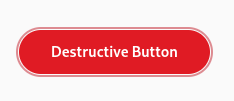
    Screenshot of a destructive button saying "Destructive Button". It's focused, and the focus ring is red.

    Destructive buttons previously had blue focus rings, and now they are red, matching the buttons themselves. Moreover, apps can easily get custom-colored widgets like this themselves, with matching focus rings.

    Since previously we couldn’t override accent color per-widget, the way to recolor buttons (as well as checks, switches etc) was to just set background-color and color properties manually. It worked, but obviously didn’t affect focus rings, and focus rings are complicated, so doing it manually wouldn’t be feasible. They have a very specific color with a specific opacity, a different opacity for the high contrast mode, and the actual selector changes a lot between widgets. In case of buttons it’s button:focus:focus-visible, for entries it’s entry:focus-within and so on. Not very good, so we didn’t encourage apps to change focus rings, and didn’t change them on destructive buttons either.

    But now that we have variables, people can just override the accent color, and focus rings will follow the suit. For example, to make a green button, an app can just apply .suggested-action and override accent on it to green:
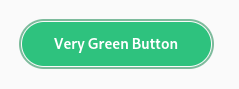
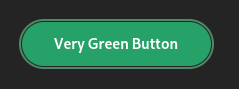
    Screenshot of a green pill button saying "Very Green Button" on top of a light background. It's focused and the focus ring is green.Screenshot of a green pill button saying "Very Green Button" on top of a dark background. It's focused and the focus ring is green.

    So, for example, Calculator can now make its big orange result button orange and have matching focus ring on it without changing accent color in the whole app.

    Because of that, the .opaque style class has been deprecated. Instead, apps are encouraged to use .suggested-action like above.

    Meanwhile, GtkEntry with .error, .warning and .success style classes have had red focus rings, as an exception. Later, AdwEntryRow gained the same styles, but that was messy overall. But now these style classes just set accent color in addition to text color, so these styles aren’t special cases anymore – they will work with any widget.

    Deriving accent colors

    Since 1.0, libadwaita has had two separate accent colors: --accent-bg-color and --accent-color. The former is suitable for use as a background on widgets like buttons, checks and switches, but usually has too low contrast to be used as a text color. The latter has a higher contrast, suitable for use as text, but it doesn’t work well as a background.

    That’s a bit confusing, and I’ve seen a lot of apps misusing them. Some apps set a custom accent color and just set them to the same value, so they don’t have enough contrast. Some apps mix up the colors and use the wrong one. And so on.

    It would be really nice if we could generate one from the other one. Previously this was firmly in the realm of pipe dreams, but now that we have relative colors, it’s a lot more feasible.

    For example, the following functions produce consistently good colors for light and dark styles respectively:

    /* light style */
    --accent-color: oklab(from var(--accent-bg-color) min(l, 0.5) a b);
    
    /* dark style */
    --accent-color: oklab(from var(--accent-bg-color) max(l, 0.85) a b);
    

    Here are some examples, for both light and dark style:
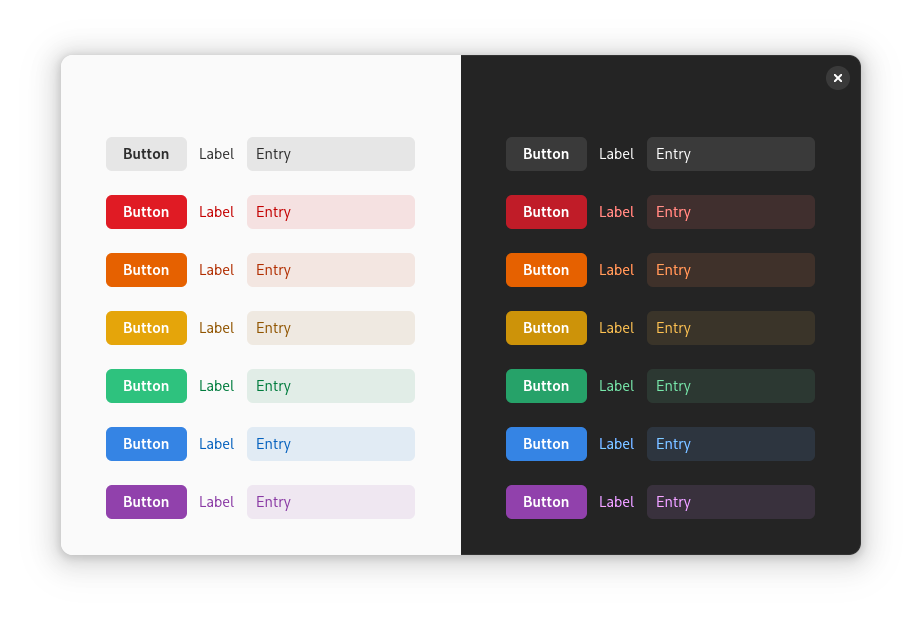
    Screenshot of a window with its left half being light and right half being dark. Each half has 7 rows, each row has a button, a label and an entry. The row colors are as follows, top to bottom: neutral, red, orange, yellow, green, blue, purple

    Unlike the HSL color space, Oklab is perceptual and lightness stays uniform regardless of other channels. So, as simple as it sounds, just limiting the lightness does the job. In fact, we could even do this:

    /* light style */
    --accent-color: oklab(from var(--accent-bg-color) 0.5 a b);
    
    /* dark style */
    --accent-color: oklab(from var(--accent-bg-color) 0.85 a b);
    

    The downside is that --accent-bg-color: black; in light style would produce a dark gray --accent-color instead of black, and --accent-bg-color: white; in dark style would produce a light gray accent instead of white. This may be fine, but the goal here is to ensure minimum contrast, not to prevent too much contrast.

    These functions are also in the docs, but there’s one problem.

    So why not do it automatically?

    Say, we define these variables at :root, as follows:

    :root {
      --accent-bg-color: var(--blue-3);
      --accent-color: oklab(from var(--accent-bg-color) min(l, 0.5) a b);
    }
    

    Then, we override accent color for a specific widget:

    my-green-widget {
      --accent-bg-color: var(--green-3);
    }
    

    But --accent-color would still be blue, so the we would need to re-declare it – not very good.

    There is a way to get around that – use a wildcard:

    * {
      --accent-color: oklab(from var(--accent-bg-color) min(l, 0.5) a b);
    }
    

    But that has its own downsides – it may impact performance and memory use, like wildcards in CSS tend to do. That said, I haven’t profiled it and maybe it’s not that bad.

    Either way, for now we’re keeping --accent-color separate, but apps overriding it are welcome to use the above functions themselves, instead of picking the color by hand. Maybe in future we’ll figure something out.

    Future

    There are a lot more things we could do if we didn’t need to care about backwards compatibility. For example, instead of having colors like --shade-color that are always supposed to be partially-transparent black, we could just provide the opacity as a variable. (or maybe even derive it from background color lightness?) We could specify accent color as a hue and/or chroma in the Oklch color space, while keeping the lightness consistent. And so on.

    Can we drop SCSS entirely?

    A lot of people asked this or assumed that these additions were the few missing pieces for dropping it.

    As much as I’d like to, not yet. While this helps with reducing dependency on it a bit, there are still a lot of things that cannot be replicated, like @mixin and @extend. It also allows us to have private variables and control what gets exposed as API, which is pretty important for a library.

    In fact, there are situations where we had to add more SASS-specific things, tho mostly because we’re using the older (and unmaintained) sassc compiler instead of dart-sass. Being old and unmaintained, sassc doesn’t support the modern rgb() syntax, and errors out. There is a way to placate it, by using RGB() instead, but that’s a hack. It also doesn’t like the slash symbol (well, solidus) and thinks it’s division. This can be worked around with string interpolation, but it’s a hack too.

    So, instead of this:

    rgb(0 0 0 / if($contrast == 'high', 80%, 5%))
    

    we have to do this:

    RGB(0 0 0 / #{if($contrast == 'high', 80%, 5%)})
    

    (and then keep in mind that SASS won’t see this as a color, so you can’t use functions like transparentize() on it, not that we really need to)

    Finally, the opacity() function (used within the filter property) kept getting replaced with alpha(), but only when it contained a variable instead of a literal:

    filter: opacity(55%);
    /* SASS output: filter: opacity(55%); */
    
    filter: opacity(var(--disabled-opacity));
    /* SASS output: filter: alpha(var(--disabled-opacity)); */
    

    I worked around this by once again manipulating case. opacity() was affected, but Opacity() wasn’t.

    All of this could be solved by migrating to dart-sass. This is difficult, however – GNOME SDK doesn’t have any Dart components at the moment, and it would need to build that first. A lot of manifests I’ve seen on Flathub just use pre-built SASS compiler, but I doubt this would be acceptable for the SDK. So, for now we’re stuck with sassc. Help is very much welcome, particularly with the SDK side of things.

    Programmatic API?

    Another question I see fairly often: is it possible to read variables programmatically?

    The short answer is: no.

    The longer answer is: variables can be anything. The only way to read them would be as a string. At that point, you’d need to have a CSS parser in your app to actually parse them into a useful value.

    For example, let’s say we have a variable declaring a color, like red. One might think: so what, just use gdk_rgba_parse(). Now, what about rgb(0 0 0 / 50%), the modern syntax? gdk_rgba_parse() doesn’t support that, but one might argue it should. Alright, what about this:

    color-mix(in oklab, currentColor, var(--something) calc(var(--base-percentage) * 0.5))
    

    This is a potentially valid color, and yet there’s no way gdk_rgba_parse() would be able to parse this – how would it know what currentColor is when you don’t supply it a widget? It would need to resolve other variables somehow. And it would also need a full-blown calc() parser. Yeah, colors get complicated fast. It’s fine when we’re already inside a CSS parser, but gdk_rgba_parse() isn’t one.

    Now, could we have a function to get a variable value specifically as a color? Sure, except variables don’t have to be colors. You might also get 3px, 0 or asjdflaskjd. They don’t even have to be valid values, they can also be parts of the values, or even random gibberish. CSS doesn’t even try to compute variables on their own, only insert them into other values when you reference them with var() and then parse and compute that once every reference is resolved. The following is perfectly valid:

    my-widget {
      --space: srgb-linear;
      --r: 100%;
      --gb: 0 0;
      color: color(var(--space) var(--r) var(--gb) / 50%);
    }
    

    So, with that in mind, would API for fetching them be useful? IMO not really. There are very specific cases where it may work (e.g. if you define a variable containing an integer and then treat it as pixels in your code), but they are far too limited, break easily, and arguably are a misuse of CSS anyway.

    It would be a bit more feasible if we had @property, as then you can at least guarantee the variable type. Even then the type system is very flexible and one can define things like <color># | <integer>#. The valid variables with this type would be comma-separated lists of colors, and comma-separated lists of integers, so good luck with that. And we don’t even need to go that far: take a look at <image>. It can be a gradient (linear (possibly repeating), radial or conic), a URL, image() which produces a solid color image from a given color, or many other things. At best I can see getters being limited to, say, colors, numbers and dimensions.


    Many thanks to:

    • Matthias Clasen for reviews and implementing HWB, Oklch and Oklab color spaces, relative colors, color interpolation and math functions.
    • STF for funding this work.
    • Sonny Piers and Tobias Bernard for organizing everything.
Libadwaita 1.5

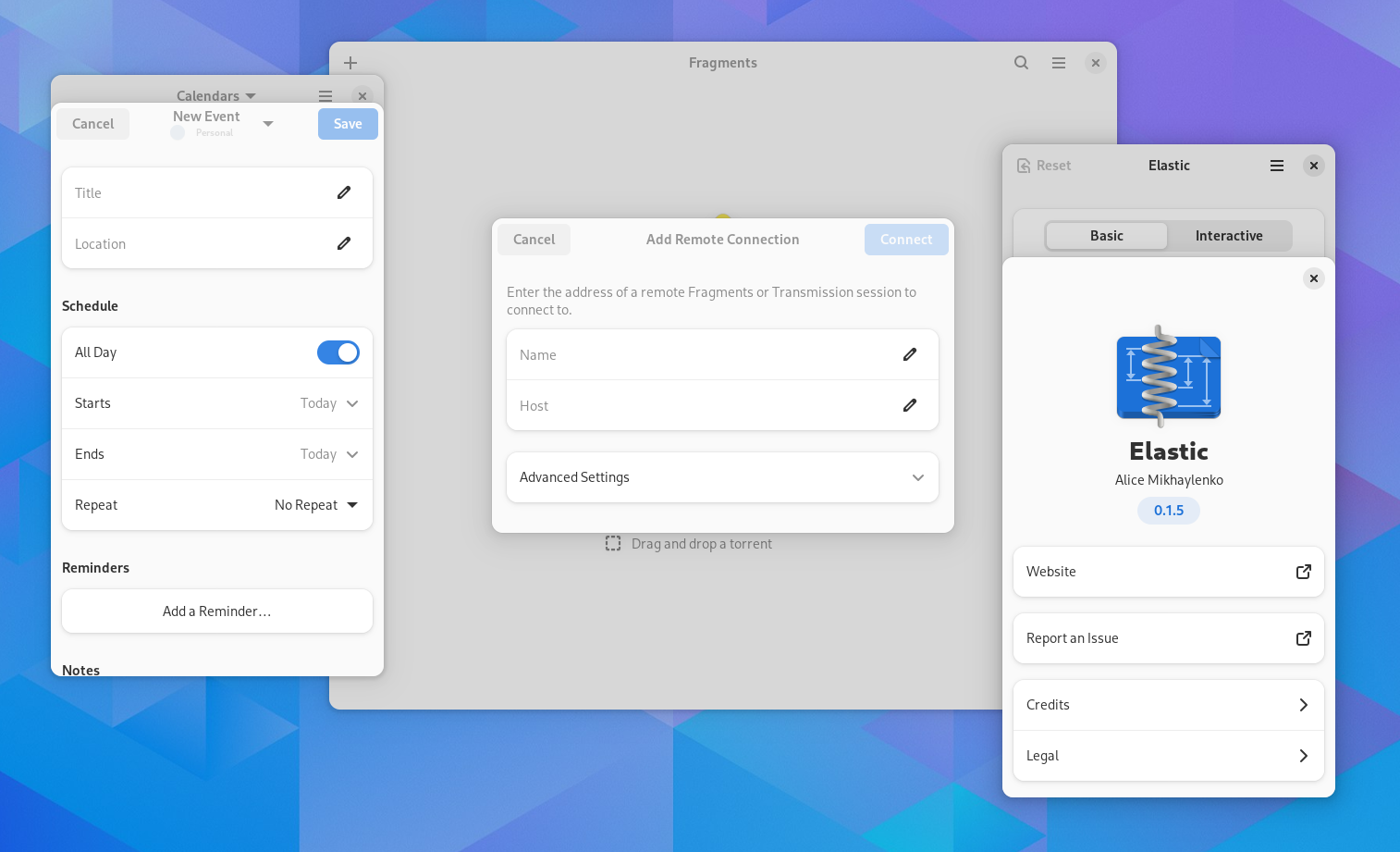
Screenshot of Calendar's new event dialog, Fragments's add remote connection dialog and Elastic's about dialog. Calendar and Elasic are narrow, so their dialogs are bottom sheets

Well, another cycle has passed.

This one was fairly slow, but nevertheless has a major new feature.

Adaptive Dialogs

The biggest feature this time is the new dialog widgetry.

Traditionally, dialogs have been separate windows. While this approach generally works, we never figured out how to reasonably support that on mobile. There was a downstream patch for auto-maximizing dialogs, which in turn required them to be resizable, which is not great on desktop, and the patch was hacky and never really supported upstream.

Another problem is close buttons – we want to keep them in dialogs instead of needing to go to overview to close every dialog, and that’s why mobile gnome-shell doesn’t hide close buttons at all atm. Ideally we want to keep them in dialogs, but be able to remove them everywhere else.

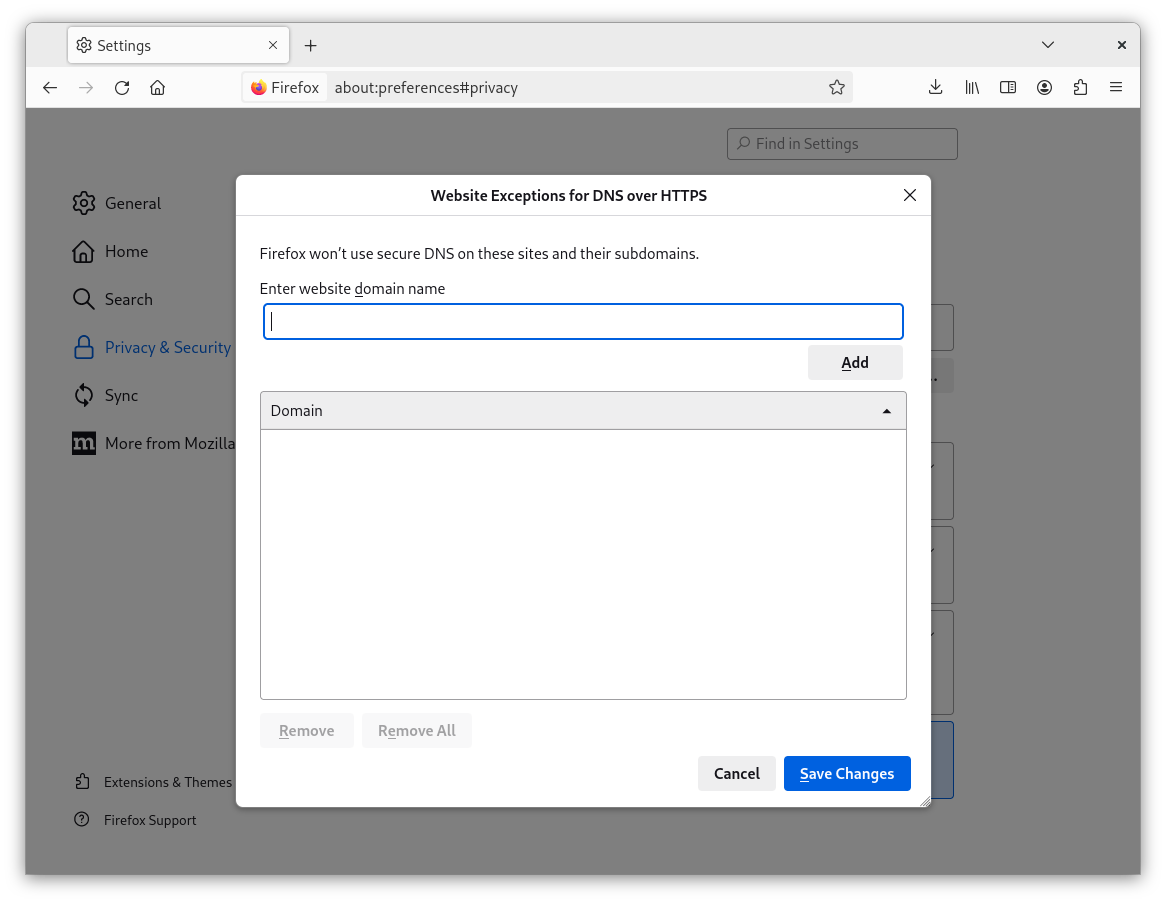
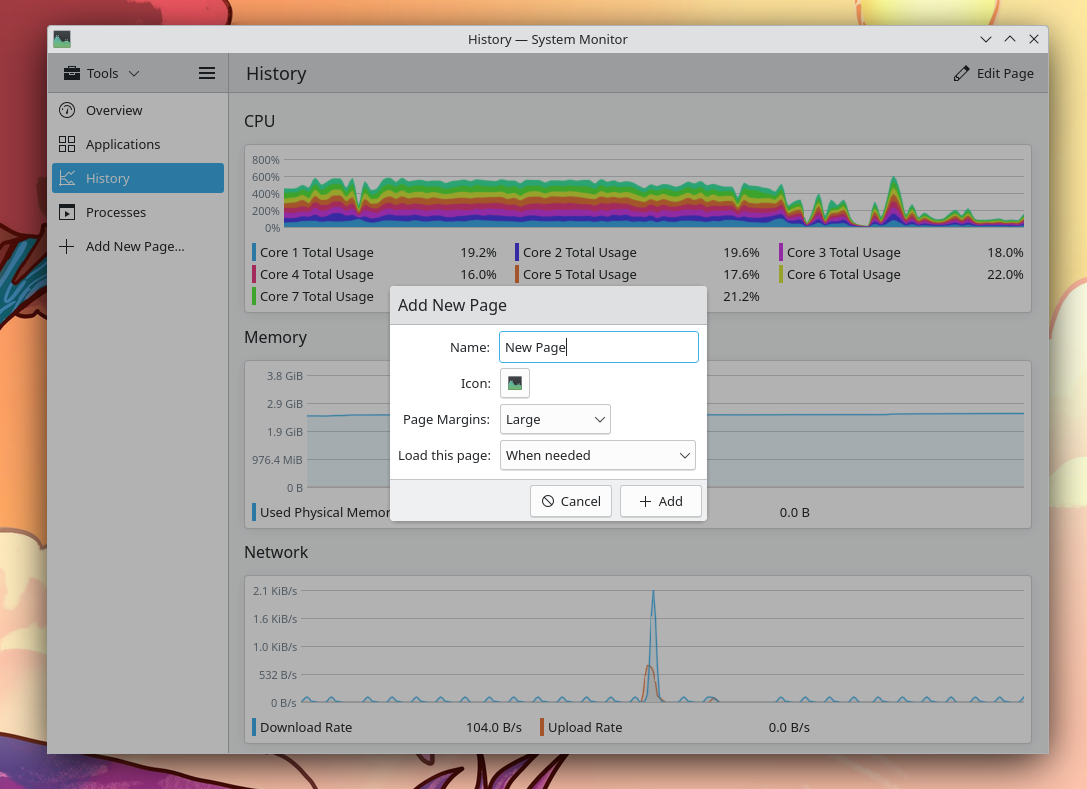
While it would be possible to have shell present dialogs differently, another approach is to move them to the client instead. That’s not a new approach, here are some existing examples:

Screenshot of the "Website Exceptions for DNS over HTTPS" dialog from Firefox settings

Screenshot of the "Add New Page" dialog from KDE's System Monitor

This has both upsides and downsides. One upside is that the toolkit/app has much more control over them. For example, it’s very easy to ensure their size doesn’t exceed the parent window. While this is possible with windows (AdwMessageDialog does this), it’s hacky and can still break fairly easily with e.g. maximize – in fact, I’m not confident it works across compositors and in both Wayland and X11.

Having dialogs not exceed the parent’s size means not needing to limit their size quite so aggressively – previously it was needed so that the dialog doesn’t get ridiculously large on top of a small window.

The dimming behind the dialog can also vary between light and dark styles – shell cannot do that because it doesn’t know if this particular window is light or dark, only what the whole system prefers.

In future this should also allow to support per-tab dialogs. For apps like web browsers, a background tab spawning a dialog that takes over the whole window is not great.

Meanwhile the main downside is the same thing as was listed in upsides: these dialogs cannot exceed the parent window’s size. Sometimes it’s still needed, e.g. if the parent window is really small.

Bottom Sheets

Screenshot of libadwaita demo's about dialog on mobile

So, how does that help on mobile? Well, aside from just implementing the existing size constraints on AdwMessageDialog more cleanly, it allows to present these dialogs as bottom sheets on mobile, instead of centered floating sheets.

A previous design has presented dialogs as pages with back buttons, but that had many other problems, especially on small windows on desktop. For example, what happens if you close the window? A dialog and a “regular” subpage would look identical, so you’d probably expect the close button to close the entire window? But if it’s floating above a larger window?

Bottom sheets avoid this issue – you still see the parent window with its own close button, so it’s obvious that they are closed separately – while still being allowed to take full width like a subpage.

They can also be swiped down, though because of GTK limitations this does not work together with scrolling content. It’s still possible to swipe down from header bar or the empty space above the sheet.

And the fact they are attached to the bottom edge makes them easier to reach on huge phones.

Meanwhile, AdwHeaderBar always shows a close button within dialogs, regardless of the system layout. The only hint it takes from the system is whether to display the close button on the right or left side.

API

For the most part they are used similarly to GtkWindow. The main differences are with presenting and closing dialogs.

The :transient-for property has been replaced with a parameter in adw_dialog_present(). It also doesn’t necessarily take a window anymore, but can accept any widget within that window as well. Currently it just fetches the root widget, but once we have per-tab dialogs, that can be controlled with a simple flag instead of needing a new variant of adw_tab_present() that would take a tab page instead of a window.

The ::close-request signal has been replaced as well. Because the dialogs can be swiped down on mobile, we need to know if they can be closed before the gesture starts. So, instead there’s a :can-close property that apps set ahead of time if there’s unsaved data or some other reason to prevent closing.

For close confirmation, there’s a ::close-attempt signal, which will be fired when trying to close a dialog using a close button or a shortcut while :can-close is set to FALSE (or calling adw_dialog_close()). For actual closing, there’s ::closed instead.

Finally, adw_dialog_force_close() closes the dialog while ignoring :can-close. It can be used to close the dialog after confirmation without needing to fiddle with :can-close or repeat ::close-attempt emissions.

If this works well, AdwWindow may have something similar in future.

The rest is fairly straightforward and is modelled after GtkWindow. See AdwDialog docs and migration guide for more details.

Since AdwPreferencesWindow and other widgets can’t be ported to new dialogs without a significant API break, they have been replaced:

For the most part they are identical, with a few differences:

  • AdwPreferencesDialog has search disabled by default, and gets rid of deprecated subpage API
  • AdwAlertDialog can scroll contents, so apps that add their own scrolled windows may want to remove them

Since the new widgets landed right at the end of the cycle, the old widgets are not deprecated yet. However, they will be deprecated next cycle, so it’s recommended to migrate your apps anyway.

Standalone bottom sheets (like in audio players) are not available yet either, but will be in future.

Esc to Close

Traditionally, dialogs have been done via GtkDialog which handled this automatically. But for the last few years, apps have been steadily moving away from GtkDialog and by now it’s deprecated. While that’s not really a problem on its own, one thing that GtkDialog was doing automatically and custom dialogs don’t is closing when pressing Esc. While it’s pretty easy to add that manually, a lot of apps forget to do so.

But since we have dedicated dialog API again, Esc to close is once again automatic.

What about standalone dialogs?

Some dialogs don’t have a parent window. Those are still presented as a window. Note that it still doesn’t work well on mobile: while there will be a close button, the sizing will work just as badly as before, so it’s recommended to avoid them.

Dialogs will also be presented as a window if you try to ad them to a parent that can’t host dialogs (anything that’s not an AdwWindow or AdwApplicationWindow), or the parent is not resizable. The reason for the last one is to accommodate apps like Emblem, which has a small non-resizable window, where dialogs won’t fully fit, and since it’s non-resizable, it doesn’t work on mobile anyway.

What about “Attach Modal Dialogs”

Since we have the window-backed mode, it would be fairly easy to support that preference… except there’s no way to read it from sandboxed apps.

What about portals?

This approach obviously doesn’t work for portals, since they are in a separate process. We do have a plan for them, involving a private protocol in mutter, but it didn’t make it for 46. So, next time.

What about GTK built-in dialogs?

Those will be replaced as well, but it takes time. For now yes, GtkShortcutsWindow etc won’t match other dialogs.

Other Changes

As usual, there are some smaller changes.


As always, thanks to all the contributors who helped to make this release happen.