I just returned today after a 10 day vacation for Diwali. Reaaaly away from mails, blogs, code and now I must have a huuge back log and a release tomorrow ;-). Oh, I took Mysore express to reach bangalore, which is a 13 hour overnight train ride from my town to Bangalore. I got seats in the first cabin an air-conditioned coach and there were three other couple on the same cabin. Just in 10-15 minutes after the train started moving, my wife cautioned me of couple of cockroaches and I caught with a tissue and threw them off and the couple opposite to me was smiling at us and I didn’t realize it. Just a few mins later, we happen to see atleast 20-30 cockroaches roaming around the cabin and I now I understood why they laughed and they told me they too caught a couple of them out off the cabin and realised that there were too many to do so. We reached to a point, where we felt there are too many and can’t travel and we complained to the TTR [coach-maintainer] where he called some attender to pour some liquid [doubt, if it is a anti-insect chemical]. Just in a matter of 10 mins, we happen to see few hundreds of them out there of variying sizes coming out of the a/c duct on the first cabin. Sucks… The only weapon we had was a rolled-newspaper with which we hit to kill them that comes towards us and tired of it, me and another couple with a sweet little girl ‘Tanisha’ almost surrendered our tickets and asked for a seating ticket and got one which was the same cabin, but 5feet away from our old one. Still the issue of cockroaches but better. It was almost 12.45 am when I could get a sleeping berth for my wife and around 2am I got one and I almost slept the entire day sleeping :(. WTF Indian Railways [supposed to be big/old org] make it a must to pest-control train compartments. People with kids were always scared of insects roaming around to enter ears or over their heads. Anyways we had nice time that each and every one on my cabin was using that single rolled paper to pass around to hit the cockroaches and other idenifying the ones roaming near them… lots of fun though. Its not scary as ‘Snakes on the plane’ but definitely disgusting
Category: General
Evolution 2.24 & Windows port
I have delayed my blog for Evolution 2.24, since I was waiting for Tor and Bharath to complete the Windows port. Yes, Evolution for Windows is available. Click here to download Evolution on Windows . Kudos to Tor (who intially ported base Evolution/friends to Windows) & Bharath for their work. They also had a equivalent windows binary for most of the intermediate dot releases. We would try hard to fix bugs reported on this build.
What’s new in Evolution 2.24?
- Message Templates
- WebDAV Contacts support
- Google Contacts support
- Custom header support while sending mails
- Single Model view for Calendar
- Sqlite Based message summary (aka Camel On-disk Summary)
- New Bonobo-less composer for Evolution
- Quota support to IMAP/POP accounts
- Gtk+ Recent manager integration in Composer
- Contact-list for Exchange
and 530 bugs and approximately 50 crashers fixed.
Camel/Disk summary has some regressions which I’m currently working to close it, so that 2.24.1 should be even more stable and bug-free.
Thanks a lot to every one who has contributed to Evolution.
Disk summary updates…
We released 2.23.5 with the basic merge of disk summary. Ever since, It has become a busy working week. Working more than 12 hours day and almost all 7 days of work for me. It happened that Sankar’s db search didn’t work well for us and I started writing a sexp to sql parser and completed that in almost 4 days. It feels so good, when you do things and that works awesome with out much issue. Now almost everything in search is completed. Except body-contains query, everything else is just searched on the db with out being loaded to the memory and results are shown. Now, Im going to rework search folders, to do it. Thanks to Milan, who fixed two serious issues in Disk summary.
I started fixing IMAP, to take advantage of disk summary. I just happen to uncover a excellent bug, which I myself hated to see. At times, you see an already read mail in Evolution, but the cache seems to be missing, though you are sure that you read that mail in Evolution. It was so annoying that you would be offline while seeing this. I finally found the core issue and fixed it in camel-imap-folder.c:imap_rescan. The main issue is
If client has uids 1,2,3,4,5,6… and server deletes uid 2 on auto-expiry or some other way, then Evolution use to delete all summaries from 2 till end and its cache and redownload the summary. I have also seen that at times, Evolution take more time to download summaries, specially if Im back from a vacation or so. This is the reason. If at all you are using 2.22.x (where all mails not just RECENT are filtered) and you have a filter to archive mails, you endup downloading duplicate mails to your archive folder. Anyways, I fixed it finally. Im planning to do some more imap improvements during my free time. IMAP should be much better in 2.24.
We have created a tracker Bug 543389 – Camel Disk summary bugs (Evolution). Add all disk summary bugs to this tracker. Try Evolution 2.23.6 and file bugs.
Back from Istanbul and a few updates
Pretty late blog, but really busy. I landed in Bangalore on July 14 8am to attend a 5 day out-door training starting at 10am. Lucky that the timezone difference isn’t very bad, I happened to manage with my training.
Guadec:
- Nice parties and thanks to all their sponsors and GNOME.
- Had nice discussions/talks with Michael, jpr, hpj, Miguel, Aaron, Scott and lot of other hackers
- Announced about the Evolution licensing change
- Had a couple of talks at GUADEC
- Nice chats with Muelli, jrb, thomas, philip, jorgen
- Attended lots of talks
Post guadec:
- Stuck in a training till friday on project management training.
- Merged on-disk summary with trunk and guess what trunk must be broken for few/most cases. We will shape it well.Blame me/sankar if you see lots of warning on compilation, we explicitly added ‘#warnings’ for lots of stuffs to make sure we fix it instead of growing FIXMEs in the code. We ported most of the providers. Didnt do much for imap4 provider. But will do for it also post 2.23.5 which is on Monday. (Sorry fejj, too busy, so we delayed it). Any other camel provider like evolutin-brutus needs to be ported. I had a live demo at guadec on this and I have some graphs which I collected during my demo. I will attach at the end of the blog.
I had a fixed set of data for Evolution, couple of accounts and 2 vfolders which sort of fetches from all these folders. In total 200,000 mails.
Evolution 2.23.4 (before the merge)

Evolution 2.23.5 (after the merge)

Sankar already did a post on how it is done. I got these from massif, I know these arent exact but the comparison sort of shows difference/improvements.Evolution sort of releases unused memory over a period of time when you move away from folders and vfolders queries from db and loads counts. So nothing is loaded except what you see. But there are some issues lying around with the sqlite memory cache free, because of which at times it goes 100% cpu on to allocation of memory during sqlite commit. So Im sort of disabling all memory drop thread for 2.23.5 and would get them to shape during 2.23.6 or so. We have added lots of debug and g_assert(0) at few places to capture some important traces/issue so bear with us in 2.23.5 if it crashes more. File all your bugs to bugzilla and add to the tracker bug. All would be fixed and Evo 2.24 would be slim and rock solid.
Istanbul – GUADEC
I’m gonna start to Istanbul for GUADEC 2008 in another 2 hours. I should be there Sunday evening at Istanbul and would be staying till July 13. I’m gonna present two talks
These explains about some of the interesting things that we are working for Evolution, for GNOME 2.24 and GNOME 2.26/28. Me, Chenthil and Johnny are traveling together this time.
I treated Johnny
Johnny and me were discussing some Evolution plugin idea and I said, it would be nice, if we can do it in Python. It is easier to write, as well as to install than a rpm/binary. He told me that he will do it over night, and I said NOT POSSIBLE and I promised to treat him, if he does it over night. I also made it clear that if he fails to do, he would work the next day with out pay 😉
Next day lunch…
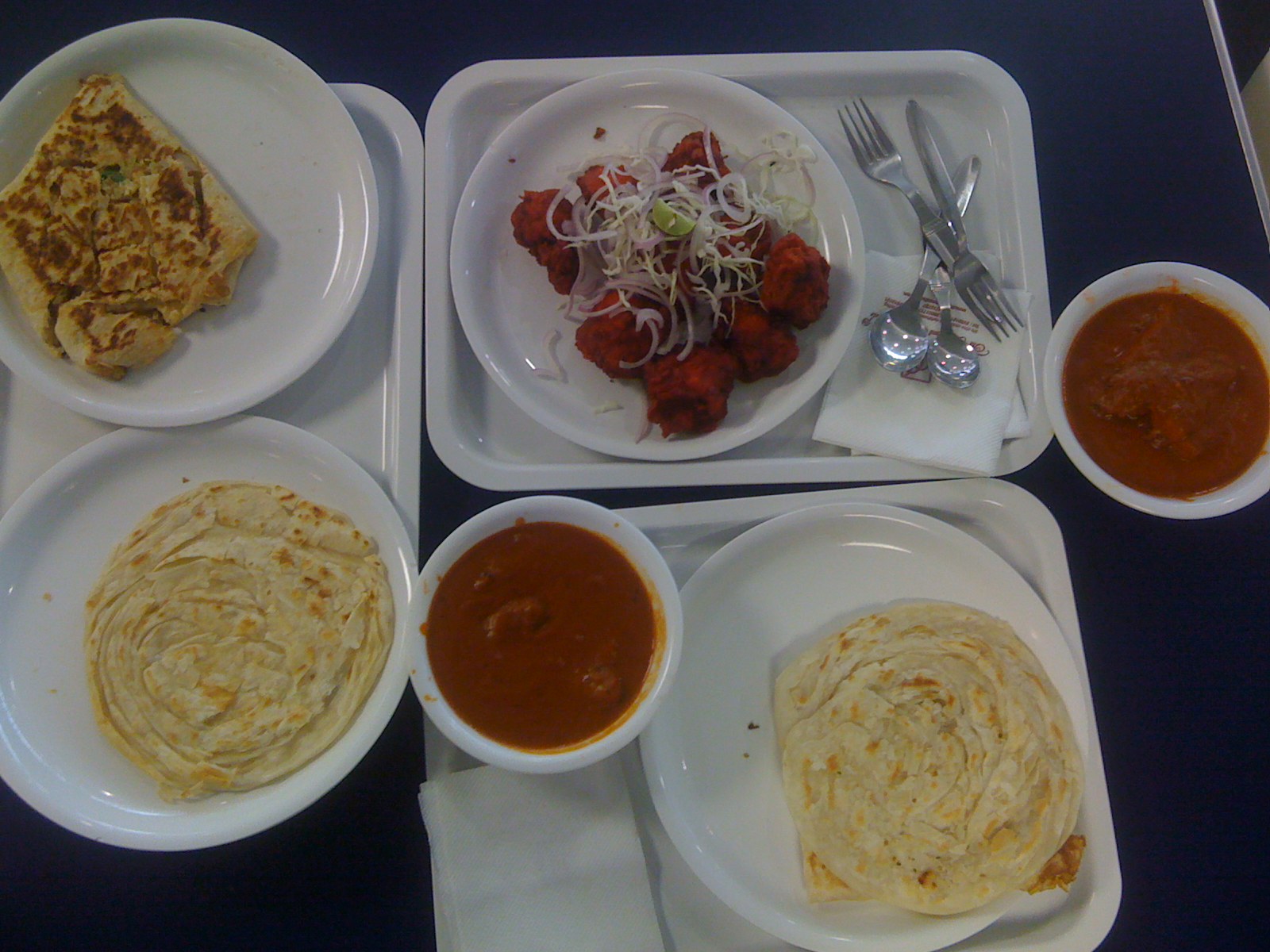
I treated him. I went to office to see that I got a mail from Johnny at 5am attaching the patch for Python EPlugin loader and a hello-world python plugin.
Evolution 2.24 should feature it and it should be much really easier to write and share Python EPlugins. Thanks to Johnny for the cool thing. Now everyone ask Johnny, when he is gonna commit it 😉
Evolution 2.22 released
I sent an announcement mail for Evolution 2.22. A sneak-peak of what we have done in 2.22
Spam Improvements
- Bogofilter as default spam filter
- White list support
- Junk detection based on server side spam headers (Faster as messages won’t be download)
- Junk/NotJunk flags stored on the IMAP Server (Second instance of Evolution detects spam automatically from stored headers)
UI Improvements
- New look Tango icons
- Non intrusive error reporting and logging framework
- Message tagging (Custom labels)
New Backends
- Google calendar support
Memory Improvements
- Major design change in memory handling in libical. EDS should take/have very less memory.
- Loads of valgrind/memory leak fixes
GtkHTML Improvements
- Frame/IFrame Anchor support
- Saving embedded html image
General Improvements
- Improved mime parsing. (Evolution parses much more than thunderbird)
- Crash detection (Helps to disable preview pane, if the previous crash was due to last rendered email)
- Experimental External Editor plugin
- Plugin configuration support
- Clean up of new mail notification configuration to plugin configuration
- Password improvements (Now passwords are forgotten only for invalid credentials and not for all errors)
Bug fixes
- Nearly 50 crash fixes
- Some very important bug fixes
- VFolder/trash/junk crashes
- Itip-viewer crashes
- Calendar/libical crashes
- Summary/Folder mismatch
- Exchange filtering crashes
- Exchange connection lost fixes
- GtkHTML rendering crash fixes
and nearly 450 bug fixes
Thanks a lot to every one who contributed patches/bug/debug informations/others for Evolution 2.22. Please have a look at the wiki for more information on what is coming up for Evolution 2.24.
Novell Hackweek #2
Last two days I have been working on deskice integration with Evolution Calendar and Tasks. It was all that fun at the end of day #1 to know that it is better to have a icecore server deployed locally otherwise I may end up hacking/fixing deployment bugs. I finally deployed one at localhost and using it. Now I have have a basic plugin, that
- Creates an Calendar and Task accounts per every team the user is part of
- Creates Calendar and Tasks folder under those accounts, mapping to the calendar/tasks of that team.
- The calendar and tasks are web-calendar from icecore and the webcal url seems to be persistent and pubic.
With all these, when you login to deskice, your GNOME desktop would have calendar and tasks of your team into Evolution. You clock applet shows your meetings and tasks. It is just that it is all read only now. Yesterday I had a nice chat with Brady, who gave me more insights on this. Now I’m gonna hack at the web service api to give it a write support, so that I can create meetings, tasks in Evolution which would appear against your team/members in T+C icecore.
It is really great working with Michael Meeks, Brady and others. I wish Hackweek is more frequent.
Evolution MAPI (Exchange 2007) Preview
Johnny sent out a mail on the Evolution list about the availability of the preview build of the Evolution MAPI provider. Read the complete thread, to know what works and what doesn’t and other known issues. Currently we have rpms for OpenSUSE 10.3 and Fedora only. We would be providing rpms for Evolution 2.12 and 2.21.x for all the distros supported by OpenSUSE build service (OpenSUSE, SLED, Fedora, Ubuntu, Debian, …). The debs might need a bit of tweaking in the spec file, which isn’t yet done, but might be done next week. In a general note, it is not feature complete when compared with the current Evolution Exchange provider (OWA/WebDAV). We are aware of memory built-up/issues in the preview build and it not fully tested. But it should be pretty fast. It can connect to MS Exchange 5.5, 2000, 2003 and 2007 though we have been primarily developing and testing MS Exchange 2007. It is based on OpenChange‘s libmapi-0.6 and many thanks to Julien and his team. The have been help us a lot, with the library, sample codes etc. They are working hard now libmapi-0.7 which would give some important things for us to take the provider forward.
Unfortunately the Evolution MAPI provider won’t be shipped along with the Evolution 2.22/GNOME 2.22 release as the provider development schedule ends later than the GNOME release. So we would be releasing periodic standalone builds that can be installed on top of your Evolution/EDS installations and it should work seamlessly. We hope that various distros can pick these for their users later on. We are also thinking of nightly/weekly builds through build service, but that may take little more time, since we are now busy shaping the provider. Anyways try the preview build or build from source (EXCHANGE_MAPI_BRANCH of Evolution and Evolution-Data Server in the GNOME svn) and give your feedbacks on the wiki / mailing list as we don’t have much things for bugzilla now.
Evolution stacktrace hackfest
I just send an announcement mail to the evolution hackers list about the Evolution hackfest. We are planning to fix crashers that are marked with the ‘stacktrace’ keyword on Tuesday Jan 22nd. The keyword typically mean that the crasher has good stack trace that will be useful for the developers to fix the bug.
How can you help us?
- If you know of bugs/crashers that are easily reproducible and aren’t part of the list, please add to it to the wiki ( http://www.go-evolution.org/Hackfest ).
- If you have filed crashers before and have good traces/debug information, but aren’t marked with stacktrace, please add keyword then.
- You can hack with us and fix Evolution crasher bugs. We would be on #evolution on GimpNet working on Jan 22nd all through the day.
Thanks in Advance 🙂