Casilda 1.6 Released!

DnD Release

I am very happy to announce a new version of Casilda!

A simple Wayland compositor widget for Gtk 4 originally created for Cambalache

This new version brings Drag&Drop and clipboard support / integration with the host compositor which means you can drag something from a host application and drop it on an application window embedded in a Casilda compositor widget and vice versa!

After a very rugged GUADEC presentation where I tried to show how to create simple Gtk application from slides made with Cambalache using a Casilda compositor to embed GNOME Builder and Cambalache itself I decided to fix all the issues I found so I could redo the presentation and upload it as a video.

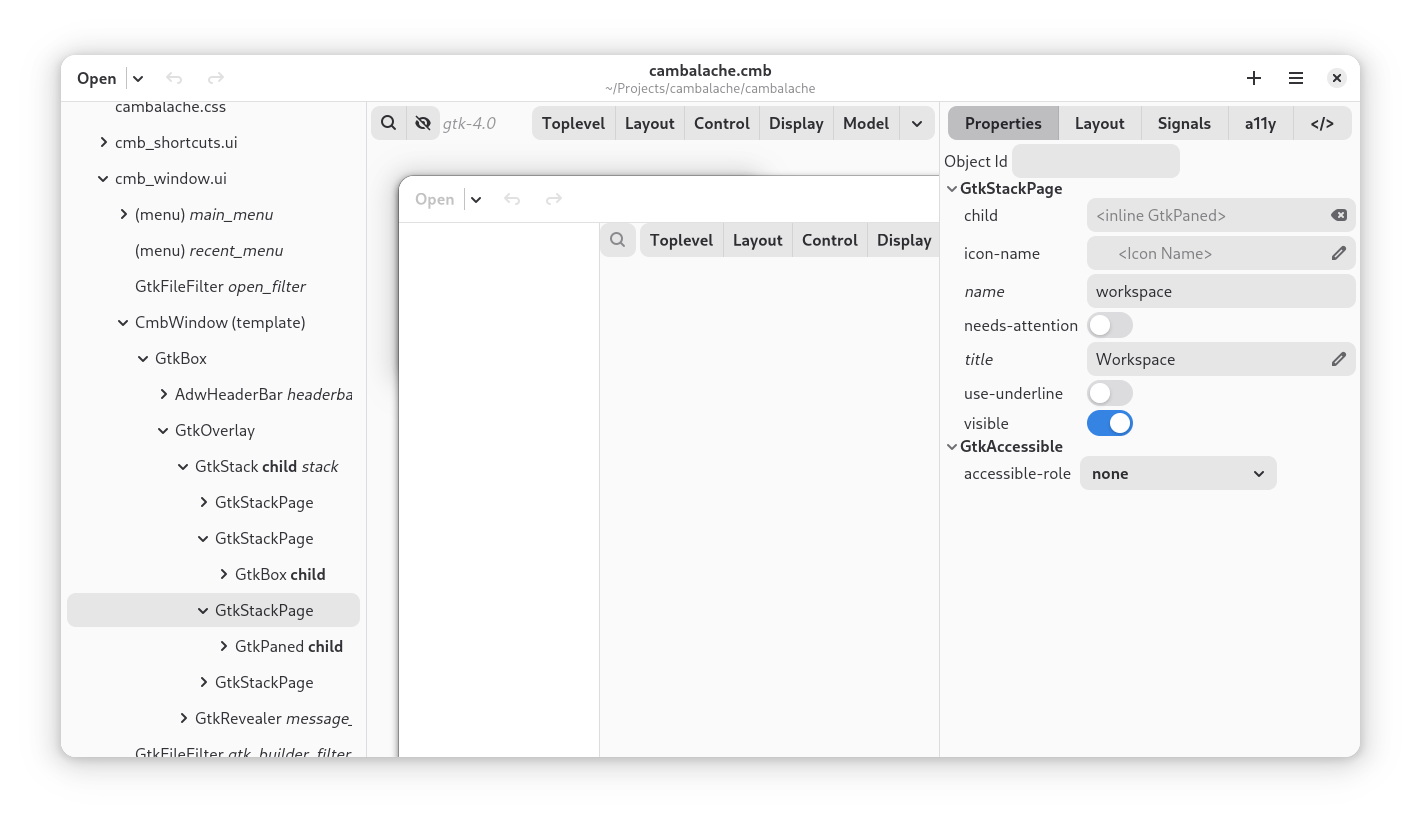
This is a screenshot of the slider window, inside it there is a Casilda compositor (green line) used to embed a Cambalache instance which used another CasildaCompositor (red line) to preview the UI.

This is a screenshot of the slider window, inside it there is a Casilda compositor (green line) used to embed a Cambalache instance which uses another CasildaCompositor (red line) to preview the UI.

Things that possi-bly could go wrong and did:

  • Clipboard (Could not copy paste snippets)
  • Keyboard numeric pad
  • Keyboard modifiers in pointer events (I could not use Alt+Click to force create widgets)
  • Example application connected to host compositor instead of Casilda widget
  • Gnome Builder fullscreen window state broken
  • Popover tooltips crash

After fixing all the bugs and keyboard support I started working on adding Clipboard integration with the host.

Clipboard support

Integrating the clipboard between Casilda and Gtk was fairly easy since all I needs to be done is copy all the clipboard data provided by wlroots wlr_seat::request_set_selection event to GdkClipboard and call wlr_seat_set_selection() on GdkClipboard changed signal.

Wlroots client to Gtk

In other to do this I created a new GdkContentProvider that uses a wlr_data_source as the source of the data and set the provider as the content of the clipboard with gdk_clipboard_set_content().

Internally when a clients wants to get data from the clipboard the new provider creates a unix pipe to read data from wlroots by writing to the pipe with wlr_data_source_send() and reading form the other end using g_output_stream_splice_async().

 Gtk to wlroots to client

To go in the other direction I created a new wlr_data_source that uses a GdkClipboard as source and set selection with wlr_seat_set_selection()

Internally gdk_clipboard_read_async() is called to initiate the data read when wlr_data_source send() method is invoked to send the data to the client.

 Drag & Drop support

Integrating D&D was not as easy as the clipboard. Setting it up to work within Casilda is easy enough other than wiring up some events all I had to do was draw the drag icon surface.

The first thing I did after getting the drag surface was draw it at the pointer coordinates which produced blurry results since pointer coordinates are fractional which means they do not always align with the pixel grid.

That was all nice and good but now I needed to start integrating the drag with Gtk (host compositor) so right after calling wlr_seat_start_pointer_drag() I created a GdkDrag with gdk_drag_begin() and used gtk_drag_icon_set_from_paintable() to set the drag icon and I noticed it was still blurry!!!

After a minute of confusion I realized that Gnome Shell (mutter) must be making the same mistake I did before so I decided to see if I could fix it!

Thanks to Michel Dänzer for guiding me and reviewing my MR, Gnome Shell 51 should have sharp drag icons!

Now back to integrating DnD with the host compositor.

These are all the different use cases that are needed to make D&D work transparently across host and guest compositors:

  • Casilda client to Casilda client
  • Casilda client to Host client
  • Host client to Casilda client

Of course wlroots only contemplates the first use case, the other two cases are specific to Casilda.

Casilda to Host

So far we can detect when a client start a drag, let wlroot handle it and create a GdkDrag to let Gtk initiate another drag at the host level.

This means that when a client embedded in a CasildaCompositor initiates a drag there are two simultaneous drags at the same time, in the guest and host compositors. Keep in mind Casilda always delegates drag icon rendering to the host compositor.

During normal operation Casilda gets events from an event controller, but while on a drag operation events are not sent to the client at least not in the normal way, for that you can use a GtkDropTargetAsync and connect to the various signals for example I use drag-motion to forward events to the client.

Host to Casilda

When a Drag is initiated in the host compositor Casilda reuses the GtkDropTargetAsync created to track motion events and connects to drag-enter signal to create a proxy drag source in wlroots and synthesize a button release event on GtkDropTargetAsync::drop to trigger the drop on the guest side.

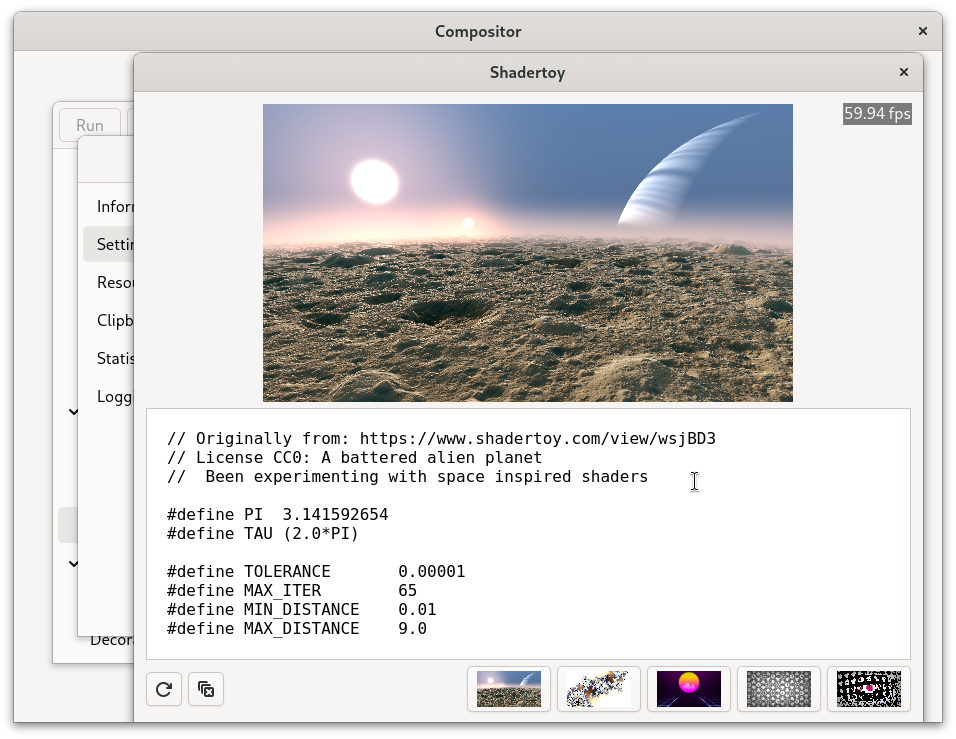
Here is a screencast off all the different use cases in action.

As you can imagine getting all this to work together correctly is not trivial and I expect to be subtle bugs in different corner cases so please if you find one of those file a bug and include a screencast if possible.

Release Notes

  • Add DnD and clipboard support
  • Add support xdg_foreign protocol
  • Fix modifiers in pointer button press events
  • Add keyboard Caps/Num/Scroll Lock support
  • Fix popup of popup crash
  • Fix maximized/fullscreen state handling
  • Fix modifiers flags creation (Evgenii Danilin)
  • Drop cursor surface listeners when the surface is destroyed (Evgenii Danilin)
  • Close dup’d plane FDs when a dmabuf import fails (Evgenii Danilin)
  • Advertise a valid output scale to avoid a scale-0 assert (Evgenii Danilin)
  • Unref the wayland GSource (Evgenii Danilin)
  • Meson config cleanup (Val Packett)
  • Use gtk api for snapping to device pixel grid

Fixed Issues

  • #20 “SIGSEGV in server_request_acvtivate”

Where to get it?

Source code lives on GNOME gitlab here

git clone https://gitlab.gnome.org/jpu/casilda.git

Matrix channel

Have any question? come chat with us at #cambalache:gnome.org

Mastodon

Follow me in Mastodon @xjuan to get news related to Casilda and Cambalache development.

Happy coding!

Casilda 1.2.4 Released!

I am very happy to announce a new version of Casilda!

A simple Wayland compositor widget for Gtk 4 originally created for Cambalache

This release comes with several new features, bug fixes and extra polish that it is making it start to feel like a proper compositor.

It all started with a quick 1.2 release to port it to wlroots 0.19 because 0.18 was removed from Debian, while doing this on my new laptop I was able to reproduce a texture leak crash which lead to 1.2.1 and a fix in Gtk by Benjamin to support Vulkan drivers that return dmabufs with less fd than planes.

At this point I was invested to I decided to fix the rest of issues in the backlog…

Update:

Cambalache 1.0.1 released with Casilda 1.2.4

Fractional scale

Casilda only supported integer scales not fractional scale so you could set your display scale to 200% but not 125%.

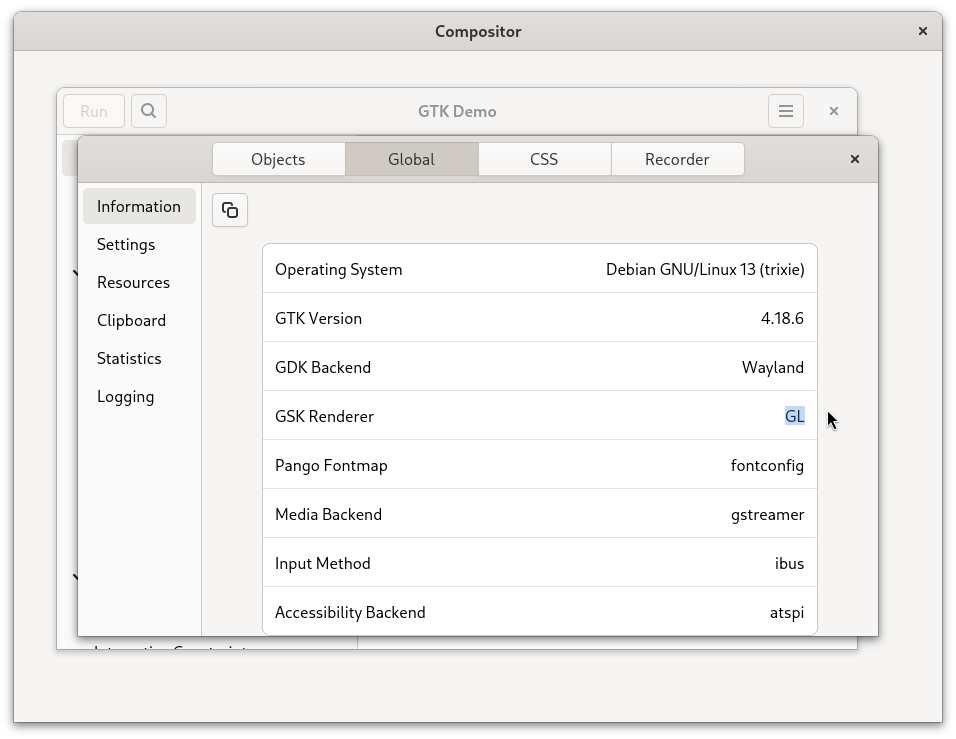
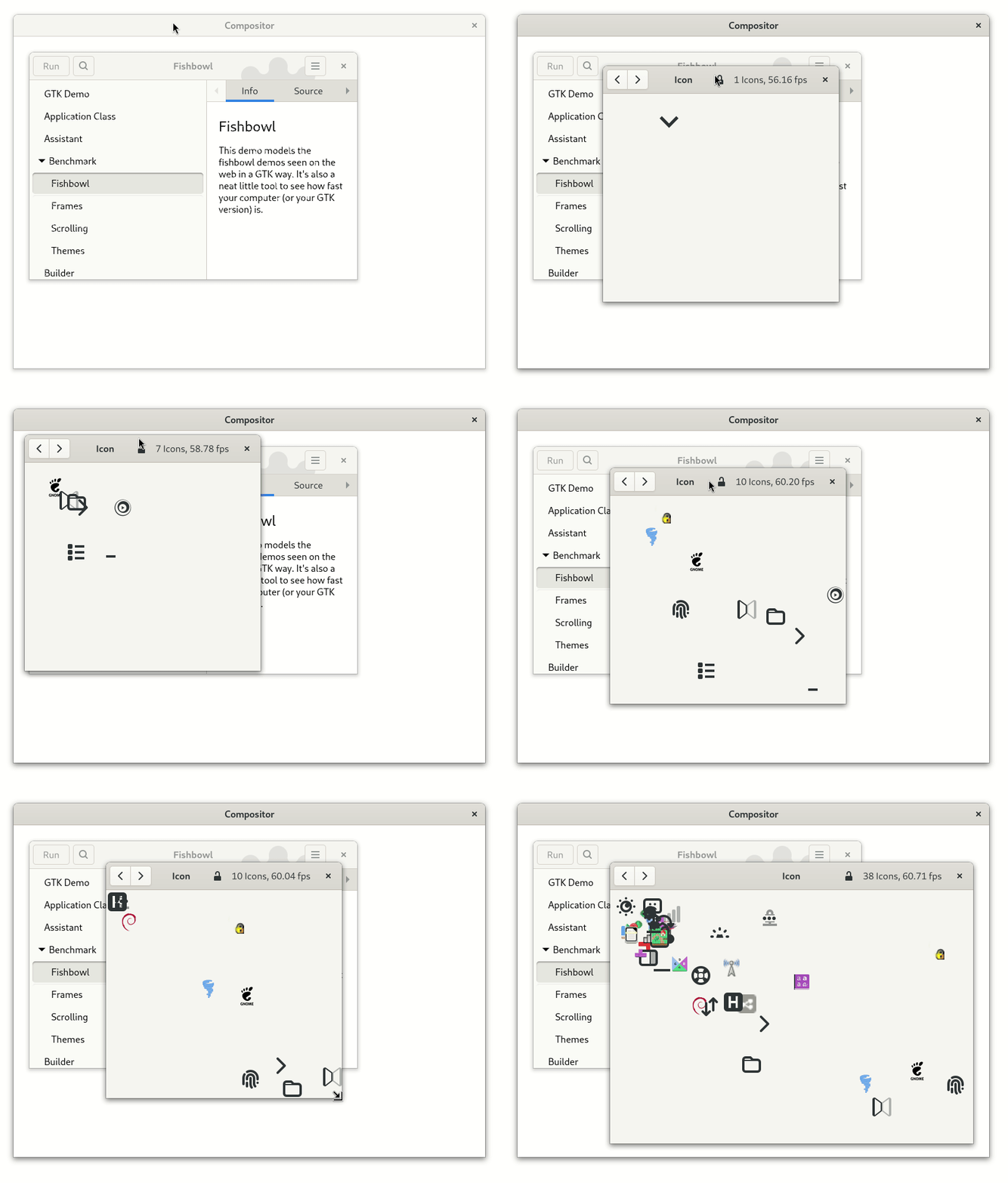
For reference this is how gtk4-demo looks like at 100% or scale 1 where 1 application/logical pixel corresponds to one device/display pixel.

*** Keep in mind its preferable to see all the following images without fractional scale itself and at full size ***

Clients would render at the next round scale if the application was started with a fractional scale set…

Or the client would render at scale 1 and look blurry if you switched from 1 to a fractional scale.

In both cases the input did not matched with the renderer window making the application really broken.

So if the client application draws a 4 logical pixel border, it will be 5 pixels in the backing texture this means that 1 logical pixel correspond to 1.25 device pixels. So in order for things to look sharp CasildaCompositor needs to make sure the coordinates it uses for position the client window will match to the device pixel grid.

My first attempt was to do

((int)x * scale) / scale

but that still looked blurry, and that is because I assumed window coordinate 0,0 was the same as its backing surface coordinates 0,0 but that is not the case because I forgot about the window shadow. Luckily there is API to get the offset, then all you have to do is add the logical position of the compositor widget and you get the surface origin coordinates

gtk_native_get_surface_transform (GTK_NATIVE (root), &surface_origin_x, &surface_origin_y);
 
/* Add widget offset */
if (gtk_widget_compute_point (self, GTK_WIDGET (root), &GRAPHENE_POINT_INIT (0, 0), &out_point))
  {
    surface_origin_x += out_point.x;
    surface_origin_y += out_point.y;
  }

Once I had that I could finally calculate the right position

/* Snap logical coordinates to device pixel grid */
if (scale > 1.0)
  {
    x = floorf ((x + surface_origin_x) * scale) / scale - surface_origin_x;
    y = floorf ((y + surface_origin_y) * scale) / scale - surface_origin_y;
  }

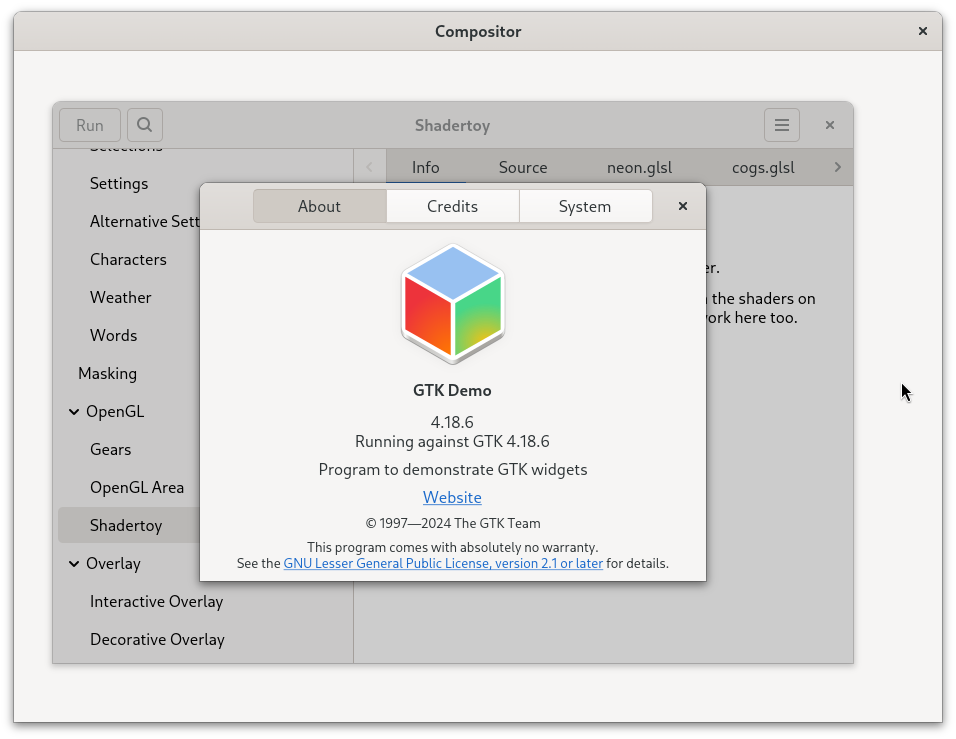
And this is how it looks now with 1.25 fractional scale.

Keyboard layouts

Another missing feature was support for different keyboard layouts so switching layouts would work on clients too. Not really important for Cambalache but definitely necessary for a generic compositor.

Popups positioners

Casilda now send clients all the necessary information for positioning popups in a place where they do not get cut out of the display area which is a nice thing to have.

Cursor shape protocol

Current versions of Gtk 4 requires cursor shape protocol on wayland otherwise it fallback to 32×32 pixel size cursors which might not be the same size of your system cursors and look blurry with fractional scales.

In this case the client send an cursor id instead of a pixel buffer when it wants to change the cursor.

This was really easy to implement as all I had to do is call

gtk_widget_set_cursor_from_name (compositor, wlr_cursor_shape_v1_name (event->shape));

Greetings

As usual this would not be possible without the help of the community, special thanks to emersion, Matthias and Benjamin for their help and support.

Release Notes

    • Add fractional scale support
    • Add viewporter support
    • Add support for cursor shape
    • Forward keyboard layout changes to clients.
    • Improve virtual size calculation
    • Fix maximized/fullscreen auto resize on compositor size allocation
    • Add support for popups reposition
    • Fix GdkTexture leak

Fixed Issues

    • #5 “Track keymap layout changes”
    • #12 “Support for wlroots-0.19”
    • #13 “Wrong cursor size on client windows”
    • #14 “Support for fractional scaling snap to device grid”
    • #19 Add support for popups reposition
    • #16 Firefox GTK backdrop/shadow not scaled correctly

Where to get it?

Source code lives on GNOME gitlab here

git clone https://gitlab.gnome.org/jpu/casilda.git

Matrix channel

Have any question? come chat with us at #cambalache:gnome.org

Mastodon

Follow me in Mastodon @xjuan to get news related to Casilda and Cambalache development.

Happy coding!

Casilda 0.9.0 Development Release!

Native rendering Release!

I am pleased to announce a new development release of Casilda, a simple Wayland compositor widget for Gtk 4 which can be used to embed other processes windows in your Gtk 4 application.

The main feature of this release is dmabuf support which allow clients to use hardware accelerated libraries for their rendering brought to you by Val Packet!

You can see all her cool work here.

This allowed me to stop relaying on wlroots scene compositor and render client windows directly in the widget snapshot method which not only is faster but also integrates better with Gtk since now the background is not handled by wlroots anymore and can be set with CSS like with any other widget. This is why I decided to deprecate bg-color property.

Other improvements include transient window support and better initial window placement.

Release Notes

    • Fix rendering glitch on resize
    • Do not use wlr scene layout
    • Render windows and popups directly in snapshot()
    • Position windows on center of widget
    • Position transient windows on center of parent
    • Fix unmaximize
    • Add dmabuf support (Val Packett)
    • Added vapi generation (PaladinDev)
    • Add library soname (Benson Muite)

Fixed Issues

    • #11 “Resource leak causing crash with dmabuf”
    • #3 ” Unmaximize not working properly”
    • #2 “Add dmabuff support” (Val Packett)
    • #9 “Bad performance”
    • #10 “Add a soname to shared library” (Benson Muite)

Where to get it?

Source code lives on GNOME gitlab here

git clone https://gitlab.gnome.org/jpu/casilda.git

Matrix channel

Have any question? come chat with us at #cambalache:gnome.org

Mastodon

Follow me in Mastodon @xjuan to get news related to Casilda and Cambalache development.

Happy coding!

Cambalache 0.96 Released!

Hello, I am pleased to announce a new Cambalache stable release.

2025-05-16: Version 0.96.1

    • Fix/improve GResource list model update
    • Fix removing custom class data like styles

Version 0.96.0 – GResource Release!

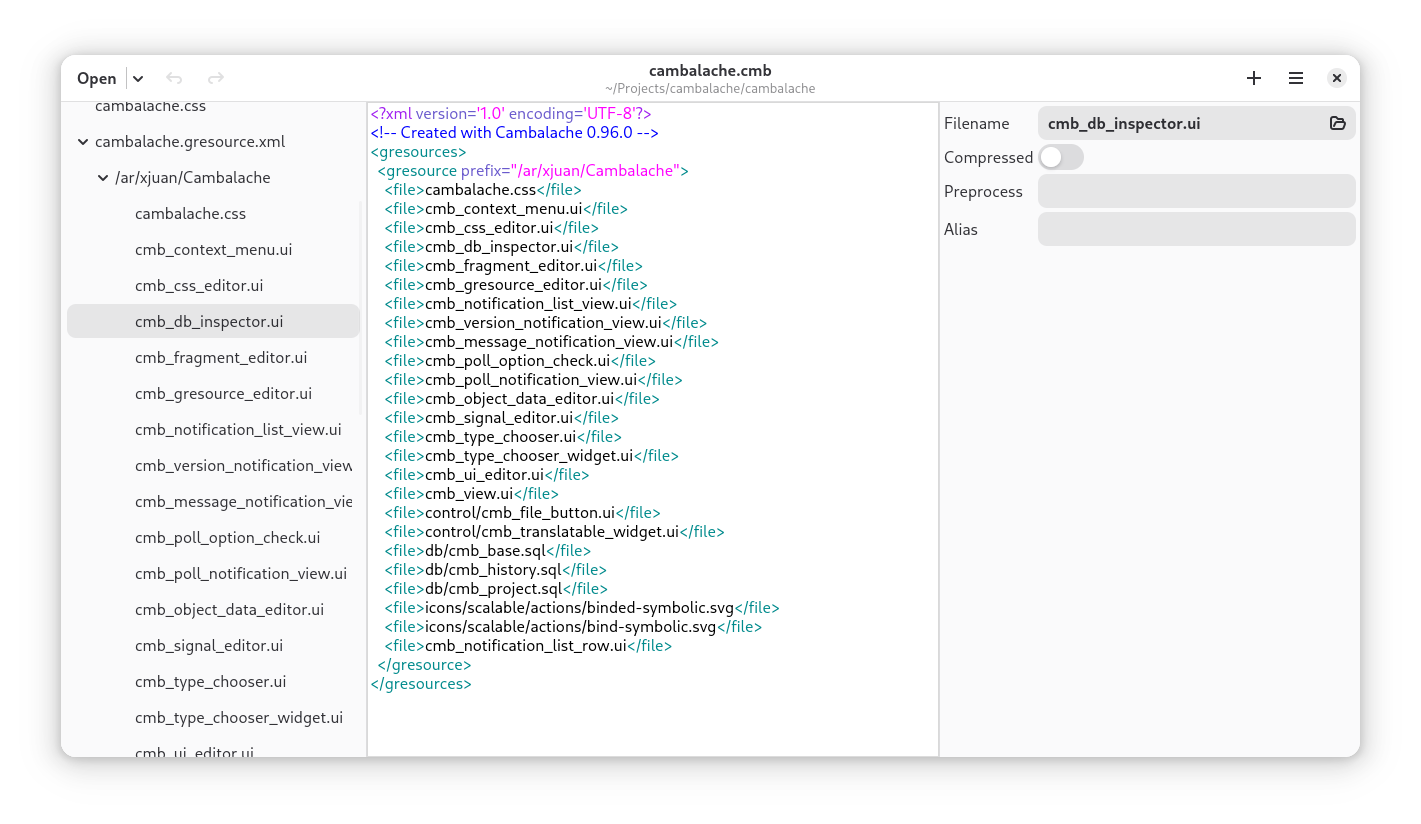
    • Add GResource support
    • Add internal children support
    • New project format
    • Save directly to .ui files
    • Show directory structure in navigation
    • Add Notification system (version, messages and polls)
    • Unified import dialog for all file types
    • Update widget catalogs to SDK 48

New project format

So far Cambalache project file contained all the data in one file which meant you had to export UI files to xml in order to use them in your build system.

This constraint was added to discourage XML editing by hand which would have introduced incompatibilities since Cambalache’s GtkBuilder feature support was limited.

Now that GtkBuilder support has improved I decided it was the right time to simplify things for developers and save UI data directly in XML format. Not more manual exporting or integrating with the build system.

The project file will store a relative path to the GtkBuilder file and a hash of its contents, currently all it does is print a warning if you edit the file by hand.

<cambalache-project version="0.96.0" target_tk="gtk-4.0">
  <ui template-class="CmbWindow" filename="app/cmb_window.ui" sha256=""/>
</cambalache-project>

Directory structure in navigation

With the project format change it makes sense to show all UI files in the navigation pane as they are in the filesystem.

Unsaved/unnamed files will be stored inline in the project file which comes in handy for WIP UI or as a quick way to define a custom type that does not have a template.

GResource support

Basic GResource support was added to be able to create or edit gresource.xml files. This opens the possibility for Cambalache to support loading assets from a resource path in the workspace, but unfortunately is not yet implemented.

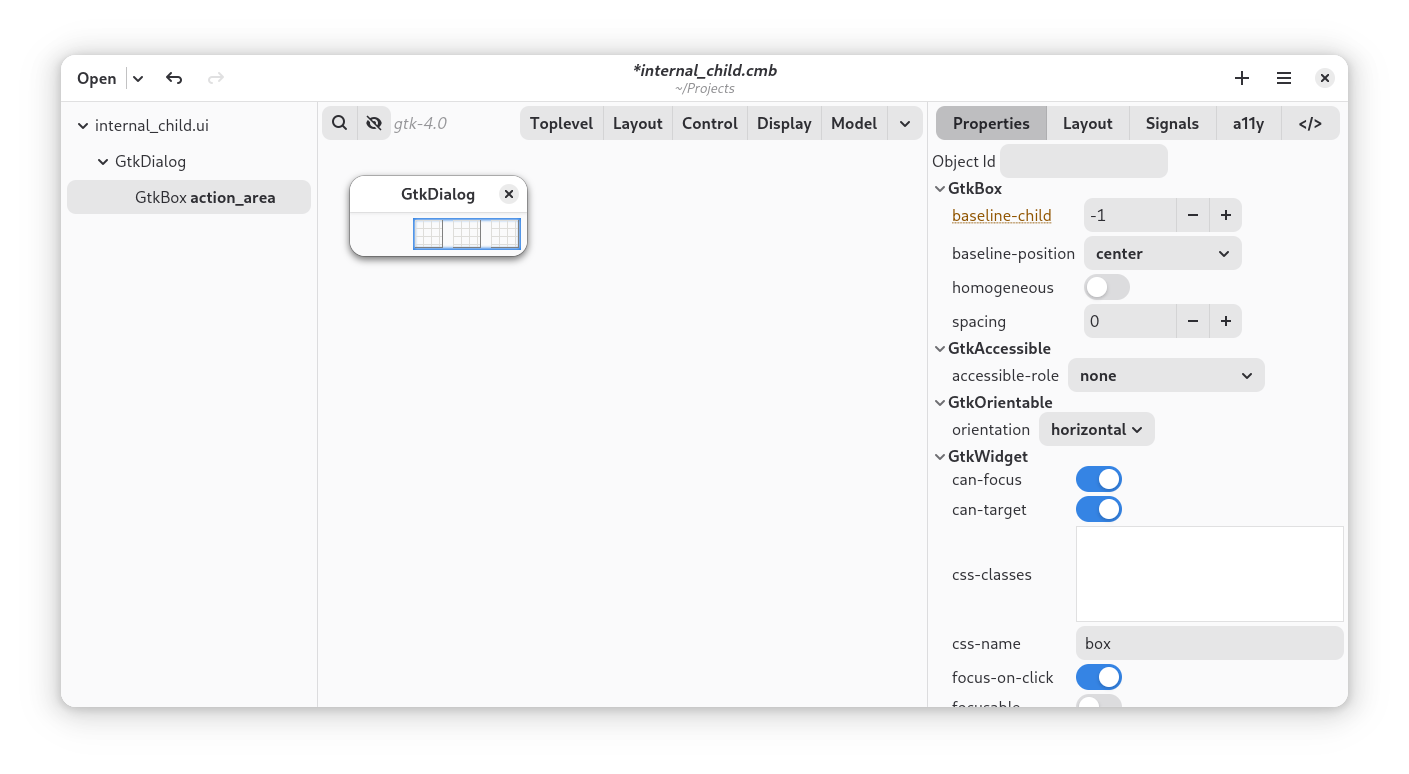
Internal children support

Even tough this is not commonly used anymore, internal children are still used in some classes like GtkDialog. Cambalache will show any internal children in the hierarchy and only export it in the XML file if you change one of its properties or add any children inside.

Notification System

Last but not least I added a simple notification system to inform about new versions and send messages or polls directly to users.

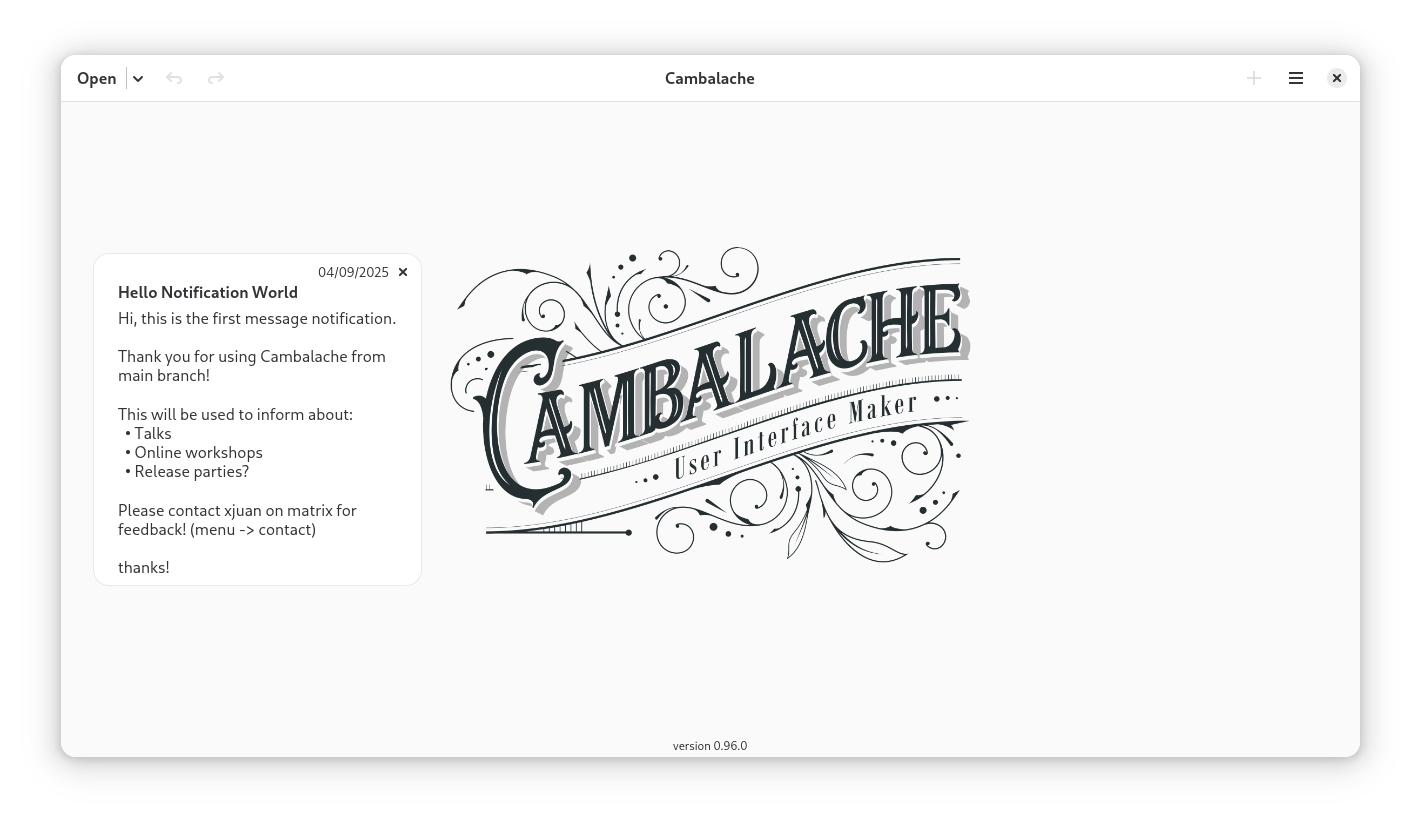
Notifications are polled once a day and only one notification is shown per day. This is how a message notification looks like and it will be used sporadically to inform users about talks or workshops.

New version notifications will show the release notes and include a link to the blogpost and to flathub.

Polls will let you vote and change your vote until the poll close date results are shown after you vote and a final notification will be sent after the poll closes.

Where to get it?

From Flathub

flatpak remote-add --if-not-exists flathub https://dl.flathub.org/repo/flathub.flatpakrepo

flatpak install flathub ar.xjuan.Cambalache

or directly from gitlab

git clone https://gitlab.gnome.org/jpu/cambalache.git

Matrix channel

Have any question? come chat with us at #cambalache:gnome.org

Mastodon

Follow me in Mastodon @xjuan to get news related to Cambalache development.

Happy coding!

Cambalache 0.94 Released!

Hello, I am pleased to announce a new Cambalache stable release.

Version 0.94.0 – Accessibility Release!

    • Gtk 4 and Gtk 3 accessibility support
    • Support property subclass override defaults
    • AdwDialog placeholder support
    • Improved object description in hierarchy
    • Lots of bug fixes and minor UI improvements

How it started?

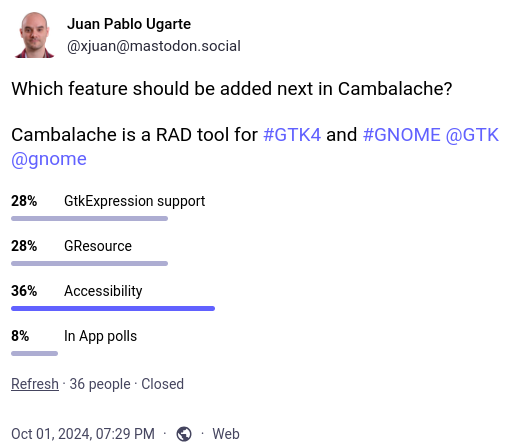
A couple of months ago I decided to make a poll on Mastodon about which feature people would like to see next.

Which feature should be added next in Cambalache? Results: - 28% GtkExpression support - 28% GResource - 36% Accessibility - 8% In App polls

To my surprise GtkExpression did not come up first and GResources where not the last one.

Data Model

First things firsts, how to store a11y data in the project”

So what are we trying to sotre? from Gtk documentation:

GtkWidget allows defining accessibility information, such as properties, relations, and states, using the custom <accessibility> element:

<object class="GtkButton" id="button1">
  <accessibility>
    <property name="label">Download</property>
    <relation name="labelled-by">label1</relation>
  </accessibility>
</object>

These looks a lot like regular properties so my first idea was to store them as properties in the data model.

So I decided to create one custom/fake interface class for each type of a11y data CmbAccessibleProperty, CmbAccessibleRelation and CmbAccessibleState.

These are hardcoded in cmb-catalog-gen tool and look like this

# Property name: (type, default value, since version)
self.__a11y_add_ifaces_from_enum([
  (
    "Property",
    "GtkAccessibleProperty",
    {
      "autocomplete": ["GtkAccessibleAutocomplete", "none", None],
      "description": ["gchararray", None, None],
      ...
    }
  ),
  (
    "Relation",
    "GtkAccessibleRelation",
    {
      "active-descendant": ["GtkAccessible", None, None],
      "controls": ["CmbAccessibleList", None, None],  # Reference List
      "described-by": ["CmbAccessibleList", None, None],  # Reference List
      ...
    }
  ),
  (
    "State",
    "GtkAccessibleState",
    {
      "busy": ["gboolean", "False", None],
      "checked": ["CmbAccessibleTristateUndefined", "undefined", None],
      "disabled": ["gboolean", "False", None],
      "expanded": ["CmbBooleanUndefined", "undefined", None],
      ...
    }
  )
])

This function will create the custom interface with all the properties and make sure all values in the GtkEnumeration are covered.

One fundamental difference with properties is that some a11y relations can be used more than once to specify multiple values.

To cover this I created a new value type called CmbAccessibleList which is simply a coma separated list of values.

This way the import and export code can handle loading and exporting a11y data into Cambalache data model.

Editing a11y data in the UI

Now since these interfaces are not real, no actual widget implements them, they wont show up automatically in the UI.

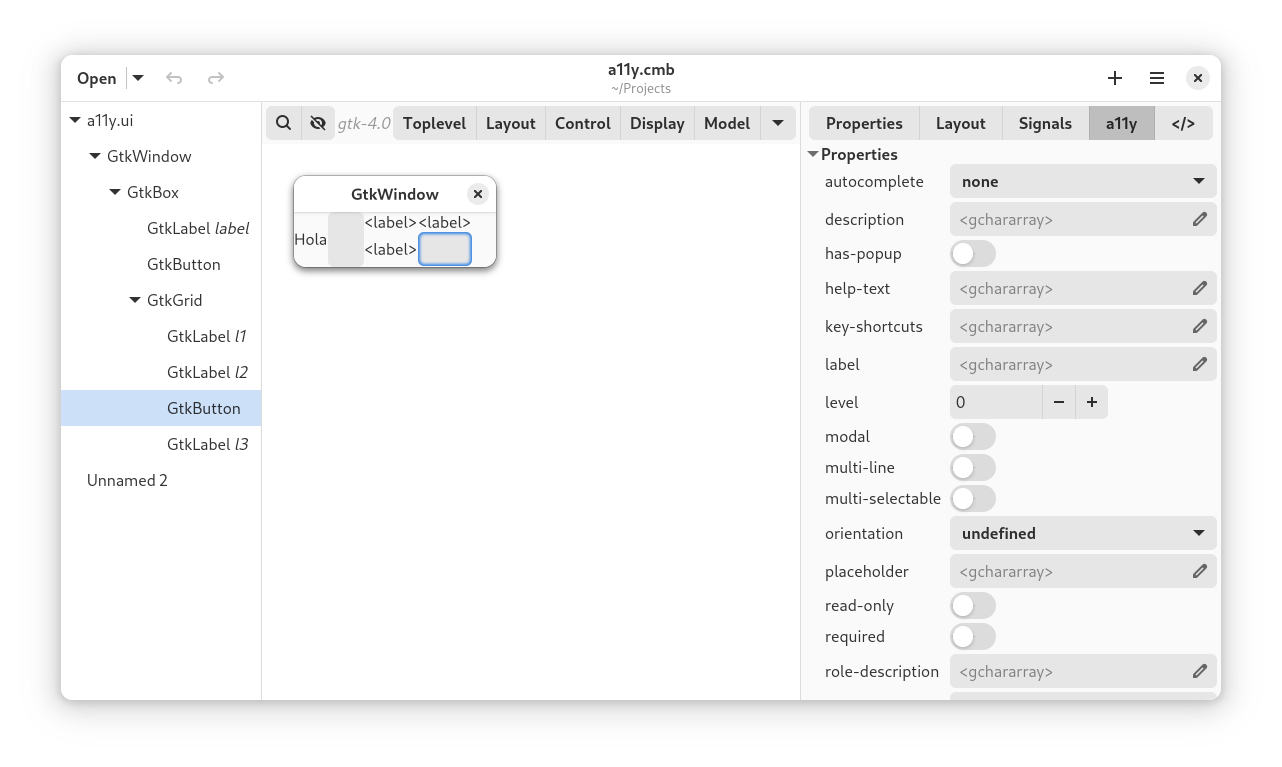
This can be easily solved by adding a new tab “a11y” to the object editor which only shows a11y interface properties.Cambalache screenshot showing A11y tab with all propertiesNow at this point it is possible to create and edit accessibility metadata for any UI but as Emmanuelle pointed out not every a11y property and relation is valid for every role.

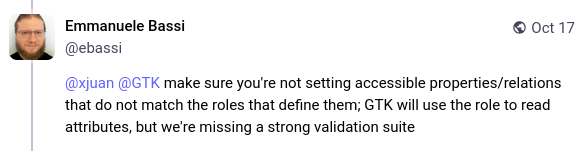
@xjuan @GTK make sure you're not setting accessible properties/relations that do not match the roles that define them; GTK will use the role to read attributes, but we're missing a strong validation suite

To know what is valid or not you need to read WAI-ARIA specs or write a script that pulls all the metadata from it.

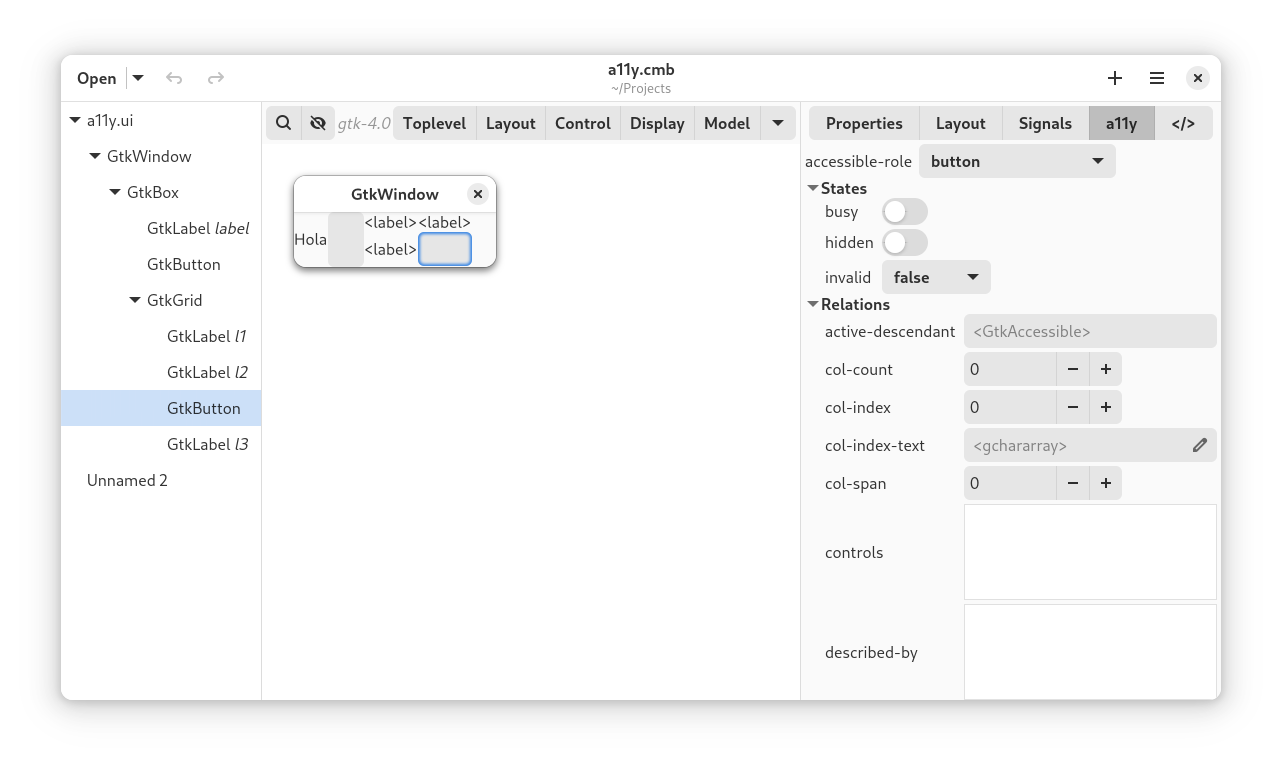
With this metadata handy is it easy to filter properties and relations depending on the a11y role.Cambalache screenshot showin a11y tab with properties filtered by accessible roleBTW keep in mind that accessible-role property should not be changed under normal circumstances.

Where to get it?

From Flathub

flatpak remote-add --if-not-exists flathub https://dl.flathub.org/repo/flathub.flatpakrepo

flatpak install flathub ar.xjuan.Cambalache

or directly from gitlab

git clone https://gitlab.gnome.org/jpu/cambalache.git

Matrix channel

Have any question? come chat with us at #cambalache:gnome.org

Mastodon

Follow me in Mastodon @xjuan to get news related to Cambalache development.

Happy coding!

New Cambalache Release 0.92.0!

I am pleased to announce a new Cambalache stable release, version 0.92.0!

This comes with two major dependencies changes, the first one is a very basic port to Adwaita and webkit/broadway replacement with a custom Wayland compositor widget based on wlroots.

What’s new:

    • Basic port to Adwaita
    • Use Casilda compositor widget for workspace
    • Update widget catalogs to SDK 47
    • Improved Drag&Drop support
    • Improve workspace performance
    • Enable workspace animations
    • Fix window ordering
    • Support new desktop dark style
    • Support 3rd party libraries
    • Streamline headerbar
    • Lots of bug fixes and minor improvements

Adwaita

The port to Adwaita gives Cambalache the new modern look and enables dark mode support.
The headerbar is simplified only keeping most common used actions, everything else was moved to the main menu.

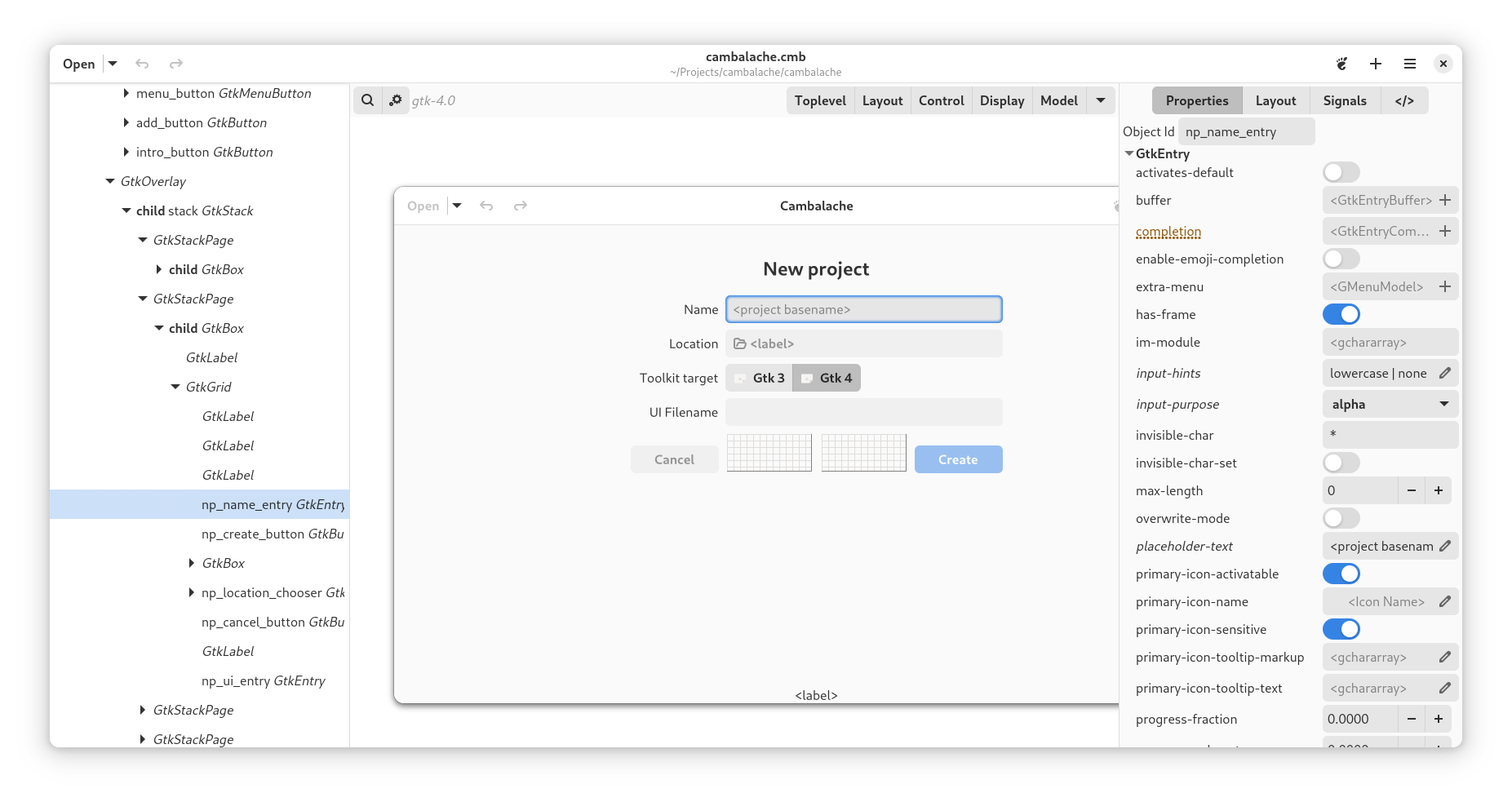
Cambalache editing Cambalache UI
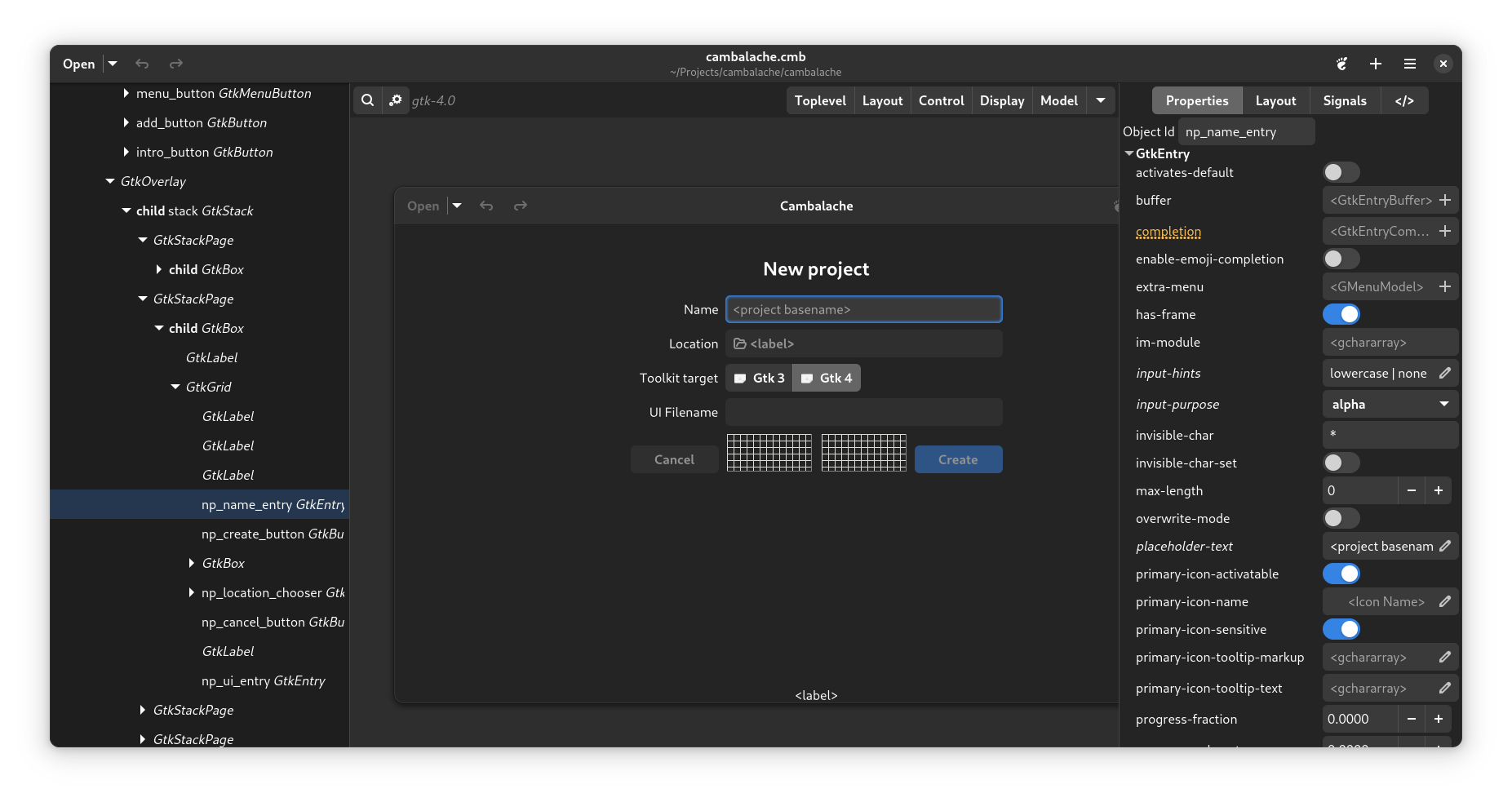
Cambalache editing Cambalache UI in dark mode

Casilda Compositor

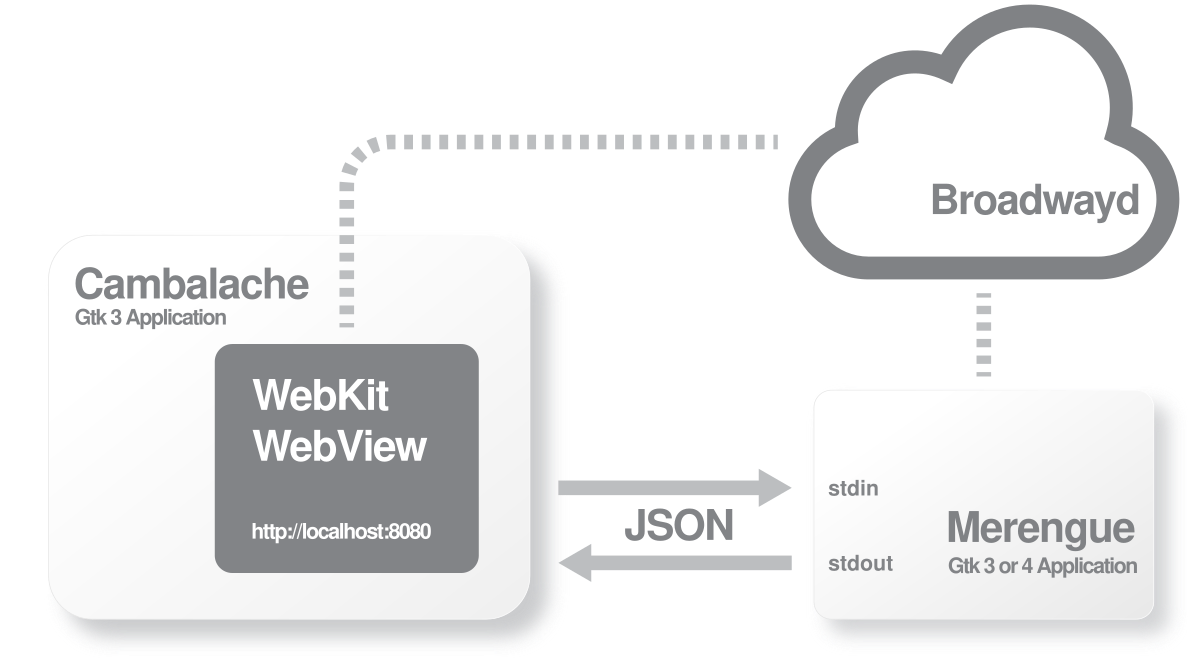
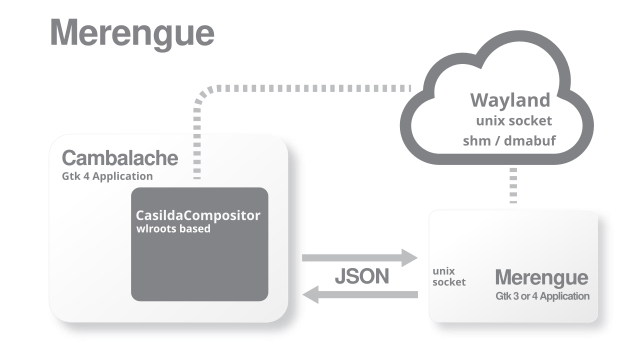
Up until this release, Cambalache showed windows from a different process in its workspace running broadwayd or gtk4-broadwayd backend depending on the gtk version of your project and using a WebView to connect to it and show the windows in an HTML canvas.Workspace diagram using Bradwayd and WebKit WebViewAll of this was replaced with a simple Wayland compositor widget which reduces hard dependencies a lot.

On top of that we get all the optimizations from using Wayland instead of a protocol meant to go over the internet.

With Broadway, the client would render the window in memory, the broadway backend would compress the image and sent it over TCP to the webview which has to uncompress it and render it on an HTML5 canvas.

Now, the client just renders in shared memory which is directly available to the compositor widget to use. This also leave the option to further improve performance by adding support for dmabuf which would allow to offload the composition to the host compositor reducing the number of memory copies to show the windows on the screen.

This allowed me to re enable Gtk animations since they no longer impact the workspace performance.

Special thanks to emersion, kennylevinsen, vyivel and the wlroots community for their support and awesome project, I would not have been able to do this without wlroots and their help.

You can read more about Casilda in my previous post

3rd party libraries

Cambalache now loads 3rd party catalogs from GLib.get_system_data_dirs()/cambalache/catalogs and ~/.cambalache/catalogs

These catalog files are generated from Gir data with a new tool bundled in Cambalache calledcmb-catalog-gen. This used to be an internal and still lacks proper documentation but you can see an example of how its used internally here

So what is a catalog anyway?

A catalog is a XML file with all the necessary data for Cambalache to produce UI files with widgets from a particular library, this includes the different GTypes, with their properties, signals and everything else except the actual object implementations.

Runtime objects are created in the workspace by loading the GI namespace specified in the catalog.

Feel free to contact me on matrix if you are interested in adding support for a 3rd party library.

Improved Drag&Drop

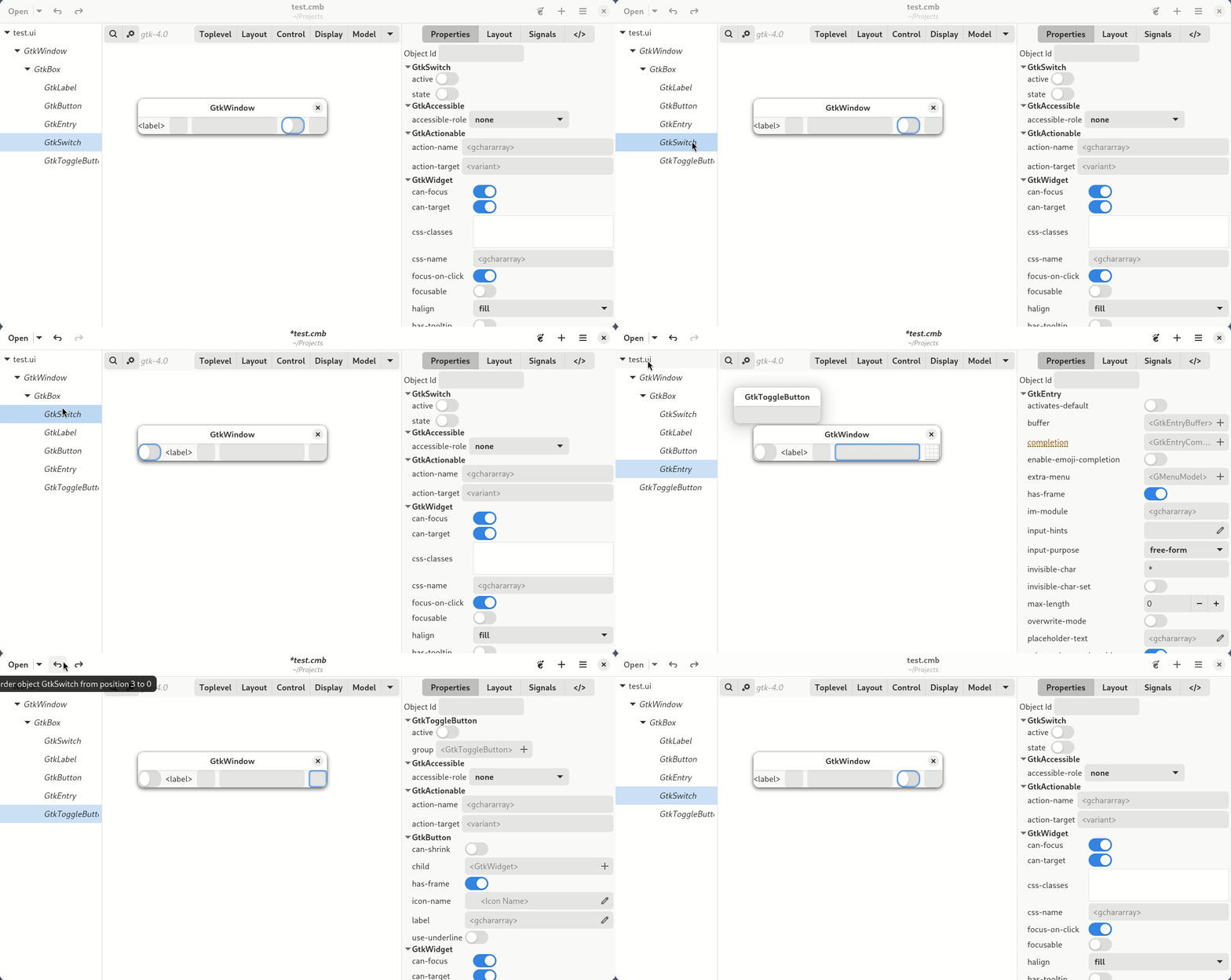
After the extensive rework done porting the main widget hierarchy from GtkTreeView to GtkColumnView and implementing several GListModel interfaces to avoid maintaining multiple lists I was able to reimplement and extend Drag&Drop code so now its possible to drop widgets in different parents.

Data Model

History handling for Undo/Redo was simplified from multiple history tables (one per table tracked) into one history table by adding a few extra columns to store data change in JSON format.

CREATE TABLE history (
  history_id INTEGER PRIMARY KEY,
  command TEXT NOT NULL,
  range_id INTEGER REFERENCES history,
  table_name TEXT,
  column_name TEXT,
  message TEXT,
+  table_pk JSON,
+  new_values JSON,
+  old_values JSON
);

This is the current history table, entries are populated automatically by triggers each time something in the project is created, changed or removed.

This data is then used to implement Undo and Redo commands.

Where to get it?

You can get it from Flathub

flatpak remote-add --if-not-exists flathub https://dl.flathub.org/repo/flathub.flatpakrepo

flatpak install flathub ar.xjuan.Cambalache

or directly from gitlab

git clone https://gitlab.gnome.org/jpu/cambalache.git

Matrix channel

Have any question? come chat with us at #cambalache:gnome.org

Mastodon

Follow me in Mastodon @xjuan to get news related to Cambalache development.

Happy coding!


Introducing Casilda – A Wayland compositor widget!

I am pleased to introduce the first stable release of Casilda!

A simple Wayland compositor widget for Gtk 4 which can be used to embed other processes windows in your Gtk 4 application.

It was originally created for Cambalache‘s workspace using wlroots, a modular library to create Wayland compositors.

Following Wayland tradition, this library is named after my hometown in Santa Fe, Argentina

License

Casilda is distributed under the GNU Lesser General Public License version 2.1 only.

Where to get it?

Source code lives on GNOME gitlab here

git clone https://gitlab.gnome.org/jpu/casilda.git

Manual installation

This is a regular meson package and can be installed the usual way.

# Configure project in _build directory
meson setup --wipe --prefix=~/.local _build .

# Build and install in ~/.local
ninja -C _build install

How to use it

To add a Wayland compositor to your application all you have to do is create a CasildaCompositor widget. You can specify which UNIX socket the compositor will listen for clients connections or let it will choose one automatically.

compositor = casilda_compositor_new ("/tmp/casilda-example.sock");
gtk_window_set_child (GTK_WINDOW (window), GTK_WIDGET (compositor));

Once the compositor is running you can connect to it by specifying the socket in WAYLAND_DISPLAY environment variable.

export GDK_BACKEND=wayland
export WAYLAND_DISPLAY=/tmp/casilda-example.sock
gtk4-demo

API

The api is pretty simple CasildaCompositor has two properties, socket and bg-color.

    • socket: The unix socket file to connect to this compositor (string)
    • bg-color: Compositor background color (GdkRGBA)

Matrix channel

Have any question? come chat with us at #cambalache:gnome.org

Mastodon

Follow me in Mastodon @xjuan to get news related to Casilda and Cambalache development.

Happy coding!

New Cambalache development release!

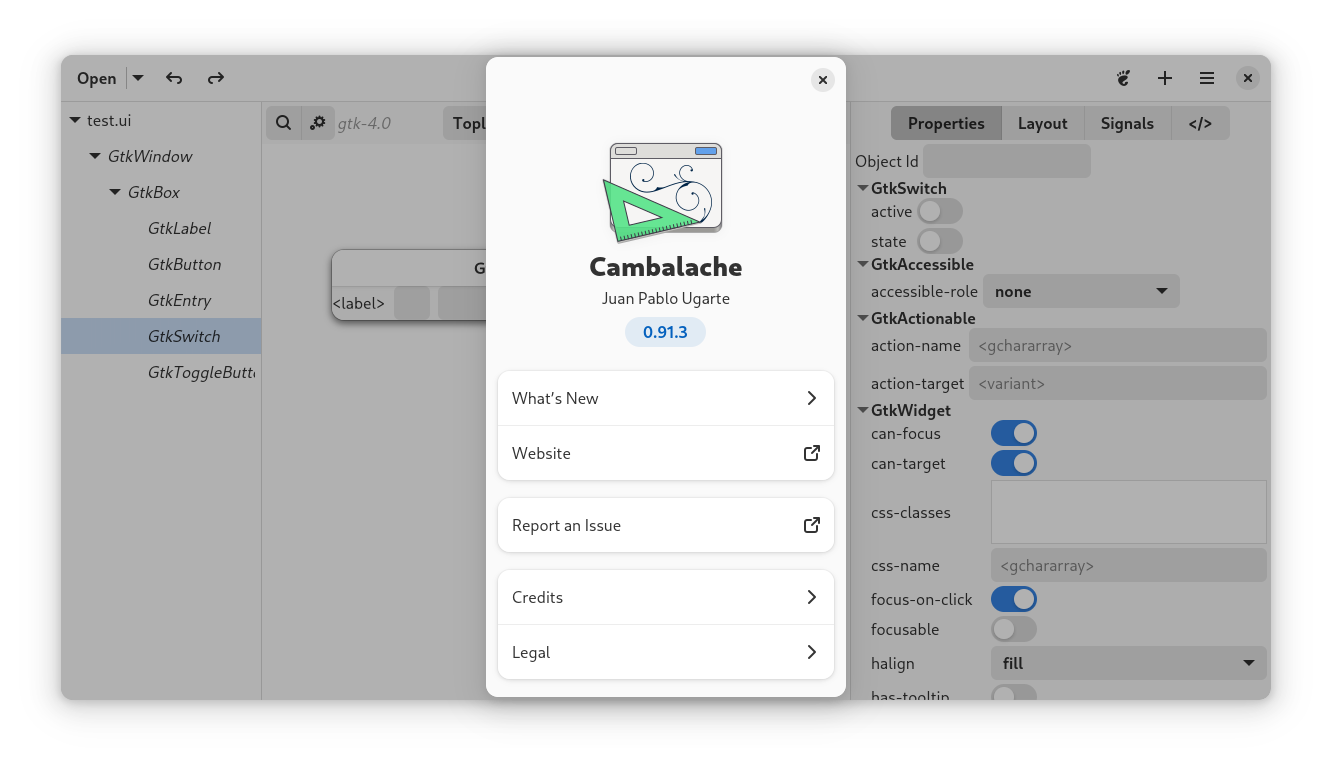
I am pleased to announce a new development release of Cambalache, version 0.91.3, getting us one step closer to  the stable release for GNOME 47.

What’s new:

    • Support 3rd party libraries
    • Improved Drag&Drop support
    • Streamline headerbar
    • Ported treeview to column view
    • Several bug fixes

3rd party libraries

Cambalache now loads 3rd party catalogs from Load catalogs from GLib.get_system_data_dirs()/cambalache/catalogs and ~/.cambalache/catalogs

These catalog files are generated from Gir data with tools/cambalache-db.py script. Currently this is an internal tool which means it needs some work and documentation to make it easier to use but you can see an example of how its used internally here

So what is a catalog anyway?

A catalog is a XML file with all the necessary data for cambalache to produce UI files with widgets from a particular library, this includes the different GTypes, with their properties, signals and everything else except the actual object implementations.

Runtime objects are created in the workspace by loading the GI namespace specified in the catalog.

So please, feel free to contact me on matrix if you are interested in adding support for a 3rd party library.

Improved Drag&Drop support

After the extensive rework done porting the main widget hierarchy from GtkTreeView to GtkColumnView and implementing several GListModel interfaces to avoid maintaining multiple lists I was able to reimplement and extend Drag&Drop code so now its possible to drop widgets in different parents.

Where to get it?

You can get it from Flathub Beta

flatpak remote-add --if-not-exists flathub-beta flathub.org/beta-repo/flathub-

flatpak install flathub-beta ar.xjuan.Cambalache

or checkout main branch at gitlab

git clone https://gitlab.gnome.org/jpu/cambalache.git

Matrix channel

Have any question? come chat with us at #cambalache:gnome.org

Mastodon

Follow me in Mastodon @xjuan to get news related to Cambalache development.

Happy coding!

New Cambalache development release 0.91.1!

I am please to announce a new development version of Cambalache

This comes with two major dependencies changes, the first one is a very basic port to Adwaita which fixes dark mode support with Gtk4The biggest one is that I have replaced the WebKit WebView used to show widgets in the workspace for a custom Wayland compositor widget based on wlroots.

So far, this is how Cambalache showed windows from a different process in its workspace.Workspace diagram using Bradwayd and WebKit WebView

It would run broadwayd or gtk4-broadwayd backend depending on the gtk version of your project and use a WebView to show all the windows.

With the new approach we do not need the extra broadway backend and also we do not need to run a whole web browser just to show a window.On top of that we get all the obvious optimizations from using Wayland instead of a protocol meant to go over the internet.

For example, with broadway, the client would render the window in memory, the broadway backend would compress the image and sent it over TCP to the webview which has to uncompress it and render it on an HTML5 canvas using JS api.

But now, the client just renders it in shared memory which the compositor use it to create a cairo surface from it and renders it directly in a GtkDrawingArea.

And this is how the new Cambalache looks like when editing its own UI.This also leaves room for improvement by leveraging all the new Gtk infrastructure for graphics offloading (see this blog post from Matthias about it)

As usual with so many changes I expect new bugs so please if you find any,  file them here.

Special thanks goes to emersion, kennylevinsen, vyivel and the wlroots community for their support and awesome project, I would not have been able to do this without wlroots and their help.

Where to get it?

You can get it from Flathub Beta

flatpak remote-add --if-not-exists flathub-beta flathub.org/beta-repo/flathub-

flatpak install flathub-beta ar.xjuan.Cambalache

or checkout main branch at gitlab

git clone https://gitlab.gnome.org/jpu/cambalache.git

Matrix channel

Have any question? come chat with us at #cambalache:gnome.org

Mastodon

Follow me in Mastodon @xjuan to get news related to Cambalache development.

Happy coding!