Problems trying to implement XDS on gedit

Uncategorized 2 Comments

One week ago I tried to implement the Direct Save protocol on gedit but for some reason I couldn’t find the way to make it work.

The releated bug is: http://bugzilla.gnome.org/show_bug.cgi?id=430798 and the patch: http://bugzilla-attachments.gnome.org/attachment.cgi?id=141835

For some reason when I have to get the name from file-roller, the name I get is “xds.txt” and it should return the name of the file droped from file-roller instead, kind of weird as the func I use for getting this was borrowed from nautilus. Apart from that the patch seems to work fine, it sets the url where I want to make file-roller extract the file and it is extracted ok. If anybody knows how to fix it, help would be appreciated.

About the summer in Malta

Uncategorized 5 Comments

This year I decided that instead of looking for a summer job in Spain, I would go to a foreign country to learn some english and to work in something different to computer engineer. So I went to Malta with some friends. There, I found a job as bartender, prostituting myself for a few € :) but I think it worth it because it was really funny and I met a lot of people. As you can see in the photo bellow, that’s me in my bar of the Empire disco pub.

Me as bartender

Apart from working all the summer, I made an English course too, it was awesome being in a room with so many people from different countries. I liked a lot that experience.

I’ve to say that I enjoyed the summer too, mainly in Malta what you have to do “every day” is going out. Going out every day you’ll find each pub or disco, full of people. The main problem is that the party ends at 4:00 as the police don’t allow to have the volume of the music loud from that time. I made some turism too, there aren’t too many places to visit, as malta is not so big but well, as you can see in the photo bellow that’s the Blue Lagoon, nice place if there wasn’t so many people.

Blue Lagoon

I made a few crazy things too, one of the things was jumping to the water from a really high place. It was scaring but funny too.

Jumping

In relation to free software I’ve been working on gedit like always, not too much, some bug fixing, bugzilla cleanup and so. Haven’t had too much time to invest on it. That’s something I’ll try to change as we want to make some cool things on it for the next cycles.

Porting your Gtk+ application to windows

Uncategorized 4 Comments

As you know we ported some time ago gedit to windows, so I’m writing this for saving you some time in case you wanna port your own application.

So, what should be done for porting you application to windows?

  • First, follow the great instructions armin did. As you can see, you have to make use of mingw so you can build/use the needed dependencies for your application. That instructions are done for subversion, so now that we are under git, you will have to download msysgit (this is the one I use) or any other git client.
  • Once you have mingw working, try building you application. For making this in gedit, I run: am_cv_python_pyexecutedir=/c/Python25/Lib/site-packages ac_cv_path_INTLTOOL_PERL=/c/Perl/bin/perl GMSGFMT=msgfmt ./autogen.sh –disable-spell && make && make install
  • If you didn’t get your application built, check the build errors. The main reasons for don’t having working this, is because you are using deprecated dependencies or dependencies that aren’t ported to windows, so GET RID OF THEM! In our case we had to add some ifdefing for not building bacon and for using the gio saver/loader instead of the mmap.
  • If you finally got the program working on mingw the pain is not yet ended. Questions like:
    • Why don’t we have plugins working?
        This problem is because windows needs some flags for building the dlls. What I had to add was:
        PLUGIN_LIBTOOL_FLAGS=”-module -avoid-version -no-undefined -mwindows -Wl,\$(top_builddir)/gedit/libgedit-\$(GEDIT_API_VERSION).a”
        -no-undefined (needed for dlls) -mwindows (needed for not showing a terminal when you execute the application and -Wl,\$(top_builddir)/gedit/libgedit-\$(GEDIT_API_VERSION).a because is needed to build directly with the library we use in gedit.
    • Why don’t we have an icon?
        In this case this is because the icon in windows is added on build time. So how can you fix that?
        In gedit we created the .ico file and a gedit.rc file.
        Then with this file you will have to add to your Makefile.am something like this:
        if PLATFORM_WIN32
        gedit-res.o: gedit.rc
        $(WINDRES) -i gedit.rc –input-format=rc -o gedit-res.o -O coffgedit_LDADD += gedit-res.o
        endif
  • After doing this you could start thinking about creating your installer. For doing this we’ve chosen Inno Setup, mainly because it was the one used in glom. For creating the installer we created two scripts build-installer which is the one that creates the directory with all needed files and dlls and call the compiler for building the installer, and gedit.iss.in that it is the one used by the inno setup compiler for creating the installer.
  • So great we have an installer that should work, but Hey it doesn’t!! Why?
      This is because we were using variables like DATADIR that gets the place where our pixmaps and other files should go. But hey, now we have installed our application in a different place that it was when we built it with mingw, so we need to get this place in a different way. In gedit we created several funcs for doing this. You can find them in gedit-dirs.ch. What we mainly do is getting the root directory with the func g_win32_get_package_installation_directory_of_module in case we are under windows and create the right path from it.
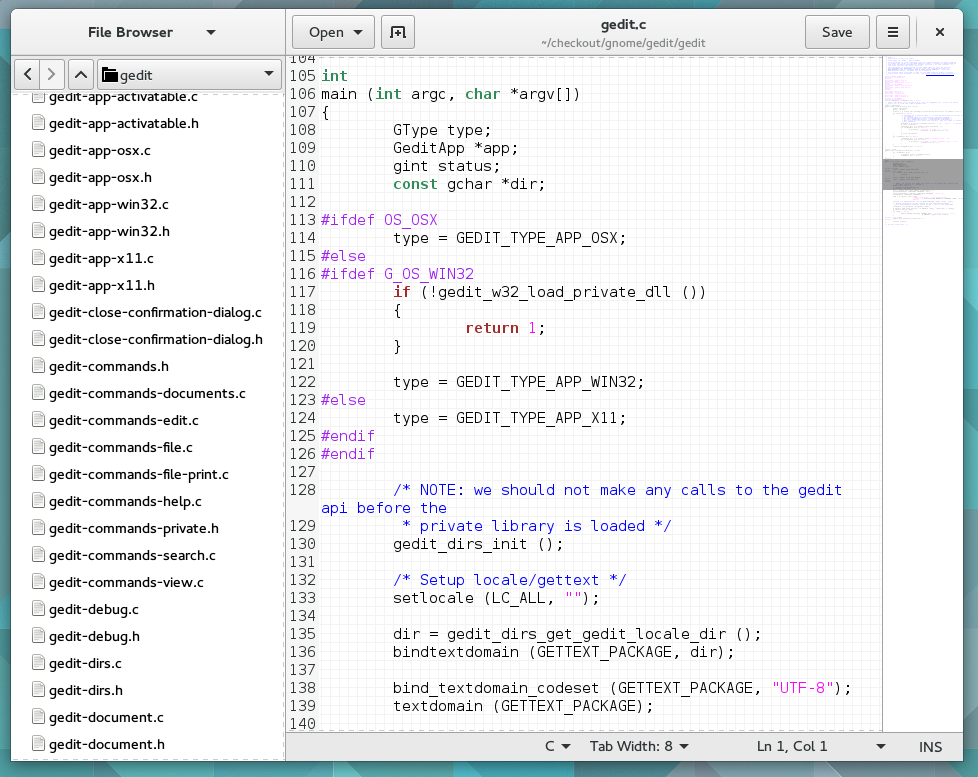
  • Finally, if you use GConf you are gonna have another problem. You have to setup the environment variable PATH at runtime. In gedit.c you have the func setup_path (borrowed from evolution) that makes that.

If you were able to read this, thanks! I hope this helps someone, I missed something like this when I worked on the gedit port.

GtkSourceCompletion

Uncategorized Comments Off

This week I’ve been porting gtksourcecompletion to gtksourceview, so now you can use it in  the branch gtksourcecompletion:

svn co http://svn.gnome.org/svn/gtksourceview/branches/gtksourcecompletion gtksourcecompletion

Here you have a screenshot of the test case:

gsc

GNOME 2.26

Uncategorized Comments Off

gnome 2.26

Congrats to everyone who made this possible!!!

Introducing my self

Uncategorized Comments Off

Hi guys, I finally decided to switch from blogspot to this new blog. So as this is my first post, I’ll write a bit about me:

My name is Ignacio Casal Quinteiro (irc: nacho), I am 22 and I am studying Computer engineer in Galicia (Spain).

  • I’ve been working for 3-4 years as the Galician Translation Coordinator and currently I left the coordination to be focused in other things that I am more interested. (Like coding applications).
  • In 2007 I was a bit tired of using kbabel for translation, so I decided to write some patches to improve gtranslator, and in a crazy think I had, rewrote it from scrach to change it to GObject. I think the work I did for gtranslator was great, I learnt a lot and it was funny (sometimes not) writing it.
  • In the past few months after leaving the development of gtranslator, I decided to try to improve a bit gedit (this awesome text editor we have). For the moment I helped to port gedit to windows and I made some bugfixing. Currently I am working in a framework for writings indenters for gtksourceview and I’ll try to get it ready for 2.28.

To finish this first post I wanna thank eveyone who helped me and in special Paolo Borelli who was there all this time for answering all my questions.